 Tesseract
Included Tools Saved characters · included
The same face, in every picture.
Save a person once, with a picture and a few words. Then write @their name in any request, and every picture and clip is made from the same picture and words, wherever the scene takes them.
- Saved once as a card
- Write @name in any request
- Pictures and clips
What you can do
How it works.
- Save onceA picture and a short description of a person, a pet, a product or a place. Saving a card is free.
- Write @nameWrite @name in any request and the card’s picture and words go with it.
- The same lookThe face, hair and clothes are drawn from the same picture every time.
- EverywherePictures, clips, long videos and shorts all use the same cards.
- Their own screenSee, add, change and remove your cards on one screen.
One card.
On the left, the one picture on her card. On the right, “@maya surfing a huge turquoise wave at sunrise”.
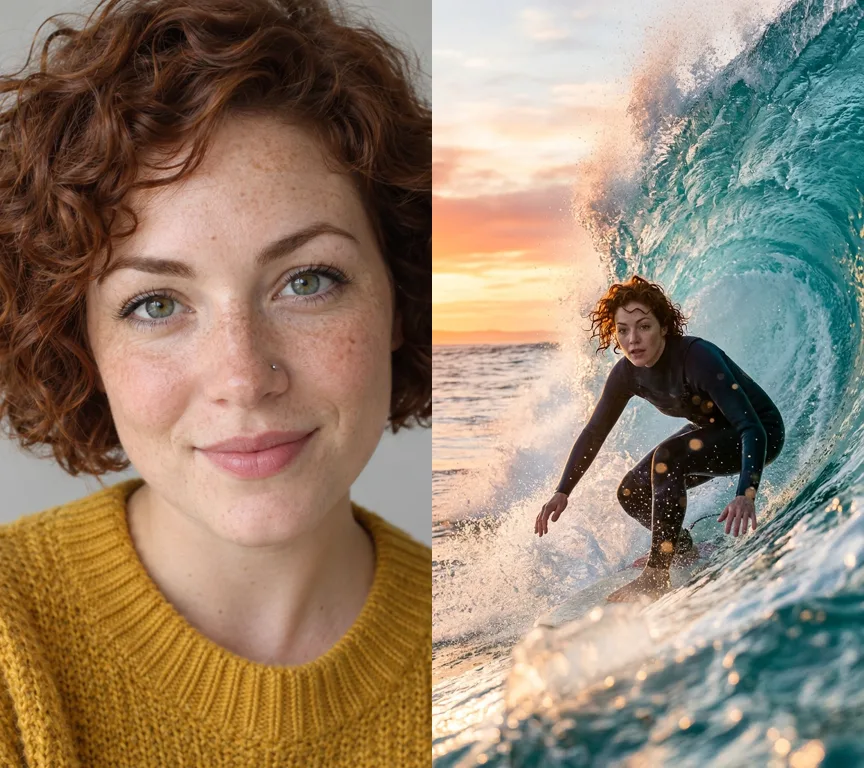
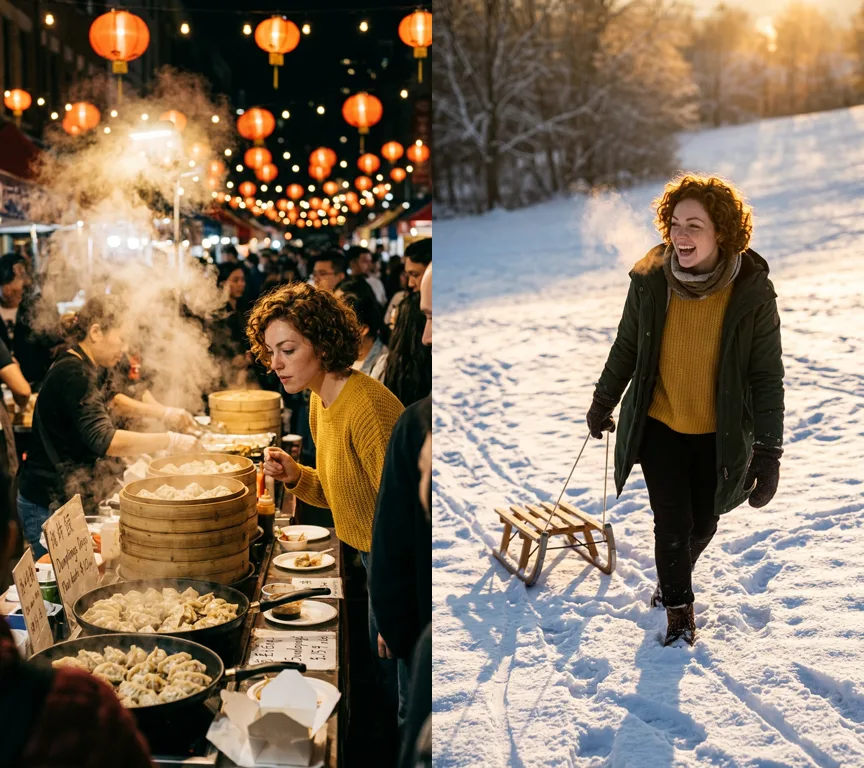
New scenes, the same person.
Two more requests with @maya: a night market and a snowy hill. Our examples were made with the Tesseract beta.
Good to know
- It is made by AI models, so it is paid: from your Tesseract allowance when you are signed in, or with keys of your own, priced first on a key of your own.
- Use pictures of yourself, of an adult who agreed, or of a made-up person.
Questions
Questions people ask
Where is it in the app?
Ask the assistant to save a character from a picture, then write @name in your requests. Your cards are on the Reflections screen.
Does it work for products?
Yes. A product, a pet or a place is saved the same way, and every shot is made from its picture.
Save your first character.
Free on Mac, Windows and Linux, with every other tool included.