 Tesseract
 Claude Code GUI · free
A free desktop app for Claude Code.
Anthropic’s coding agent. It reads your project, edits files, runs commands and checks its work — and in Tesseract it has the deepest tool and browser integration. Tesseract gives it a window on Mac, Windows and Linux — beside a code editor, a terminal and a live preview, with a plan you approve before it acts.
Updated · Made by Anthropic · Claude Code’s own site
Set up
Claude Code running in three steps.
- Download Tesseract. Free for Mac, Windows and Linux; it installs and updates itself.
- Pick Claude Code. On the first-run screen or in Settings. Tesseract installs it for you, or uses the copy already on your computer.
- Sign in. Sign in with your Claude account (Pro or Max), or use an Anthropic API key.
What works
Claude Code in Tesseract, feature by feature.
Read from the app’s own framework catalog — what Tesseract does with Claude Code today, not what any agent promises.
- Asks you before a risky tool call
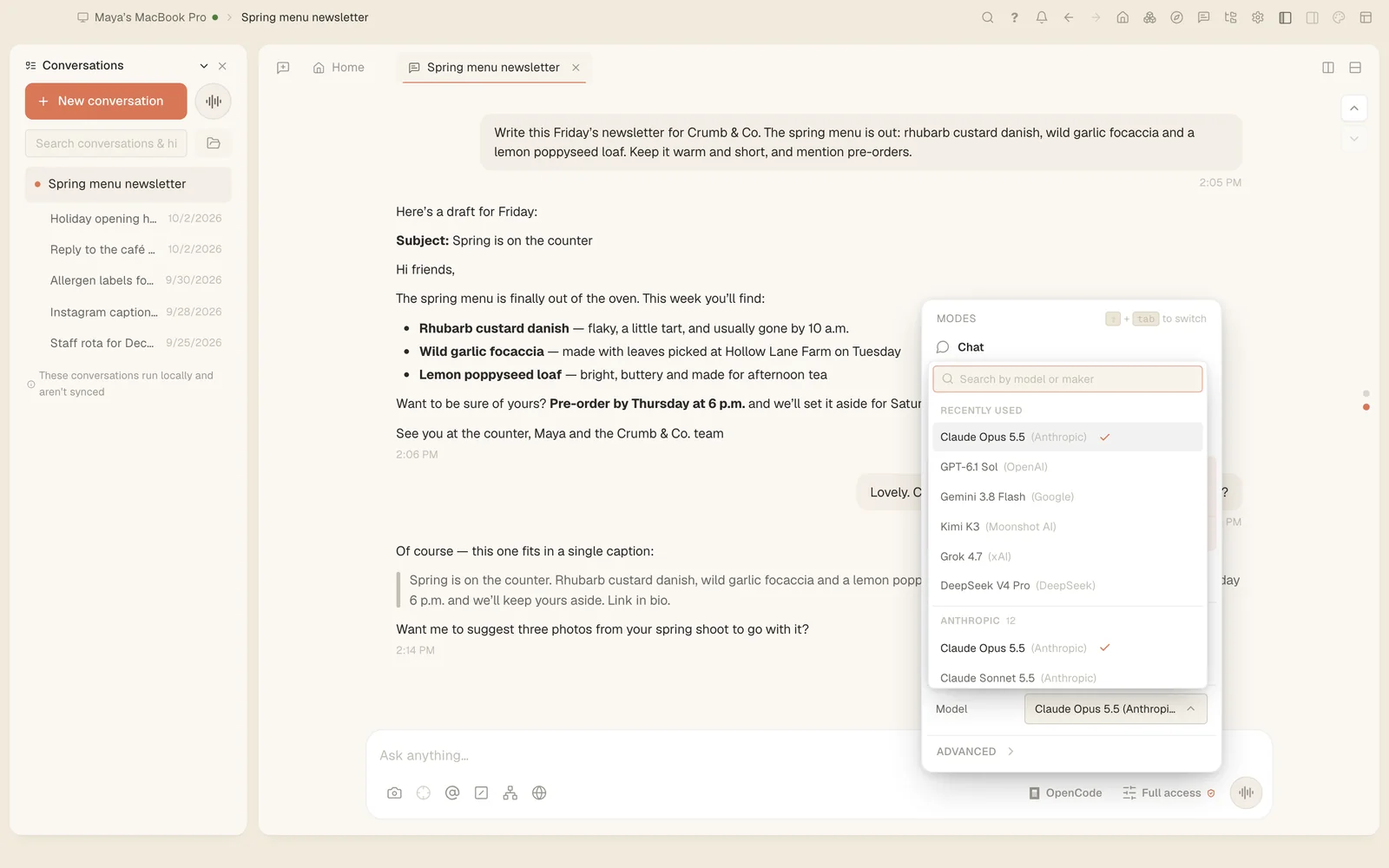
- Pick the model for each message
- Choose how hard it thinks
- Send it images and files
- Drives a real browser
- Tesseract’s tools and your MCP servers
- Skills and extensions
- Subagents
- Pick up a past conversation
- Fork a conversation
- Restore files to an earlier message
- A reviewable diff of everything it changed
- Shows how full its context window is
- Compacts a long conversation to keep going
- Keeps working when you step away
- Scheduled, repeating jobs
- Checks its own work before it finishes
- Runs inside the operating system’s sandbox
- The cost of every conversation
- An integrated terminal
- Search everything it has said
Around it
Everything an agent needs, in the same window.
- A code workspaceThe Monaco editor with a file tree and tabs, an integrated terminal, and a live preview while it works.
- A plan firstChat, Plan or Full access for each conversation, and an editable plan you approve before it acts.
- A real browserA browser the agent can drive for forms and live pages, and your own signed-in browser through the extension.
- Your other computersRun Claude Code on a server or another machine with
tesseract-agent, and follow it from here. - Tools and skillsAny MCP server over stdio, HTTP or SSE, skills from ClawHub, and extensions with their own tools.
- Free to useTesseract costs nothing. Your Anthropic account or key works as it does anywhere else.
Questions
About Claude Code in Tesseract.
- Is there a Claude Code GUI for Mac, Windows and Linux?
- Yes. Tesseract is a free desktop app for all three that runs Claude Code in a window, with a code editor, a terminal, a live preview and a browser beside the conversation.
- Does it cost anything to use Claude Code in Tesseract?
- Tesseract is free. Sign in with your Claude account (Pro or Max), or use an Anthropic API key. Your plan or key with Anthropic works as it does anywhere else, with its own limits; Tesseract adds no charge on top.
- Can I use Claude Code and other agents at the same time?
- Yes. Each conversation picks its own framework, so Claude Code can work in one conversation while Claude Code, Codex or any of the 13 others work in another.
- Does Tesseract change how Claude Code works?
- It runs Claude Code itself, installed on your computer, and adds what is around it: the window, the editor and terminal, a plan you approve, permission prompts and a record of the conversation you can search and pick up later.
Same app
13 more agents, one click away.
- OpenAI CodexOpenAI
- OpenCodethe OpenCode open-source project
- Gemini CLIGoogle
- Antigravity CLIGoogle
- Kimi CodeMoonshot AI
- Qwen CodeAlibaba’s Qwen team
- MiniMax CodeMiniMax
- CodeBuddyTencent
- Grok BuildxAI
- CursorAnysphere, the makers of Cursor
- Hermes AgentNous Research
- OpenClawthe OpenClaw open-source project
- NanoClawthe NanoClaw open-source project