 Tesseract
All your computers on one private network.
Tesseract Mesh gives your machines a private network of their own, so they reach each other by name wherever each one is: at home, at the office or in a data centre. Free, as its own app or built into Tesseract.
- Free, no subscription
- Join with a token, no account needed
- Up to 65,536 machines per network
Already using Tesseract? It's built in. Get Tesseract
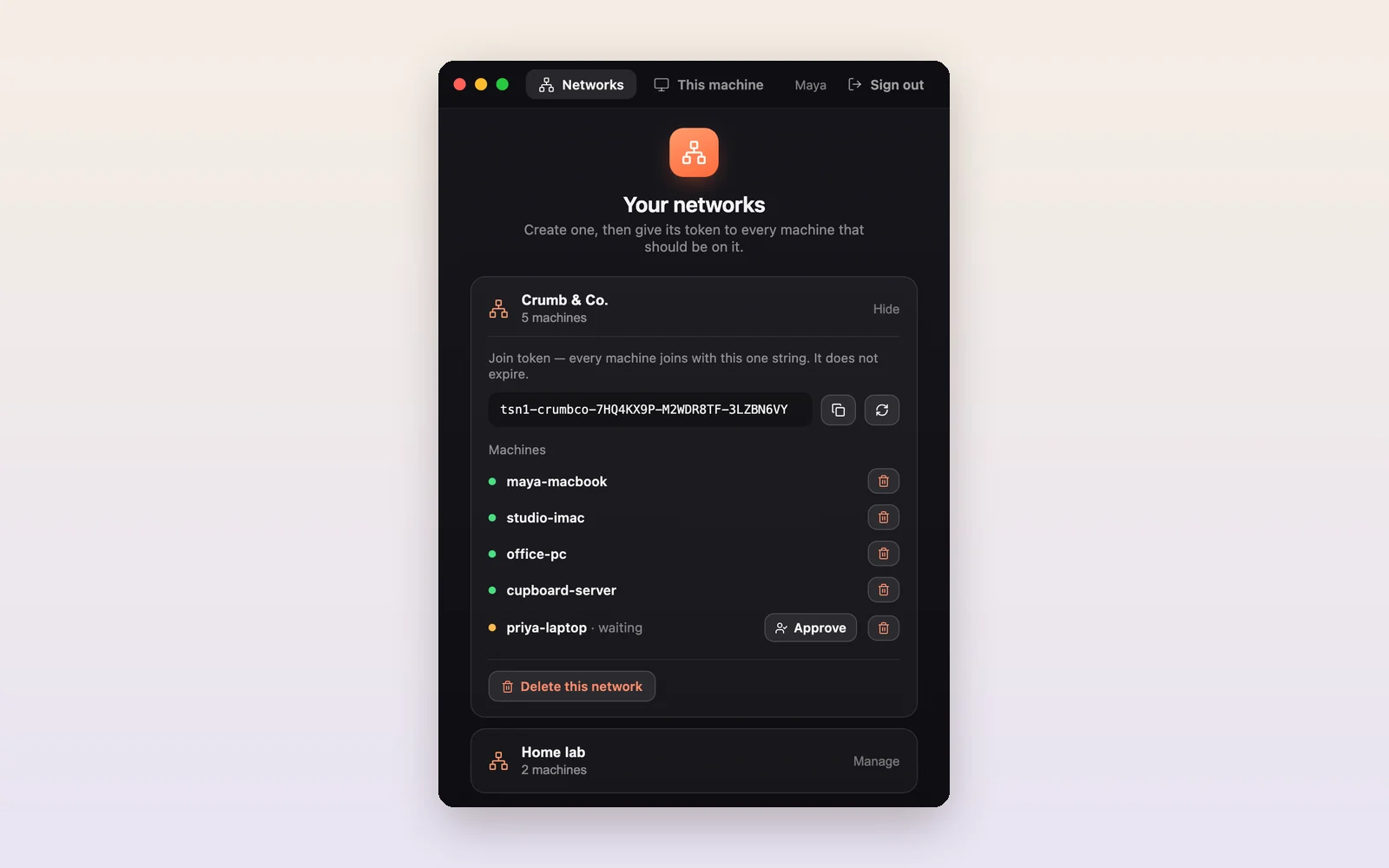
A network of your own in three steps.
Create a network
Sign in and create one. You get a join token for your other machines.
Join your machines
Paste the token into Mesh on each machine. Those machines don't need an account.
Use them by name
Every machine is reachable by its hostname from every other, as if they sat on one desk.
Straight lines between your machines.
Traffic goes directly from one machine to another whenever the network allows. When it doesn't, a relay passes it along, still encrypted, so your machines stay connected through almost any router.
Our server issues each network's certificates. The relay can't read your traffic, but it does see how much passes and when.
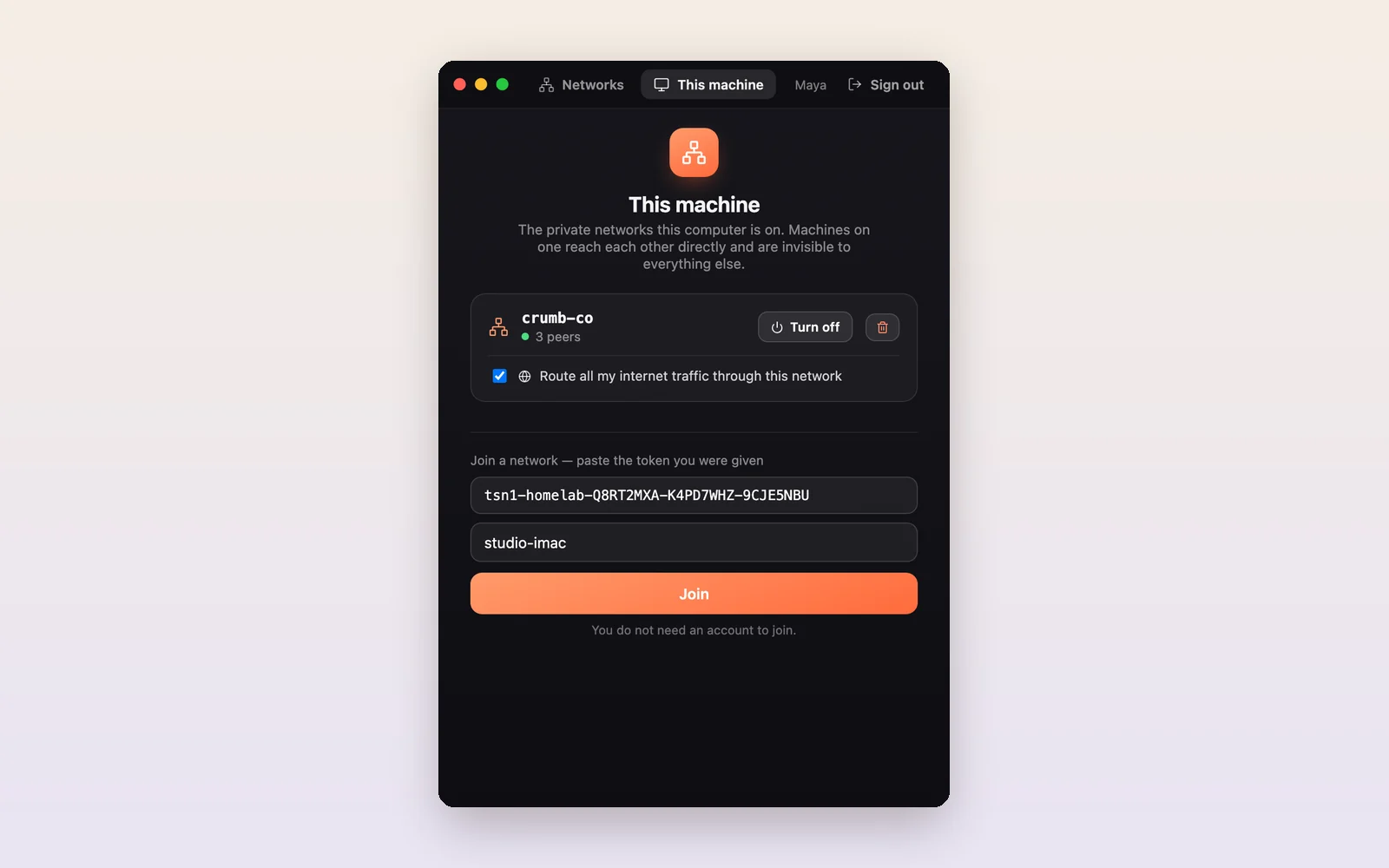
Join with a token. Switch it on or off.
On each machine, paste the network's token and it joins. Turn a network off and on again without leaving it, or tick one box to send all its internet traffic through the network's exit node.
A join token keeps working until the network owner replaces it.
Everything a small network needs.
- Reach machines by nameEvery computer answers to its own hostname: open studio-imac:3000 in a browser, or ssh cupboard-server.
- Direct when it can beMachines connect straight to each other through home and office routers, with a relay as the fallback, still encrypted.
- An exit nodeSend all your internet traffic through one of your own machines, when the network owner allows it.
- You decide who joinsRequire approval for new machines, see who is in the network, and remove a machine at any time.
- Several networksA machine can be in more than one network and switch each on or off without leaving it.
- Big enoughUp to 65,536 machines in one network, on Mac, Windows and Linux.
Servers join from the command line.
A server with no screen joins the same way, with the free Tesseract agent. It keeps the network up as a background service.
Mesh installs a small network helper on first use and asks for your admin password once. A Windows machine can be an exit node after you turn on its Containers or Hyper-V feature and restart.
# install the free agent
$npm i -g tesseract-agent "--allow-scripts=tesseract-agent,ffmpeg-static,node-datachannel,@homebridge/node-pty-prebuilt-multiarch"
# join the network with its token
$tesseract-agent mesh join <TOKEN>
# see the network, or take this machine off it
$tesseract-agent mesh list
$tesseract-agent mesh down
tesseract-agent on npm →The network your AI works across.
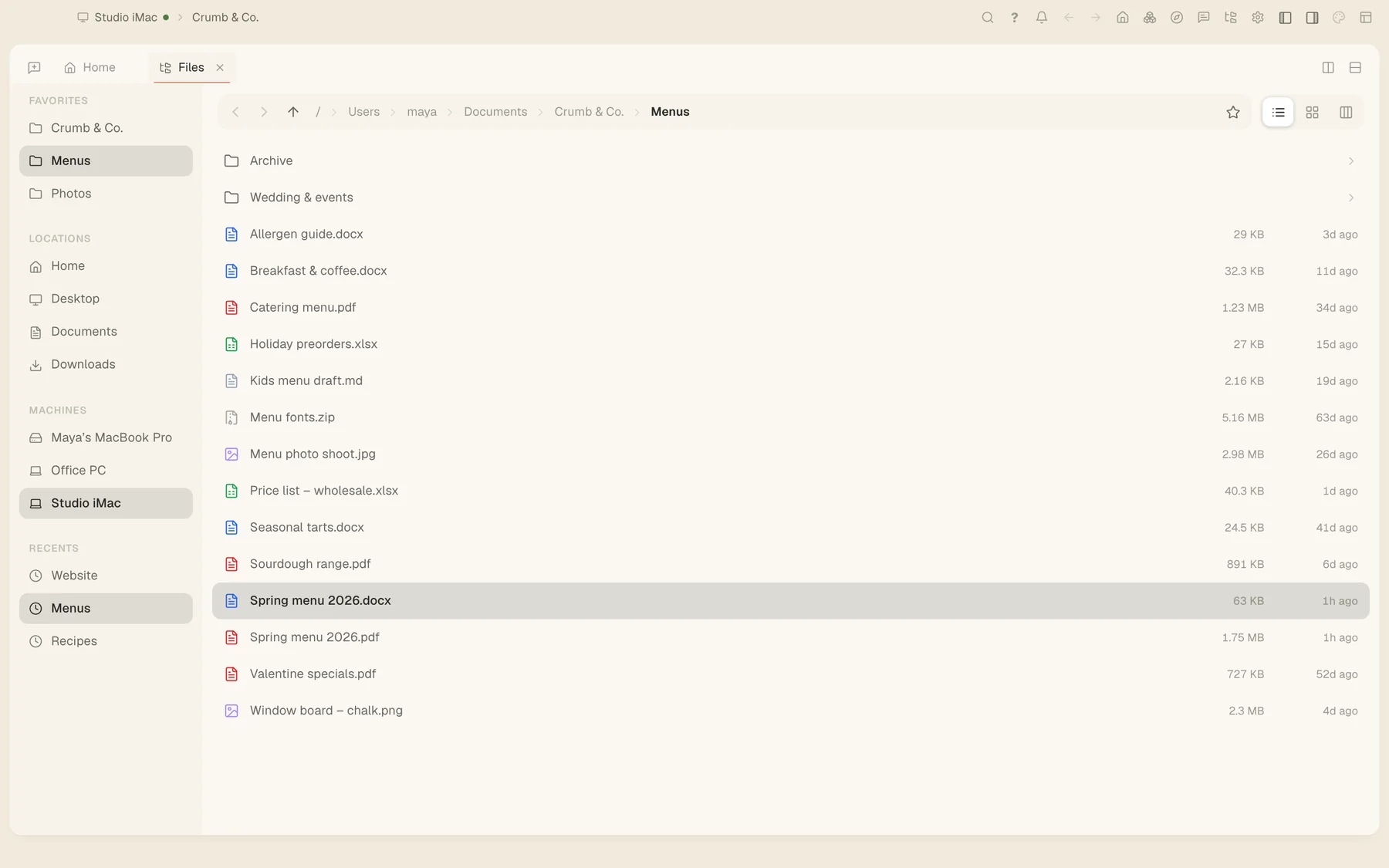
In Tesseract, the same network lets you browse every machine's files, open their screens with Remote Desktop, and run AI agents on whichever computer suits the job.
Download Tesseract Mesh
Free. Creating a network needs an account; the machines that join it don’t. Version 0.11.28. It is also built into Tesseract.
Not sure which one? Macs from 2020 on are Apple silicon; most Windows and Linux PCs are x64.
- MacApple silicon (M1 and later)
- MacIntel
- Windowsx64, portable app
- WindowsARM, portable app
- Linuxx86-64 AppImage
- LinuxARM AppImage
All files and release notes: private-network-v0.11.28. Windows builds are portable apps: download and run them. New versions are posted on this page.