 Tesseract
One photo in. One effect out.
Give the assistant a photo and name an effect, and you get a five-second clip of it: a face turning to liquid gold, lightning wrapping round someone, a product towering over a street.
- Hundreds of effects
- One photo is enough
- Priced before it is made
How it works.
- Start from a photoOne picture of a person, a pet or a product: one you took, or one Tesseract made.
- Name the effectTransformations, camera moves, product shots, hugs and more: hundreds of effects, found by what you say.
- Priced firstThe assistant tells you about what it costs before anything is made.
- Just ask“Turn this photo into liquid gold” is enough. The assistant picks the effect and runs it.
- A short clipAbout five seconds, ready to post as it is or to cut into a longer video.
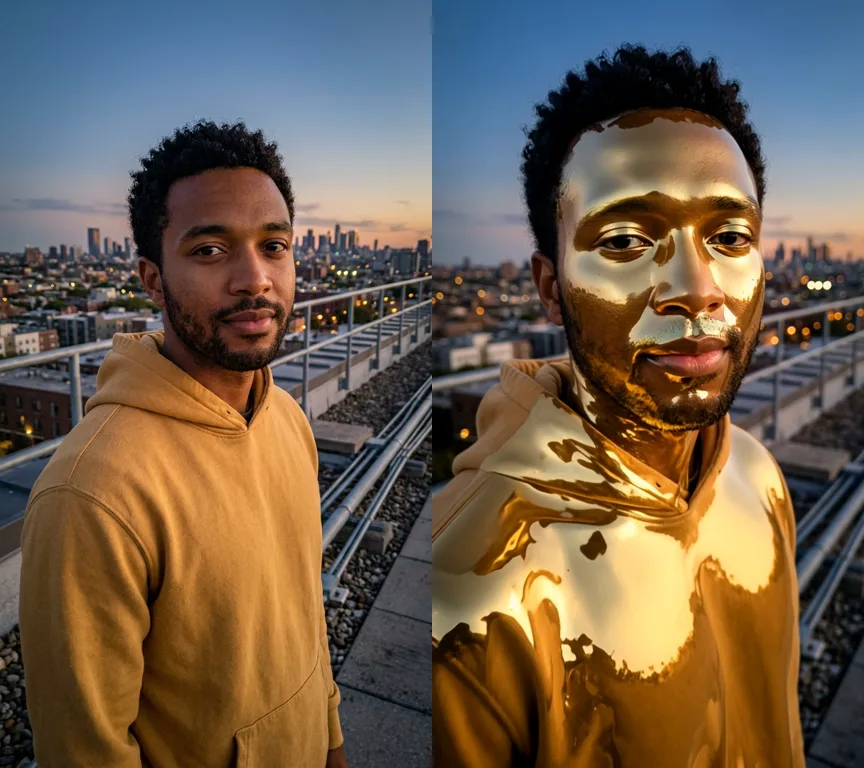
Chrome skin.
One photo of a made-up man, and liquid metal, here gold, pours over his face and hoodie while he stays himself.
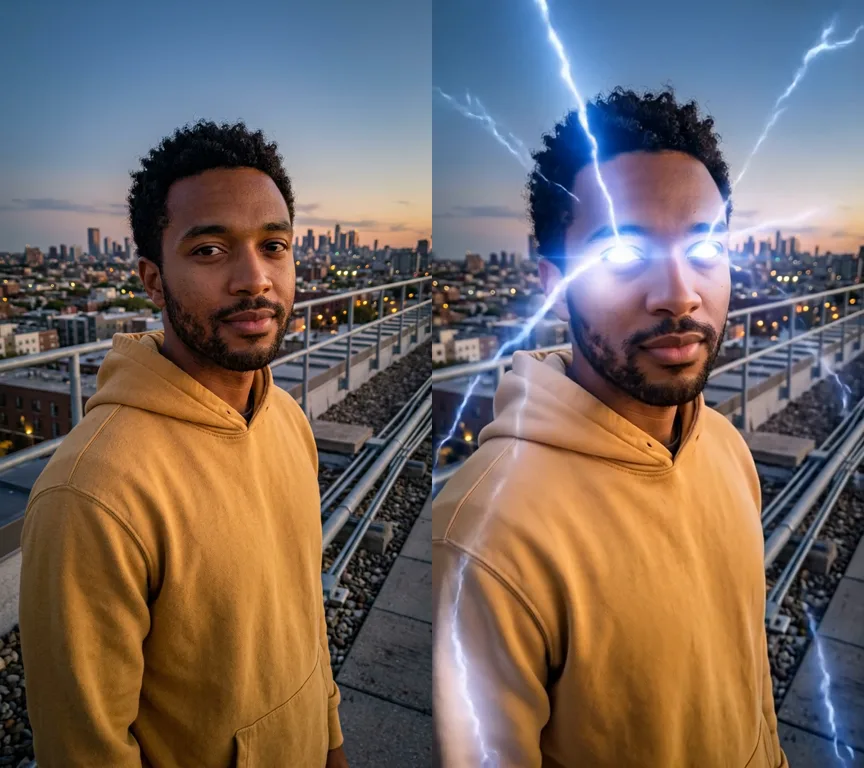
Lightning power.
The same photo, another effect: lightning wraps round him and his eyes start to glow.
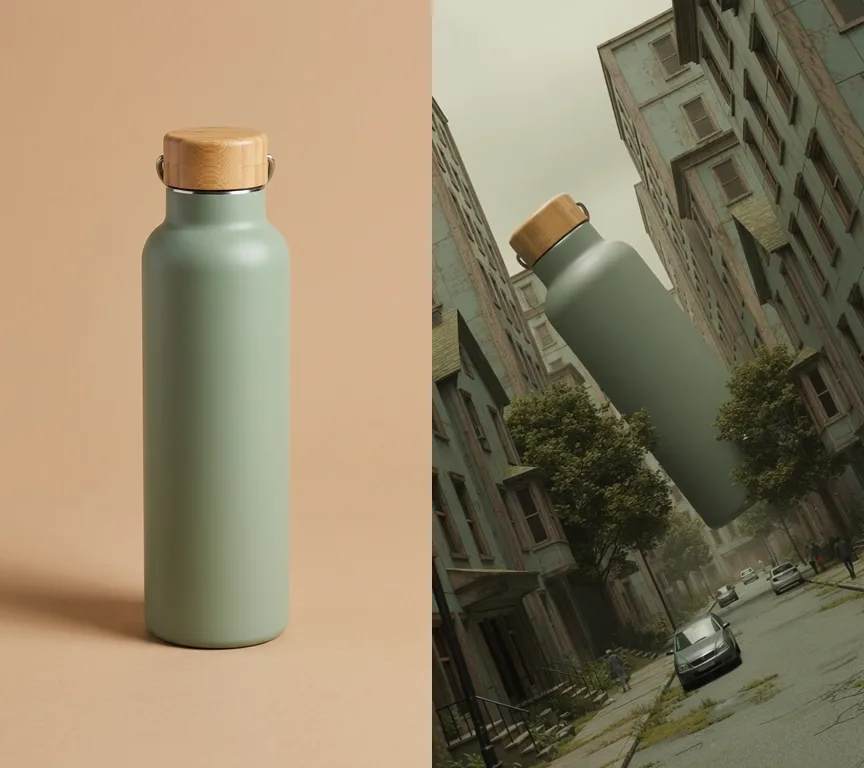
Towering product.
A product photo in, an ad-style shot out: the bottle hangs giant over a city street. Our examples were made with the Tesseract beta.
- Clips are made by video models: this needs you signed in to Tesseract (charged to your allowance) or your own fal.ai key.
Questions people ask
Where is it in the app?
Ask the assistant in any conversation: give it a photo and say the effect you want.
What does it cost?
Each effect is made by a video model, so it is paid: from your Tesseract allowance when you are signed in, or with your own fal.ai key. The assistant tells you about the cost first.
Can I use a photo of someone else?
Use photos of yourself, of an adult who agreed, or of a made-up person. Never a child or a public figure, and never nudity or sexual content.
Try your first effect.
Free on Mac, Windows and Linux, with every other tool included.