 Tesseract
Put yourself in the video.
Pick a clip and a few photos of yourself. Tesseract puts you in place of the person in it, with the same moves, camera and background, and keeps the original sound.
- From one to four photos
- The original sound kept
- Always marked as made with AI
How it works.
- Start from your photosOne to four photos of you, or a character you saved. The one you pick first is the front view.
- See your pictures firstFour pictures of you, fitted to the video, come before the video is made. Leave one out or make it again.
- The sound staysThe song stays as it was, and your mouth follows the same vocal.
- Your clothes or the video’sKeep what you wear in your photos, or take the outfit from the video.
- Music-video effects on topGlowing lyrics, flashes, sparkles and hearts go back on top of the new clip.
- One price, shown firstYou see the whole price before anything is paid, and a run you stop picks up again without paying twice.
The same clip, with someone else in it.
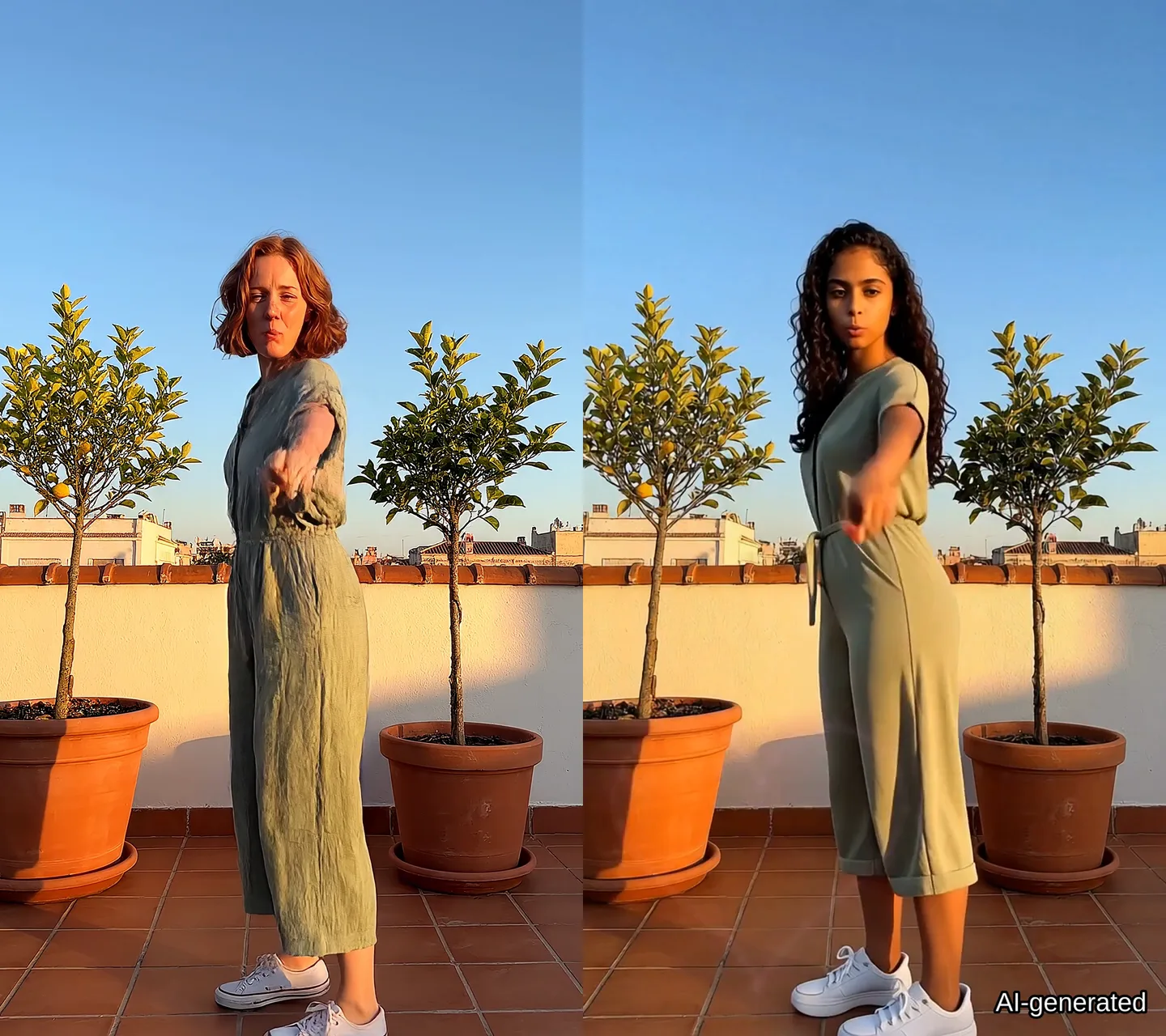
On the left, a clip of a made-up singer. On the right, the result: a second made-up person in her place, with the same moves, rooftop and song, and the AI mark in the corner. Everyone in this example was made with AI.
- In the Tesseract beta: set Update channel to Beta in Settings → About to get it now.
- Before anything is paid, you confirm that the face is yours, an adult who agreed, or a made-up person. Children, public figures, nudity and sexual content are not allowed.
- The video is always marked as made with AI, in every copy you export.
- It puts you in a video for your own use. To post or share it, you need the rights to the video and the music.
- Clips up to 30 seconds.
Questions people ask
Where is it in the app?
In the video editor: select a clip and choose Star in this clip among its AI tools. Or ask the assistant, for example “put me in this music video”.
What does it cost?
It depends on the clip’s length. The whole price is shown before anything is paid, and you pay from your Tesseract plan or with your own fal.ai key.
Is the result marked as made with AI?
Yes, always. The video and the pictures of you carry an AI label, and it stays on every copy you export.
Can I put someone else in a video?
Only an adult who agreed to it, or a made-up person. Never a child or a public figure, and never nudity or sexual content.
Do I have to give my consent every time?
No. For a person you save, you confirm once for the pictures on their card, and again only when you add new pictures. A photo you haven’t saved is asked about again later.