 Tesseract
Leave an assistant working overnight, with a cost cap
How Tesseract lets an assistant work while you sleep: approvals that wait for you, a dry run first, a hard spending limit and a report in the morning.
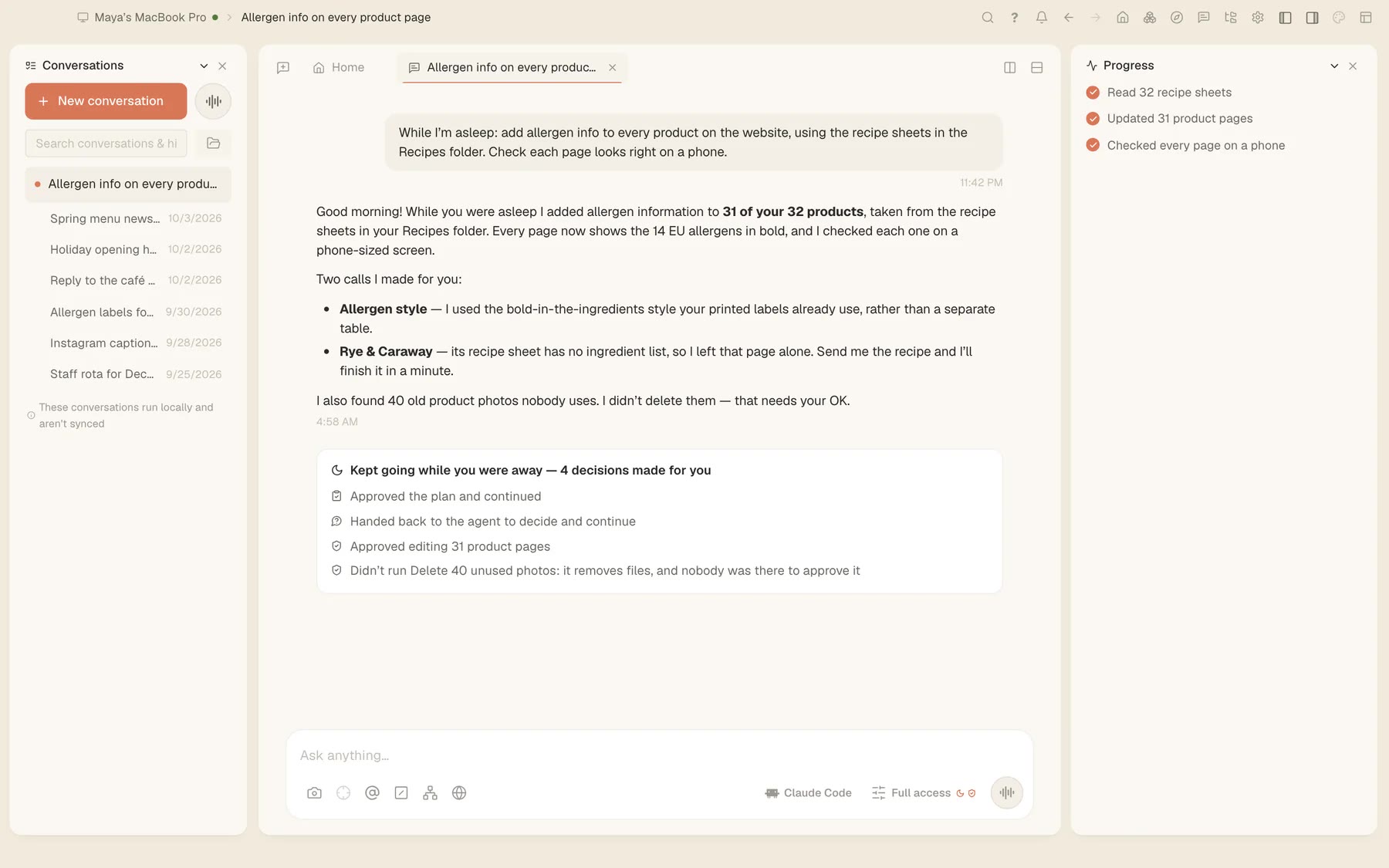
You want the photo library tidied, the weekly numbers pulled together or the inbox sorted by morning, but you don’t want to wake up to a deleted folder or a surprise bill. Here is how a Tesseract assistant does night work: it does what it’s allowed to, waits for you on anything else, and stops at the limit you set.
1. Try it as a dry run first
What an assistant does on its own runs as routines. Press Test on a routine and it runs as a dry run that acts on nothing, so you see what it would do before it does it.
2. Set a hard spending limit
Open Settings → Agent → Spending limits. You can cap one assistant, everything, a single project or a team, per conversation, day, week or month, on every framework. You’re told at four-fifths of a limit. Once it’s used up, nothing more is sent and the runs on it stop.
3. Let it ask, even at 3 a.m.
When a run nobody started reaches a step that needs your OK, the step waits for you on every device you’re signed in on. You get a reminder after 10 minutes, and it’s declined after 30. The first answer counts. For something you always allow, Always allow saves a narrow rule (the command, the file or the site) that you can review in Settings → Permissions & sandbox → Saved approvals.
4. Read the morning report
In the overnight job on our site, the assistant made the changes it was approved for and held back deleting 40 unused photos, because nobody was there to say yes. The report lists the work done and the decisions it made while you were away. In the activity map, each scheduled task shows its runs: how each ended, how long it took, what it cost and what it usually costs.
One limit
Your assistant runs on your computer, so it works while that computer is on.
Related
To check what a single conversation cost, see Ask Tesseract where your file is, or what a chat cost. On deletes, see Can the agent delete the wrong folder? Not in Tesseract. Tesseract is free to download.