 Tesseract
Catch up on your team chat by asking the agent
Back from a day off? Ask Tesseract what you missed in Atrium. It reads your channels without marking them read and drafts replies for you to send.
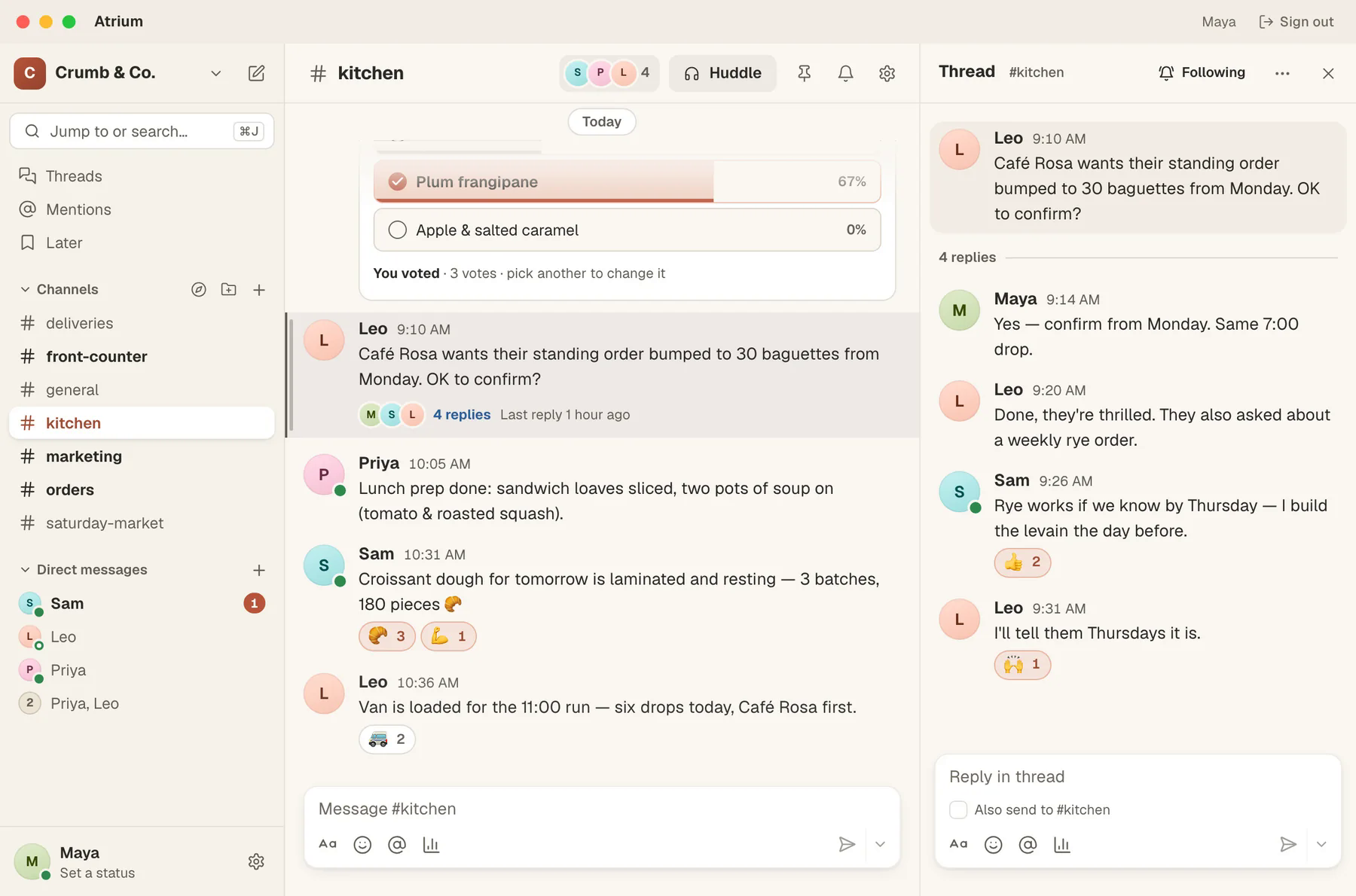
You are back after two days off and your team chat has moved on without you. Instead of scrolling every channel, ask the conversation you are already in: “What did I miss in Atrium?” Since Tesseract 0.11.37, the agent reads Atrium for you, without marking anything read, and any reply it drafts waits in Atrium for you to send.
What you need
- Tesseract 0.11.37 or newer (Settings → About → Check for updates).
- Atrium, Tesseract’s team chat. It is free with your Tesseract account, built into Tesseract or as its own app on Mac, Windows and Linux. More on the Atrium page.
1. Ask what you missed
Ask the way you would ask a colleague:
- “What did I miss in Atrium?”
- “Catch me up on #orders.”
- “What did Leo say about Café Rosa’s order?”
The agent reads the channels, threads and messages and answers in the chat. Nothing is marked read, so Atrium still shows you what is new when you open it yourself.
2. Ask follow-up questions
The answer is a starting point. Ask about the part that matters to you: “Was the rye order confirmed?” or “What did Sam say about Thursday?” Atrium has its own Ask and Catch me up too, if you would rather ask from inside a channel.
3. Reply without leaving the chat
Say “Tell Leo I’ll be late,” and the agent puts the reply in Atrium’s composer. It does not send it. You read it, change it if you like, and press Send. That rule holds everywhere the agent acts for you: anything that speaks for you or lets more in stays your decision.
4. Check on your assistants too
From the same conversation you can ask how your assistants are, what they did today, or what is waiting on you across your conversations, and pause one of their routines if you need to.
Where this fits
- Good for: coming back from time off, a busy channel you only follow, or a quick “anything urgent?” before a meeting.
- Not a replacement for reading: for a decision that matters, open the thread itself. The agent’s summary tells you where to look.
- Atrium on phones: iPhone and Android apps are coming, according to the Atrium page.
Want the agent to arrange the window while you catch up? See Ask the agent to arrange your Tesseract window. Tesseract is free on Mac, Windows and Linux: tesseract.dev.