 Tesseract
A personal assistant that works on the channels you already use
Tesseract 0.11.30 makes a personal assistant from one sentence. On a Mac it reads Mail, Calendar and Reminders and writes you a brief each morning. Talk to it in Atrium, Telegram, WhatsApp, Slack and more; it asks you before it acts for anyone else.
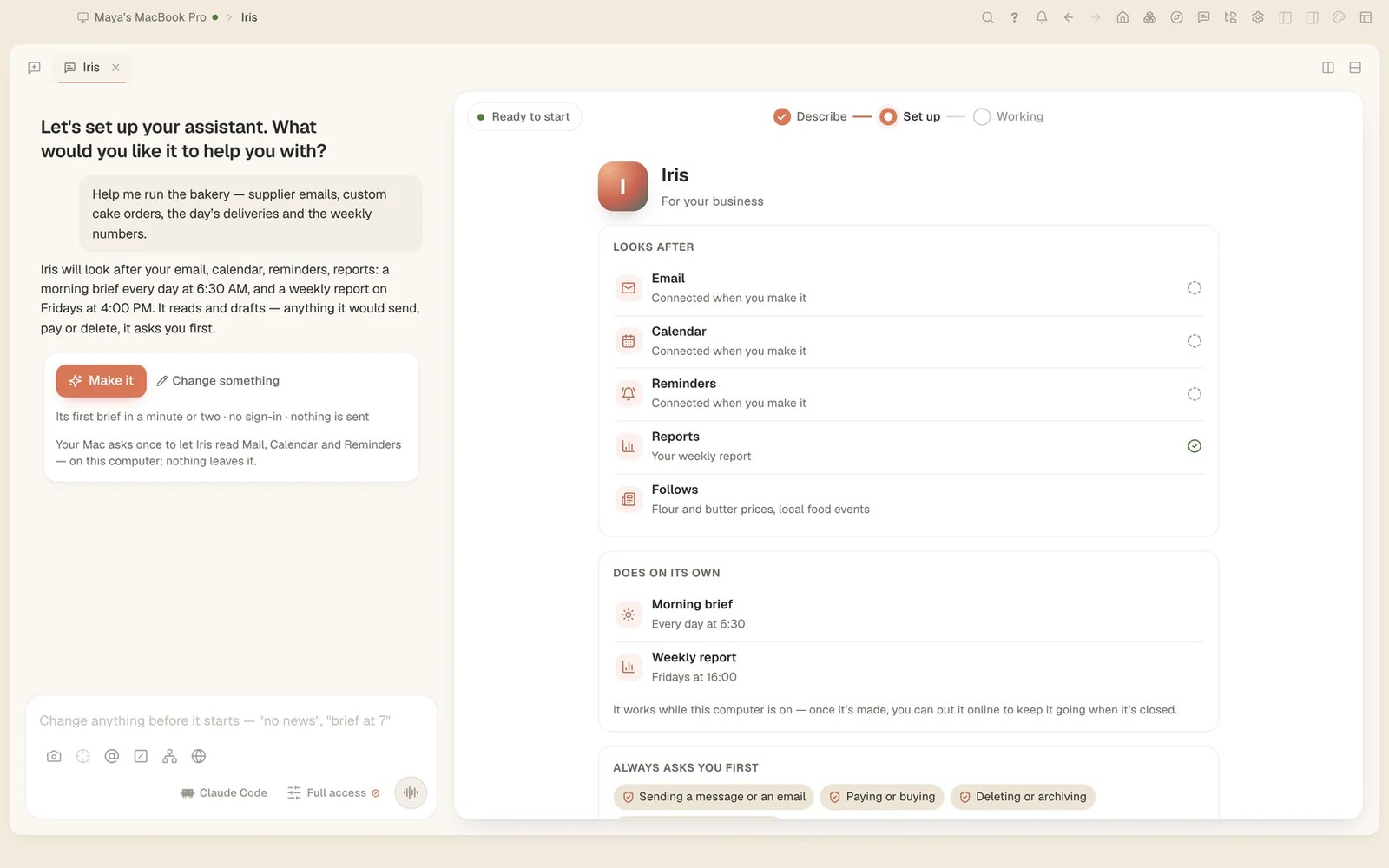
Tesseract 0.11.30, released yesterday, adds personal assistants. You say in one sentence what you want help with, and Tesseract makes an assistant that reads your mail and calendar, writes you a brief every morning and answers you on the messaging app you already use. Anything it would do for someone else, it asks you about first.
Make one in a minute
Create a personal assistant is one of the cards on Home, and it makes an assistant from your first sentence with a single tap. On a Mac it reads Mail, Calendar and Reminders, writes you a brief each morning and a weekly report, and moves your own events when you ask.
- Make sure you are on Tesseract 0.11.30 or later. The app updates itself.
- On Home, choose Create a personal assistant.
- Say what you want help with in one sentence, for example: “Help me run the bakery: supplier emails, custom cake orders, the day’s deliveries and the weekly numbers.”
- Read the set-up beside the chat: what it will look after, what it does on its own (a morning brief, a weekly report) and what it always asks you first. Change anything by saying so, then press Make it.
- On a Mac, macOS asks once to let the assistant read Mail, Calendar and Reminders. Say yes, and its first brief follows.
An assistant can also be a specialist, for research, sales outreach, your inbox or travel, and assistants can hand work to each other. Each one has its own page with its briefs, its routines, the drafts waiting for you and Meet a future teammate. Your assistant runs on your computer, so it works while that computer is on.
Talk to it where you already talk
When you are signed in, Talk in Atrium puts your assistant in a direct message in Atrium, Tesseract’s team chat, with nothing to set up. It can also be on Telegram, WhatsApp, Discord, Slack, Signal, Matrix, Mattermost or email.
A few rules hold on every channel:
- It hears voice notes and can answer with one.
- Before it acts for anyone else, it asks you on your own channel. No answer in 30 minutes is a no.
- Messages from strangers wait for your approval, or are summed up for you.
Give it your accounts, and teach it your tasks
Connections on an assistant’s page signs in to Gmail, Google Calendar and Contacts, Outlook and Teams, and 62 services such as Notion, Linear and Stripe. Each account gets a label (“work”, “personal”), and only the assistants you allow can use it: on its channels, and when you talk to it in the app. Until Google and Microsoft finish reviewing Tesseract’s app, their sign-in page may say it is unverified.
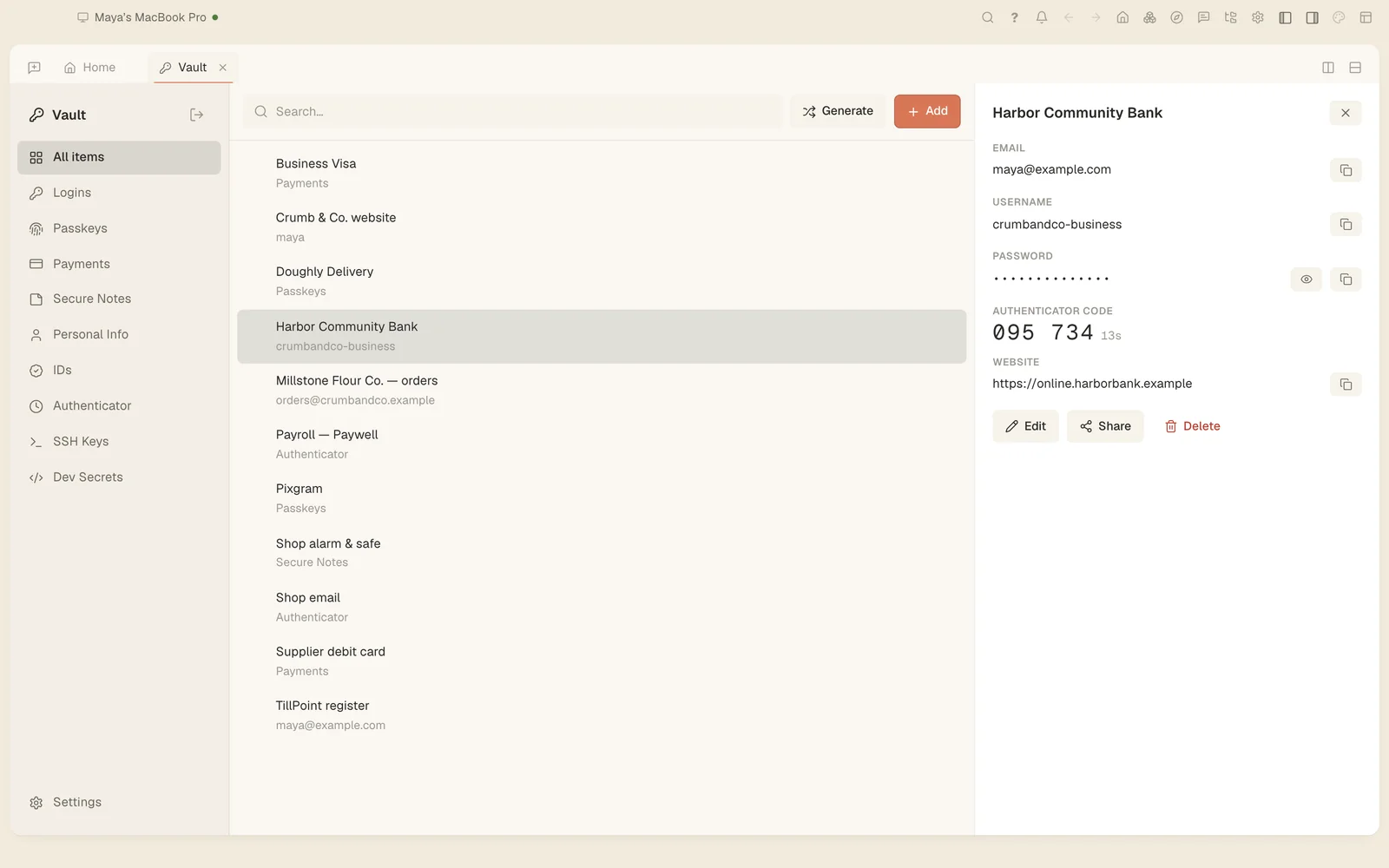
Some sites need signing in. The agent can have Tesseract type your saved username, password or current two-factor code from the Vault, only on that site. It learns which account was used, never the value. An assistant’s unattended runs keep their sign-ins too, and save downloads into its folder.
For a job you do by hand, use Teach it a task. It records you doing it once in a browser tab, never your passwords or codes. Then it writes the job up as a skill, tries it as a dry run that does everything but act, and makes it a routine. Watch me do this works the same way in any conversation.
Your assistant can also ask around for you. Ask it to find something out from people, say which pharmacy has a medicine in stock. It first asks you what they might want to know and shows you the plan. Only after your yes does it contact them by text, email, message or phone, and Reaching out on its page shows where each one stands. Calls are held by your own live voice model (your Google key in Settings → Voice), on a Twilio number of your own or a line of your own PBX.
It asks first, and stops when you say
What an assistant does on its own runs as routines. In the activity map, a scheduled task shows its runs: how each ended, how long it took, what it cost and what it usually costs. Test tries it as a dry run that acts on nothing. A routine can also be set off by a GitHub, Sentry, Linear or Stripe webhook, any other webhook, or new mail in a mailbox, and you can pause each trigger.
When a run nobody started reaches a step that needs your OK, the step waits for you on every device you are signed in on. You get a reminder after 10 minutes, and it is declined after 30. The first answer counts, and a card answered elsewhere says where. Always allow saves a narrow rule (the command, the file or the site), listed in Settings → Permissions & sandbox → Saved approvals.
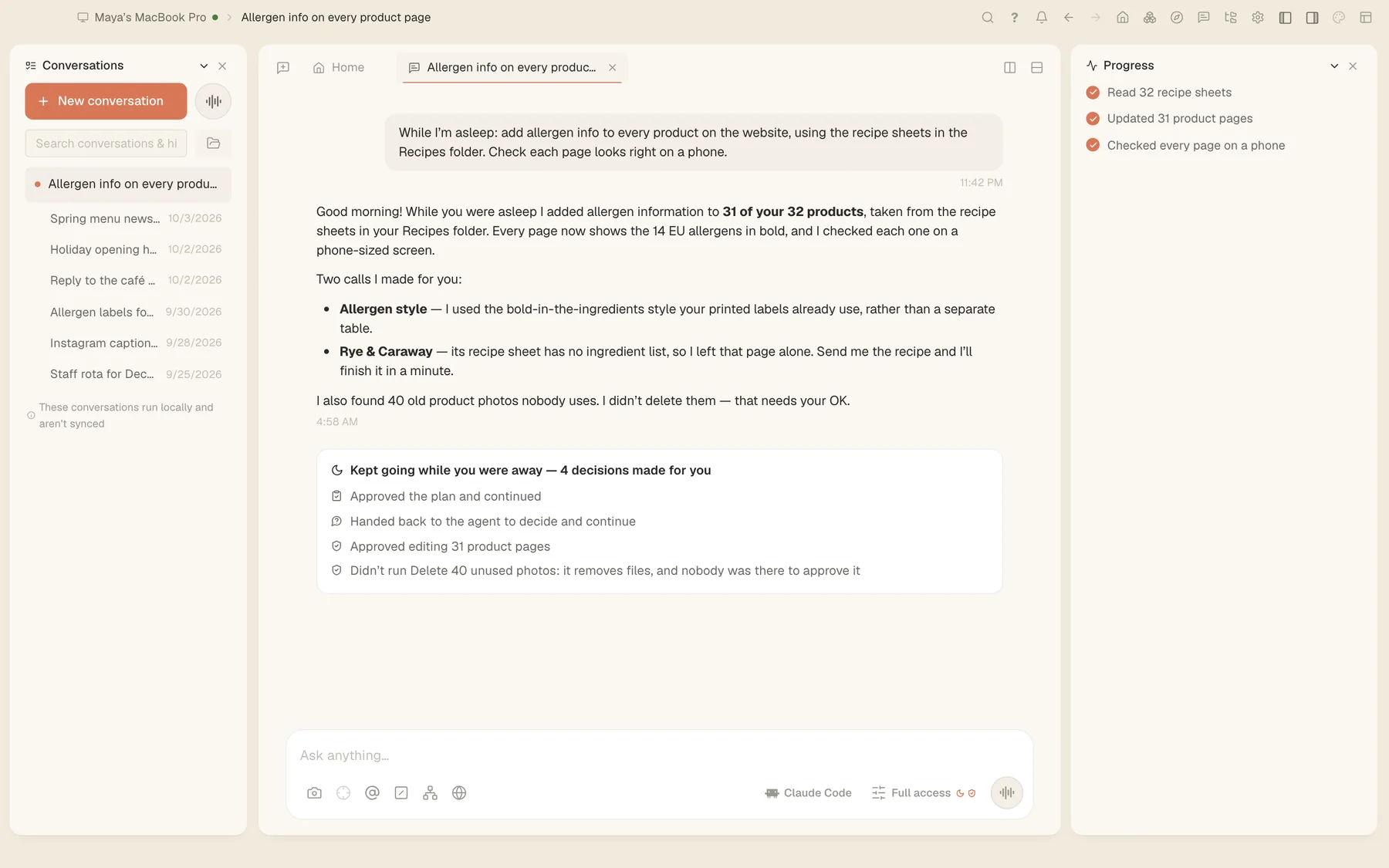
Tesseract already works this way when an ordinary conversation keeps going while you are away. In this overnight job, it made the changes it was approved for and held back deleting 40 unused photos, because nobody was there to say yes.
To cap the cost, Settings → Agent → Spending limits sets hard limits for an assistant, or for everything, one project or a team. Limits can be per conversation, day, week or month, on every framework. You are told at four-fifths of a limit, and once it is used up nothing more is sent and the runs on it stop.
Try it
Download Tesseract for Mac, Windows or Linux at tesseract.dev, choose Create a personal assistant on Home and tell it what you want help with.