 Tesseract
Team chat now catches you up, translates and takes your voice
Tesseract 0.11.28 gives team chat Catch me up, Translate and Ask, voice messages written down on your own computer, voice rooms, guests, scheduled messages, saved-for-later reminders, polls and a redesign.
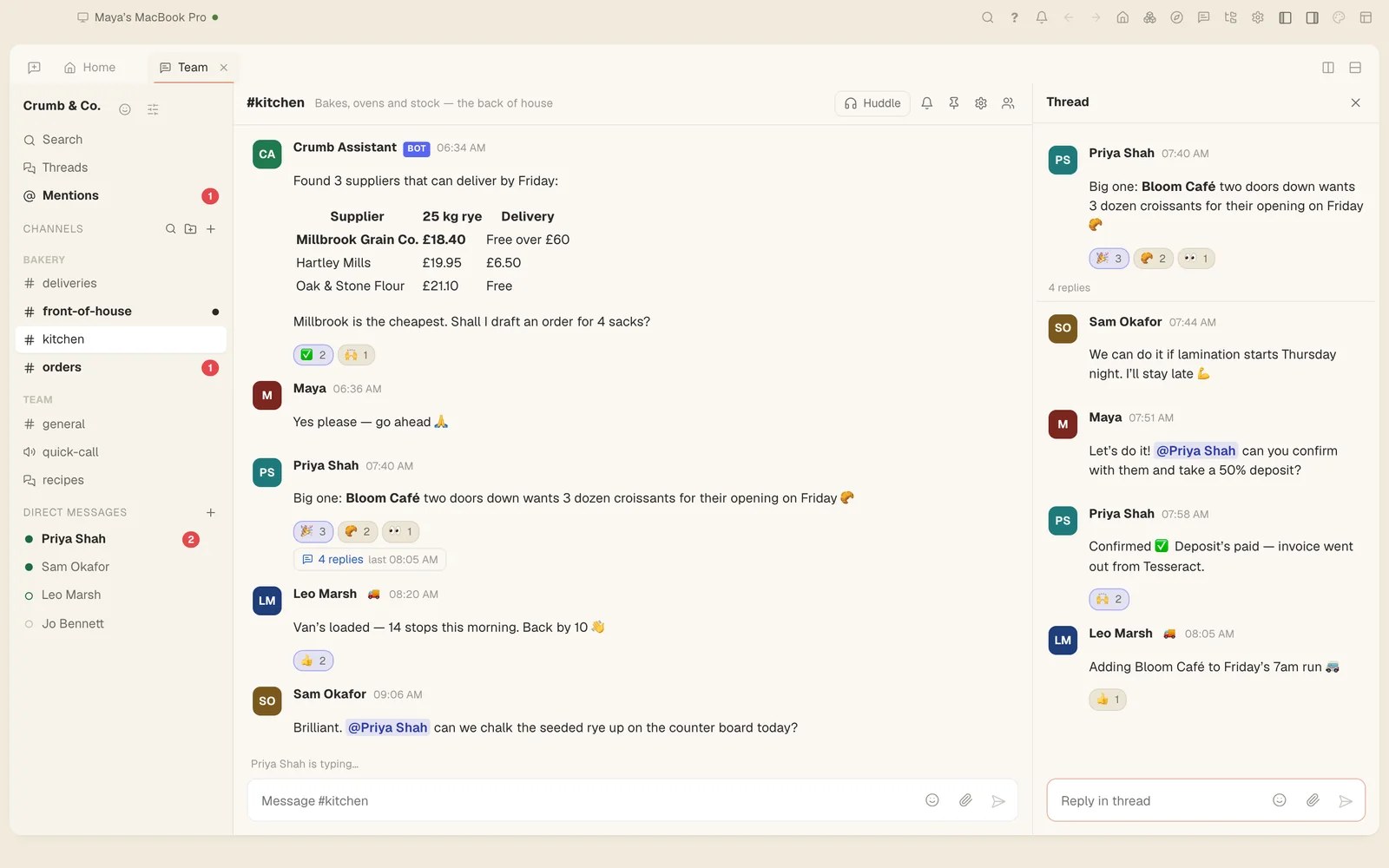
Tesseract’s team chat now does some of the reading for you. In 0.11.28, Catch me up sums up what you missed, Translate shows a message in your language, and Ask answers questions from the team’s history. You can also talk instead of typing: voice messages are written down on your own computer, and the recording goes to no transcription service.
Catch up, translate and ask
Team chat is built into Tesseract: channels, direct messages, threads, mentions, reactions and search, in the same window as your conversations with the agent. Coming back to a busy channel no longer means scrolling up to where you left off.
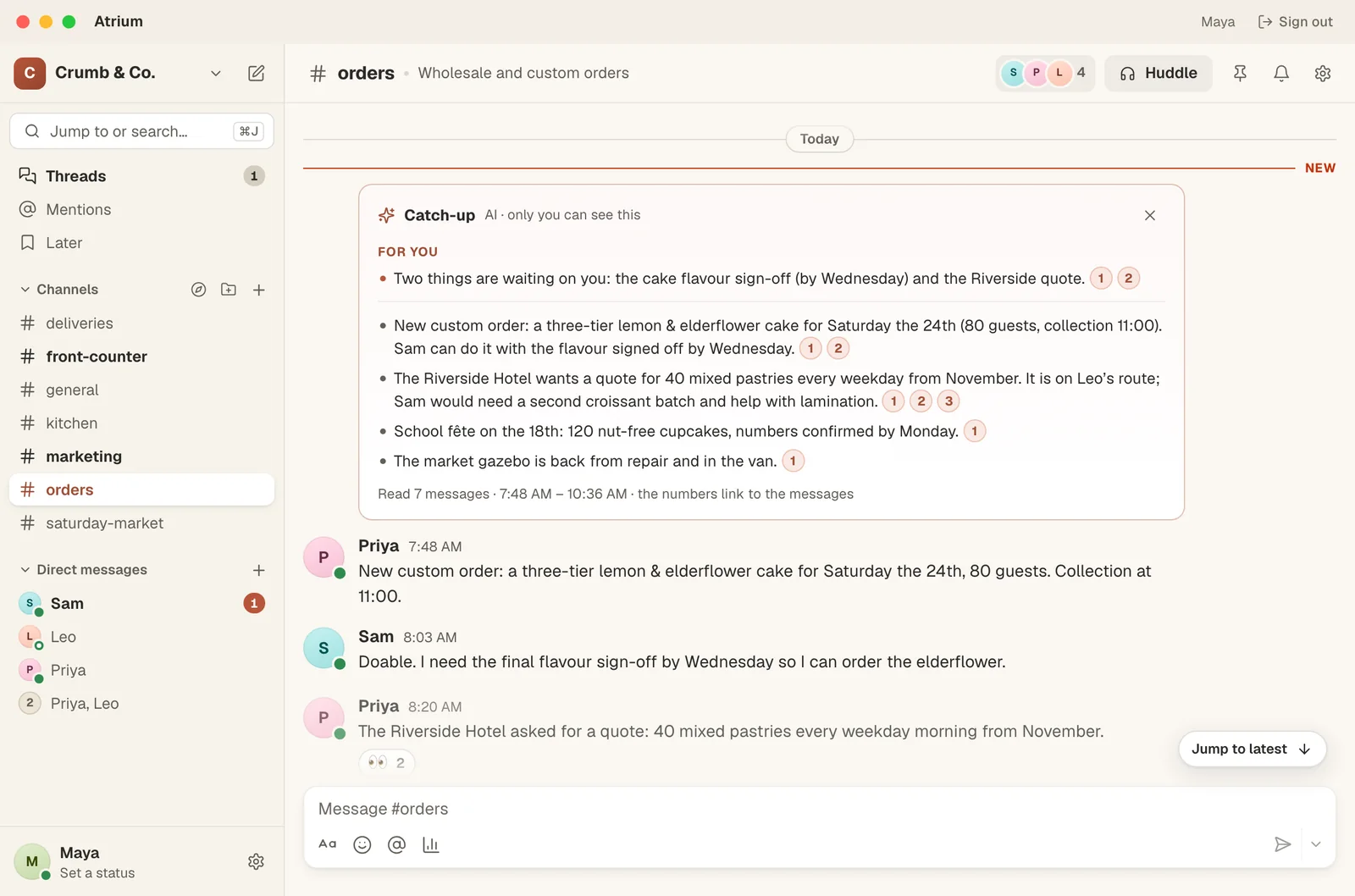
- Catch me up appears when three or more messages are waiting. It sums up what you missed, starting with what asks something of you, and every point links to its message.
- Translate, in a message’s menu, shows that message in your language. Names and links are left untouched, which helps in a team that writes in more than one language.
- Ask, in search, answers a question about the team’s history from the messages you can read. Each sentence cites its sources, so you can check it. Search still finds the words you type; Ask answers the question, using only what you could open yourself.
Voice messages and voice rooms
Some things are quicker to say. Record a voice message of up to fifteen minutes from the mic in the message box, and listen back before you send it.
What you said is written down on your own computer, and the recording is not sent to any transcription service. Writing it down there takes a one-time download of about 250 MB.
Voice rooms show who is in and who was there last. You can join muted, or on the microphone you pick, and each room has its own text chat for links and notes.
How to use the new features
- Sign in, and open the Team tab. Team chat needs a Tesseract account.
- Open a channel where three or more messages are waiting, and press Catch me up. Press a point’s number to jump to its message.
- For a message in another language, open that message’s menu and choose Translate.
- To find something out from past messages, open search, type your question and choose Ask.
- To send a voice message, press the mic in the message box, record, listen back, and send.
- Press ⌘J to jump anywhere, and ⇧Esc to mark everything read.
Guests, polls, and a redesign
Team chat also got the everyday tools a team leans on.
- Guests. Invite people from outside the team into a channel by email. They see only the channels they are invited to, so someone from outside can join one conversation without seeing the rest, and guests are free.
- Profile cards. A name or a face opens a card with what that person does, their status and their local time.
- Scheduled messages. The arrow beside Send schedules a message for later.
- Later. Any message can be saved for Later, with a reminder.
- Polls. A poll can be single or multiple choice, named or anonymous. Results stay hidden until you vote.
- Forwarding. A message can be forwarded to several places at once, with a note.
The whole chat has a new look, too. It now has profile photos, day dividers, a “New” line where you left off, a toolbar on each message, the full emoji set with Frequently used first, and a message box that formats as you type. Search filters by person and date and marks the words it found. A sent message is edited in the same editor you wrote it in, and code blocks have Copy.
Some long-standing problems are gone too. Since August, mentions showed as a scrap of an ID, channel links were broken the same way, times showed as ”…” and spoilers never hid. A line break typed with Shift+Enter arrived as a space. Forum and voice channels were treated as direct messages, so they could not be renamed, moved or joined. All of this is fixed.
Try it
Tesseract 0.11.28 is out now and updates itself. Download it at tesseract.dev, sign in, and press Catch me up the next time a channel gets ahead of you.