 Tesseract
Build a website step by step in the chat, then change it by pointing
Tesseract 0.11.28 adds a guided website maker. It asks about your business in the chat while the site takes shape beside it, writes each section and page, lets you change words and photos by double-clicking them, and can turn the site into a Next.js, Astro, SvelteKit, Nuxt or Django project.
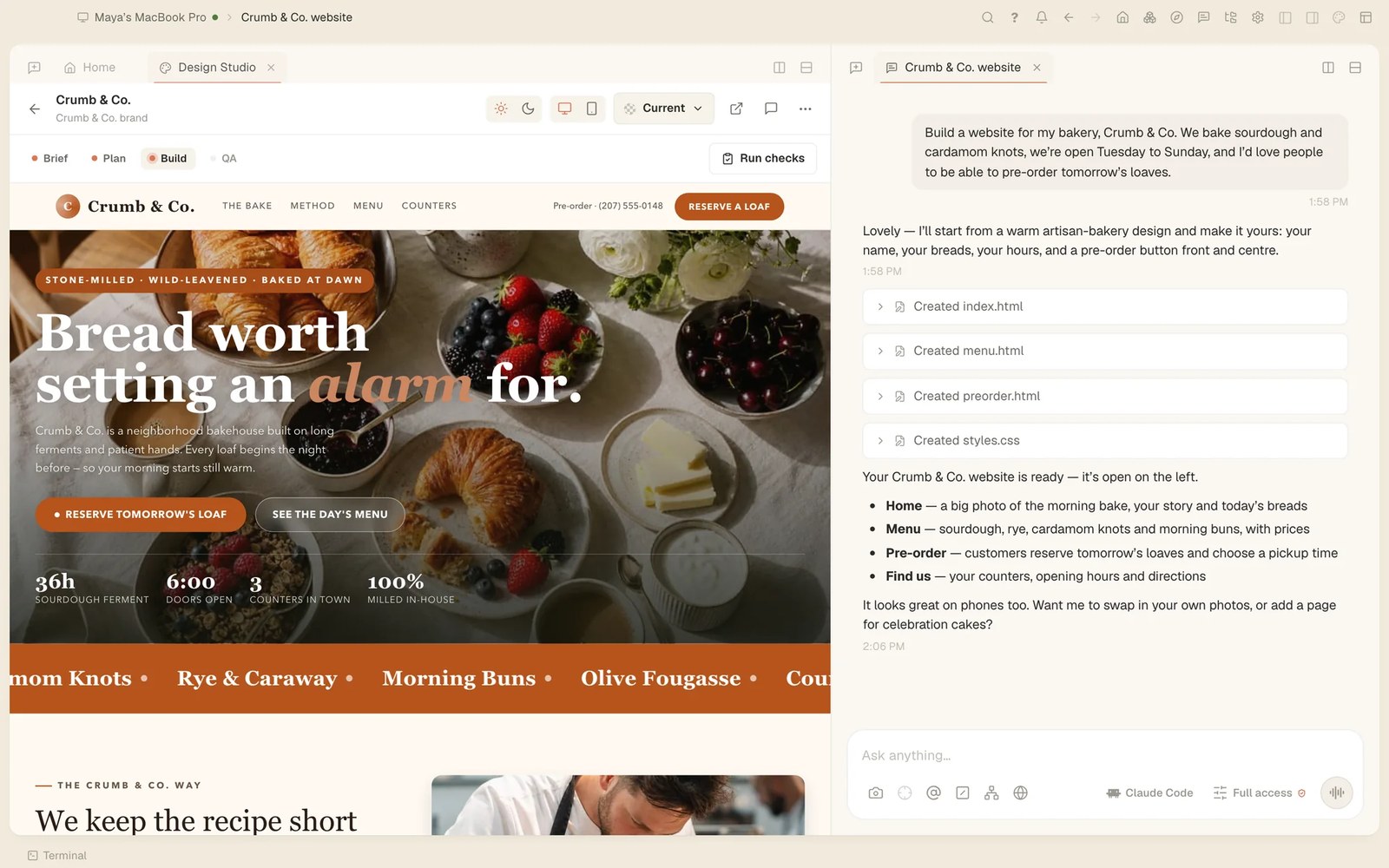
With Tesseract 0.11.28, a website starts as a conversation. Press Build a website on Home and Tesseract asks about the business in the chat while the site takes shape beside it. You answer, pick a look, and it researches, plans and writes each section, then lets you change any part by pointing at it.
Questions in the chat, the site beside it
You don’t need to know what a good website needs, because the maker asks. Tell it about the business in your own words, and answer what it asks next.
Then choose how it looks. You get three looks to pick from, More looks if none of them fits, or My brand, which takes the colours from your logo.
From there, Tesseract researches, plans and writes each section. Where the business needs it, it adds pages of their own, such as a menu, services with prices or a schedule, with a site menu that works on a phone. The site is built in a Design Studio tab beside the conversation, so you can watch each section arrive.

The agent’s first drafts are better too. It can have a design scored and keep revising it while each new version beats the best so far, and it can find real photographs for it on Unsplash or Pexels. Its first drafts now follow what the judges kept asking for; in blind comparisons, the new ones were preferred in 8 of 12 cases.
Websites can also start from Tesseract’s templates, and many of them got better. In all, 115 templates were fixed so their words can be read on photos, on coloured buttons and in faint greys, at desktop and phone width. Eighty-five now lay out properly on a phone, with nothing covering their words or running off the screen. The crisis-help template keeps its Quick Exit button on a phone.
Change it by pointing at it
You don’t have to describe where something is. On a website’s canvas:
- Double-click any words to change them in place, with Undo.
- Double-click a photo to swap it for one of yours, a real one found for it, or one drawn for it.
- Point puts any part of the page into your message, so the agent knows exactly which part you mean.
- Look tries colour and type styles as you hover over them.
- History goes back to any earlier version.
Anything you would rather explain in words, you can still type in the chat.
How to build one
- On Home, press Build a website, or choose New website in the command palette.
- Say what the business is in a sentence or two, and answer the questions in the chat.
- Pick one of the three looks, press More looks, or choose My brand to use your logo’s colours.
- Watch the sections and pages being written beside the chat.
- Change what you want: double-click words or photos, use Point to show the agent a part of the page, try styles with Look, and go back with History if you change your mind.
- When it’s right, press Make it a real website and choose Next.js, Astro, SvelteKit, Nuxt or Django. If its checks find problems, press Fix them.
From a draft to a real website
Make it a real website turns the site you shaped into a project built in Next.js, Astro, SvelteKit, Nuxt or Django: a code project of the kind web developers work with, which you can keep and build on. Its checks look the result over, and Fix them mends what they find.
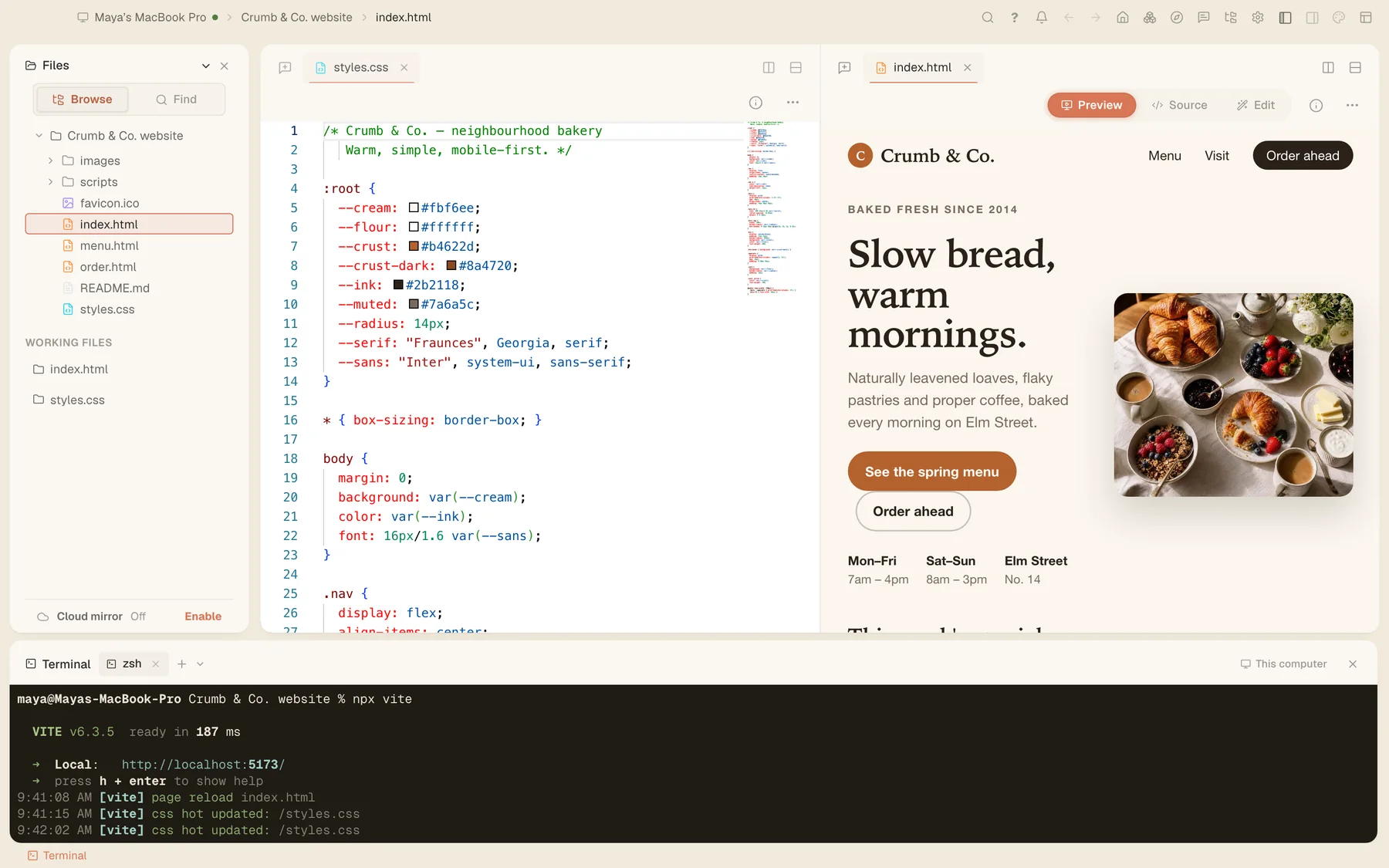
Like everything Tesseract makes, the site’s files open in an editor, so you or a developer can keep working on them by hand, next to a live preview and a terminal. If you work on code, the agentic IDE page shows the rest of that workspace.
This release also fixes two things in the Design Studio. A website built on OpenCode could never reach Run checks: it waited for a plan card OpenCode never shows, because there you approve by switching to a building mode. That switch now counts. And an open Design Studio tab and its build conversation now come back after a reload or a restart.
Try it
Tesseract 0.11.28 is out now and updates itself. Download it at tesseract.dev, press Build a website, and describe a business you know.