 Tesseract
Claude Code, Codex and OpenCode side by side, one per conversation
Since Tesseract 0.11.26, each conversation runs on its own framework. Run Claude Code in one and Codex in another at the same time, move a conversation to another framework with everything said so far, and choose models from one menu.
Since yesterday’s 0.11.26, every conversation in Tesseract runs on its own framework. One can run on Claude Code while another runs on Codex and a third on OpenCode, all at the same time. And when a task would go better elsewhere, you can move a conversation to another framework without losing anything said so far.
One conversation, one framework
The framework menu next to the message box now changes that conversation only. It carries everything said so far across, and it picks the account the conversation runs on. New conversations start on the framework and account set in Settings.
The menu shows every framework with its logo, all at once, with no scrolling to find the one you want. There are thirteen now: Claude Code, OpenAI Codex, Gemini CLI, OpenCode, Kimi Code, Qwen Code, MiniMax Code, CodeBuddy, Grok Build, Cursor, Hermes Agent, and two new ones in this release, OpenClaw and NanoClaw.
Models and modes work the same way. A model or a mode you pick applies to that conversation only; the defaults for new ones are in Settings.
Moving a conversation, step by step
- Open the conversation you want to move.
- Click the framework menu next to the message box and pick another framework, say Codex instead of Claude Code, and the account it should run on.
- If the agent is working, it stops that turn first, then moves the conversation with everything up to the stop.
- Watch the line above the message box. It says where the conversation is going and how many messages it carries. Anything you type meanwhile waits and goes there once it has arrived.
- Carry on. A short note in the conversation says what answers now and why.
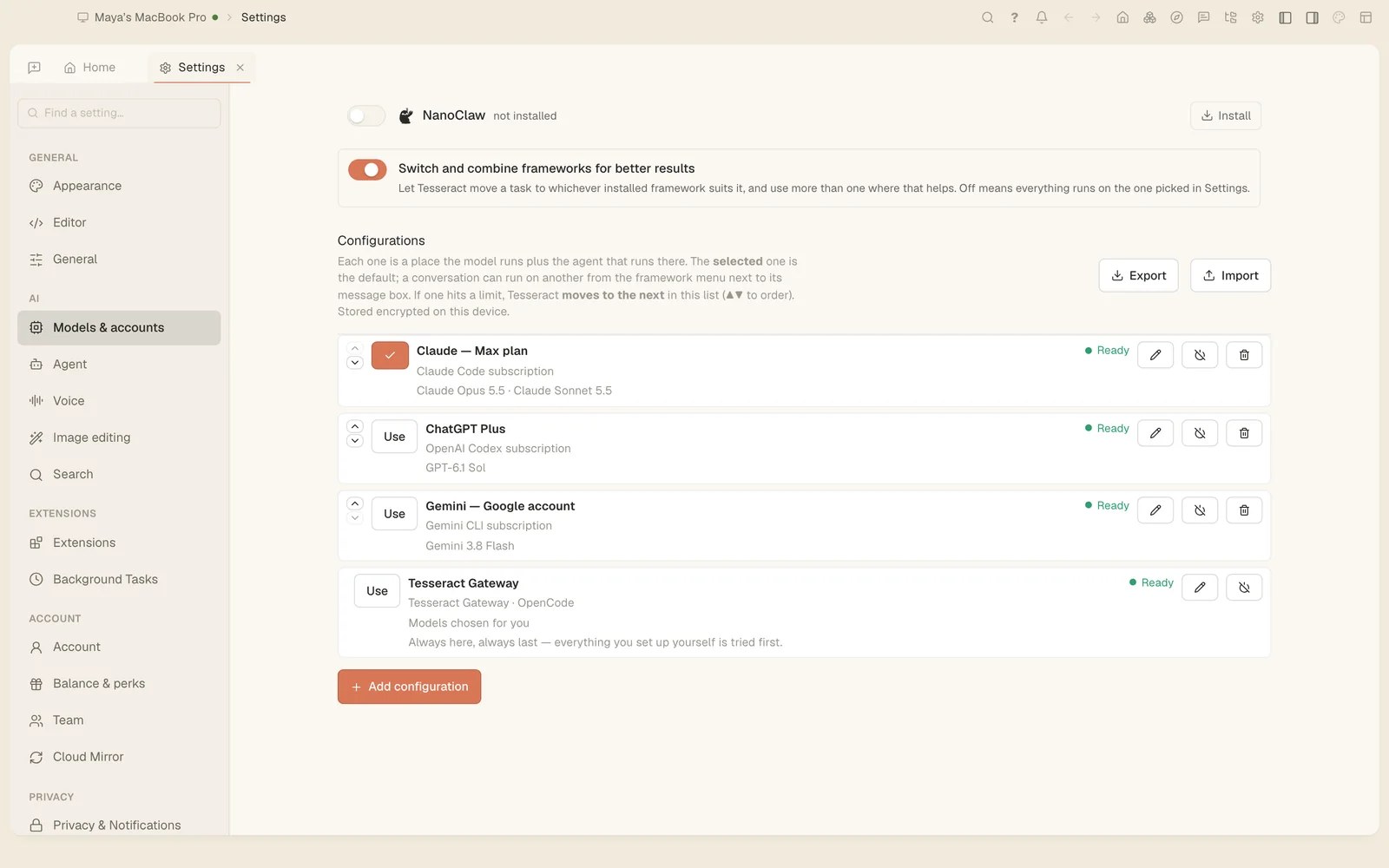
- To change where new conversations start, open Settings → Models & accounts and press Use on another configuration. The selected one is the default.
What travels with it
Switching framework leaves the conversation exactly as it was: your messages aren’t shown twice, and the conversation isn’t listed twice.
- The long ones too. The most recent part of a very long conversation goes along in full. Everything before it is kept, word for word, in a file the new framework is told about and reads when it needs something from earlier.
- What the agent did. The new framework is told which commands ran, which files were touched and what the latest steps returned, not only the tools’ names.
- Tesseract’s tools. From its first answer, the new framework can ask you a question, show a form or choices, keep its plan in the planner, start a helper and schedule work. Forms, choices and the plan checklist now work on Codex, OpenCode and Gemini CLI, not only Claude Code.
- Who said what. Under each reply you see the framework and model that wrote it, with its tokens, cost and time. Older replies keep their own after you switch.
One model menu, everywhere
Choosing a model is now the same control in the conversation’s menu, in Settings and in a configuration. Click it and the dropdown itself becomes the box you type in. The list starts with the six models you used last, then every model under its maker’s name, and typing narrows it by model or maker. Only models the selected framework can run are offered.
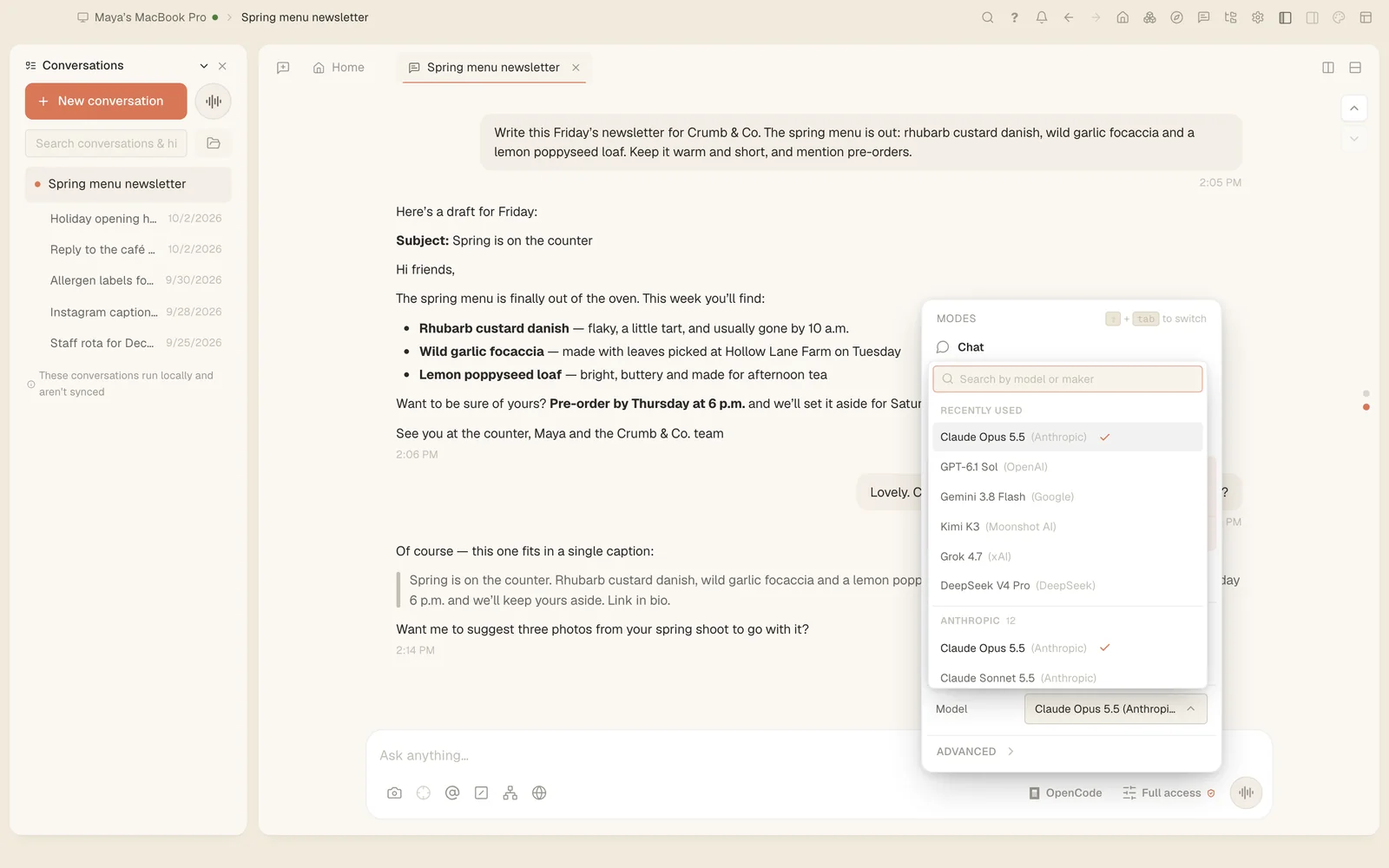
On the Tesseract Gateway, every model now comes from one record. The gateway serves each one that was seen to answer, about 270 today, and the menus are built from the same records and refresh every 10 minutes, so a new model no longer waits for a release. The Effort slider works on every framework too, and shows the levels the selected model really has.
Your own accounts, and your old conversations
If you add your own accounts in Settings → Models & accounts, an account that has used its allowance is now left alone until the time its provider gives, instead of being tried first on every message. The list shows each account’s session and weekly use, and you can turn an account off and back on.
Conversations you started outside Tesseract are in the list too. The conversations list and search now include what you began in the Codex app, OpenCode, Gemini CLI, Cursor, Grok, Kimi, Qwen Code, CodeBuddy, MiniMax and Hermes, next to your Claude Code ones. Opening one keeps a copy in Tesseract, and Continue carries it on with everything said so far.
Try it
Tesseract updates itself, or you can download 0.11.26 for Mac, Windows or Linux at tesseract.dev. Open two conversations, give each a different framework, and see which one you like for the job.