 Tesseract
Several AI helpers, one project: Tesseract keeps them in step and can run the whole team itself
Claude's desktop app now makes it easy to run many Claude Code sessions side by side. Tesseract keeps them out of each other's way, and for bigger jobs one conversation can decide the team itself: how many helpers, which roles, which AI for each, and put the work together.
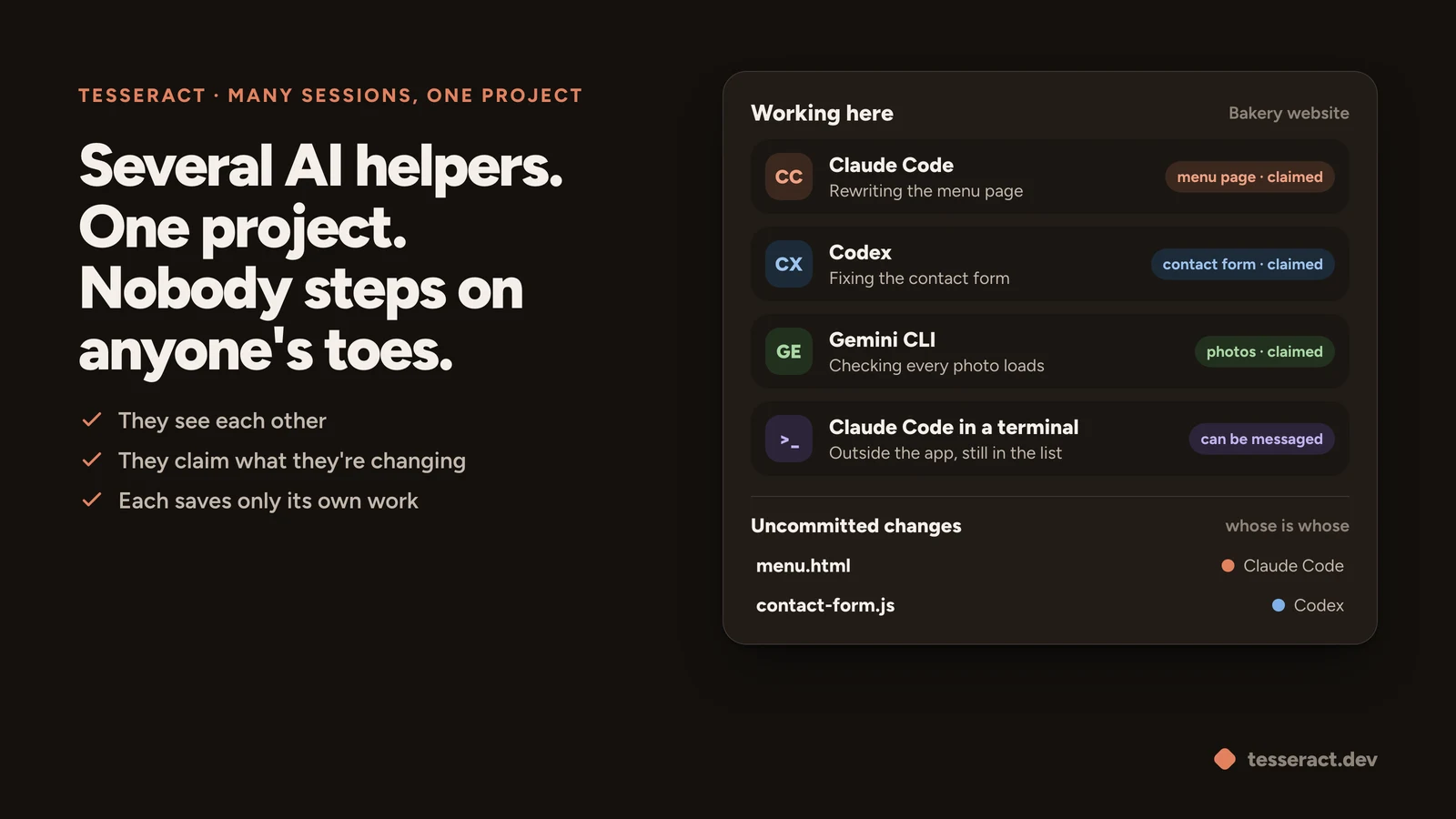
Last week the Claude team announced that the Claude Code desktop app is now much better at running lots of sessions side by side: quicker to start them, easier to split work across a few, and you can always see what each one is doing. It’s a welcome change, and it raises the next question. Once several AI helpers are working on the same project at the same time, how do you keep them out of each other’s way? And who decides who does what?
Starting many AI helpers is easy now. Keeping them from stepping on each other is the hard part, and deciding how to split the work is harder still. Here is how Tesseract handles both, in plain words.
Think of a kitchen
Picture three cooks making one dinner. If nobody says who is making the sauce, two of them salt it. If one cook clears the counter, the other’s half-chopped onions end up in the bin. And the host spends the evening walking from station to station asking “how’s it going?”.
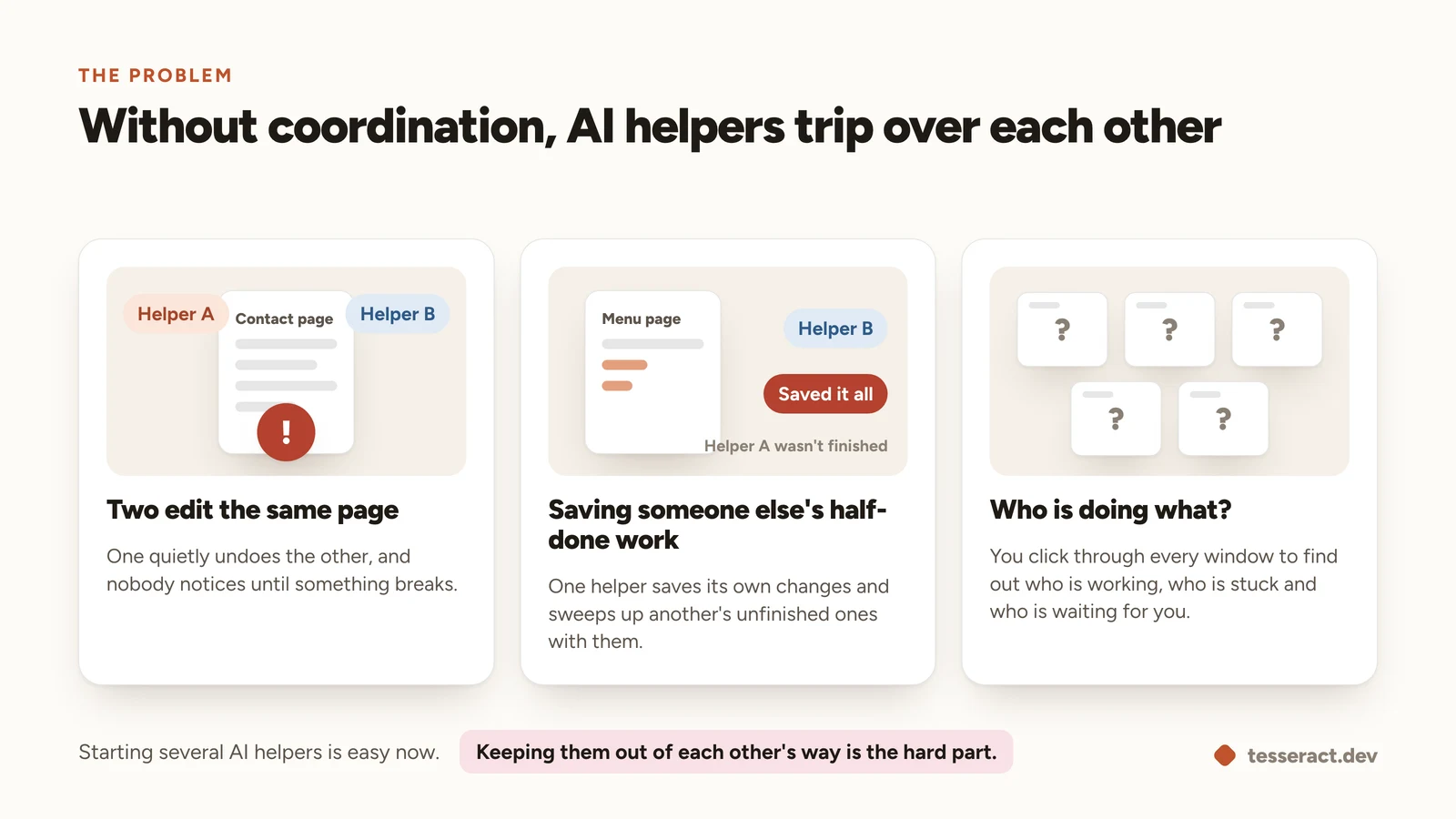
AI helpers working in one project run into the same three problems:
- Two edit the same thing. One quietly undoes the other’s work.
- One saves another’s unfinished work. When a helper saves its changes, it sweeps up someone else’s half-done ones with them.
- Nobody knows who’s doing what. You end up clicking through every window to check.
Four habits Tesseract builds in
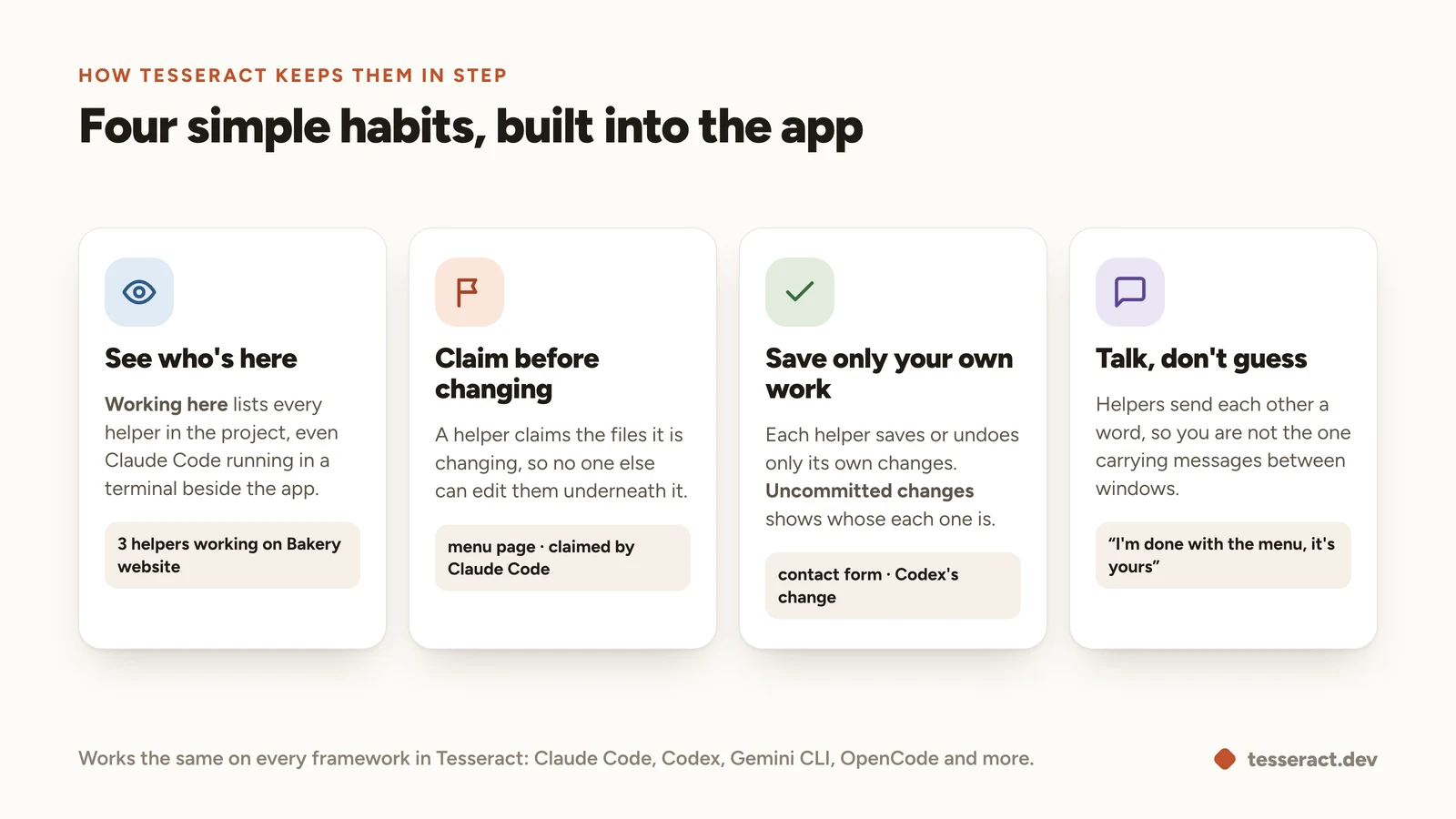
In Tesseract, the conversations working in the same project know about each other. That gives them the habits a good team has anyway.
They see who’s here. At the top of Conversations, Working here lists everyone in the project, including Claude Code running in a terminal beside the app.
They claim what they’re changing. A helper claims the files it is changing, so another helper can’t edit them underneath it. It’s the kitchen’s “I’ve got the sauce”.
Each one saves only its own work. When a helper saves (commits) or undoes, it touches only its own changes. Uncommitted changes, under the file tree, shows whose each change is, so you can tell at a glance who did what.
They talk instead of guessing. Helpers can send each other a word, like “I’m done with the menu page, it’s yours”, and they can message Claude Code in a terminal too. You stop being the go-between.
It works the same whichever AI you choose for each conversation: Claude Code, Codex, Gemini CLI, OpenCode and the others Tesseract runs.
Or let it run the whole team itself
You don’t have to split the work at all. Give a conversation a big job and it works out on its own whether a team is worth it, and if so, what that team looks like.
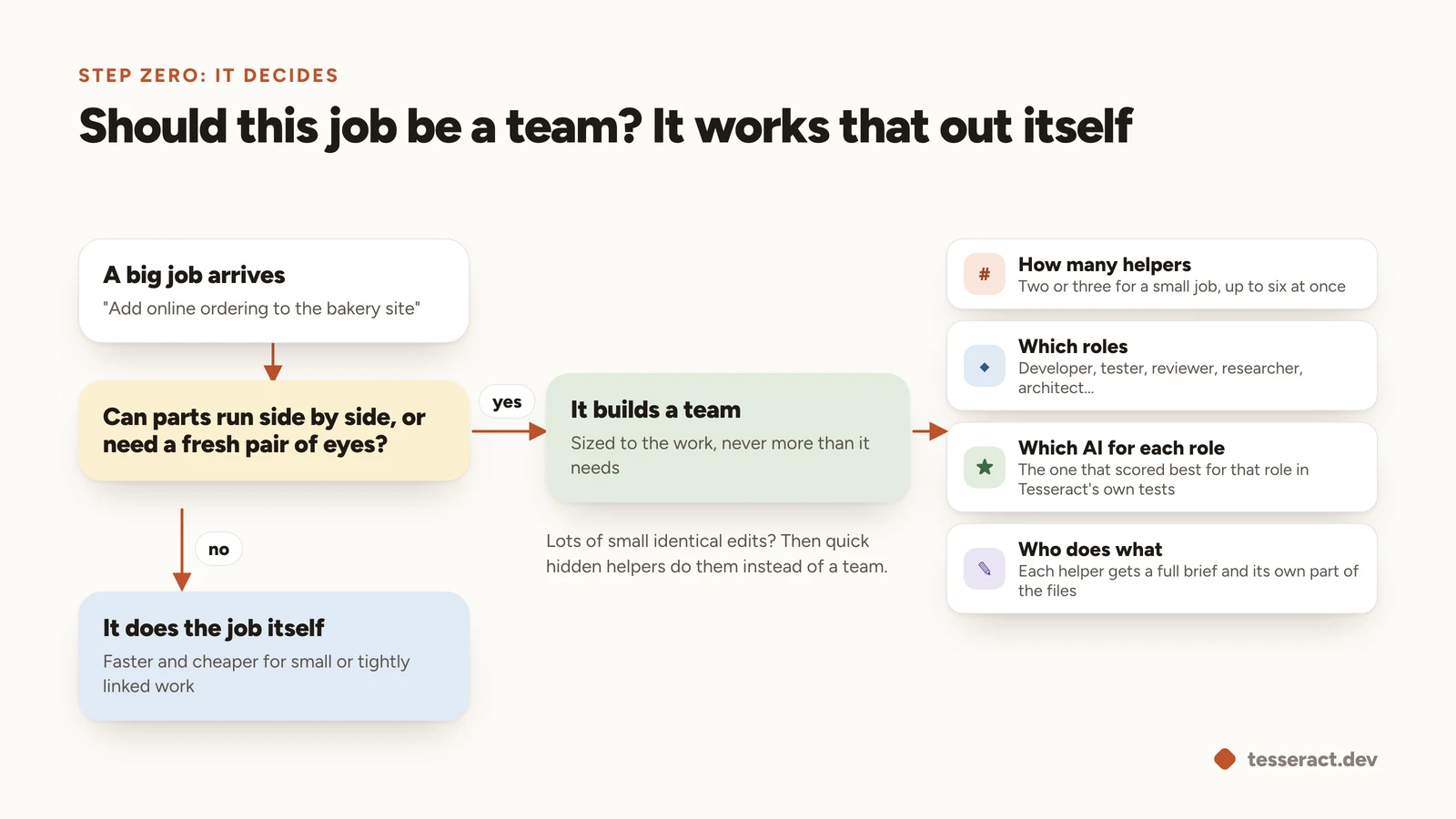
It asks itself one question: can the parts run side by side, or would a fresh pair of eyes help? If yes, it builds a team sized to the job, two or three helpers for a small one, and decides:
- How many helpers it needs.
- Which roles: a developer, a tester, a reviewer, a researcher, an architect.
- Which AI does each role, picking the one that scored best for that role in Tesseract’s own tests. It puts the reviewer on a different AI from the developer, so the work gets a genuinely fresh look.
- Who does what, with a full brief for each helper and its own part of the files.
If the job is small, or its parts all depend on each other, it simply does the work itself. A team costs several times more than one helper, and it knows that.
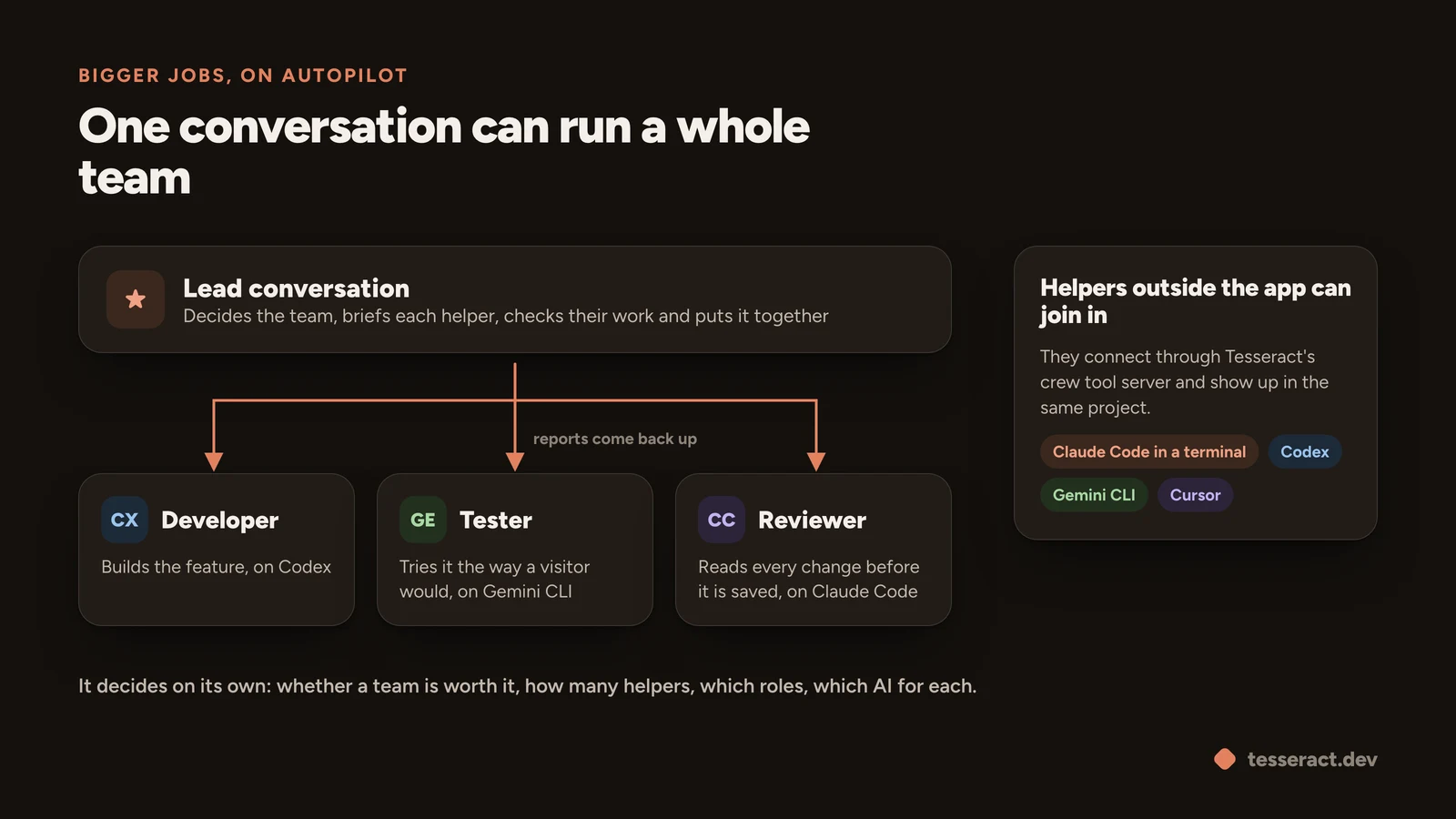
From there the lead conversation does what a good team lead does, start to finish:
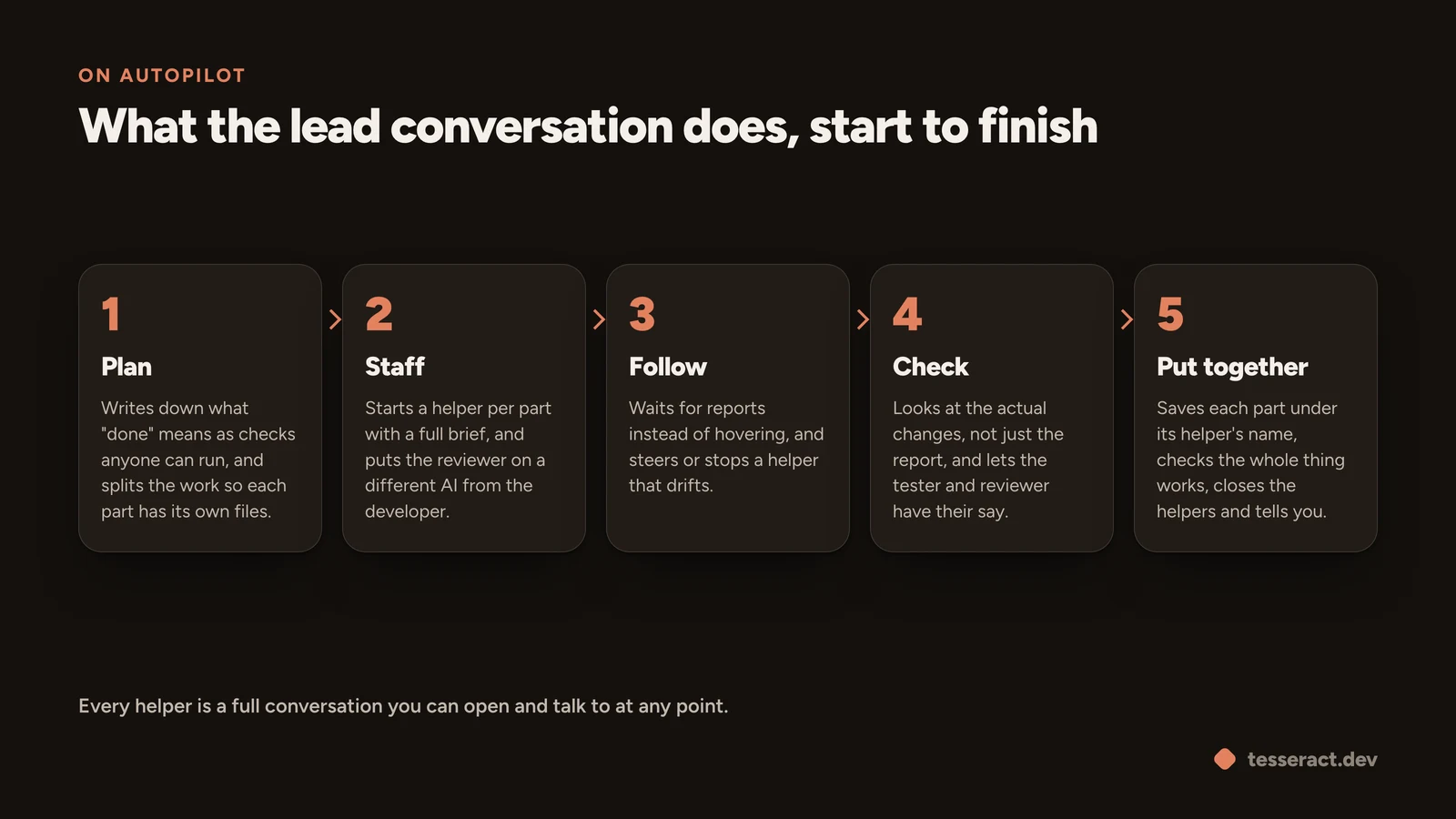
- Plan. It writes down what “done” means as checks anyone can run, and splits the work so each part has its own files.
- Staff. It starts a helper for each part with a full brief.
- Follow. It waits for reports instead of hovering, and steers or stops a helper that drifts.
- Check. It looks at the actual changes, not just what a helper says it did, and lets the tester and reviewer have their say.
- Put together. It saves each part under its helper’s name, checks that the whole thing works, closes the helpers and tells you how it went.
Every helper is a full conversation of its own. You can open any of them and talk to it while it works.
Autonomous, not unsupervised
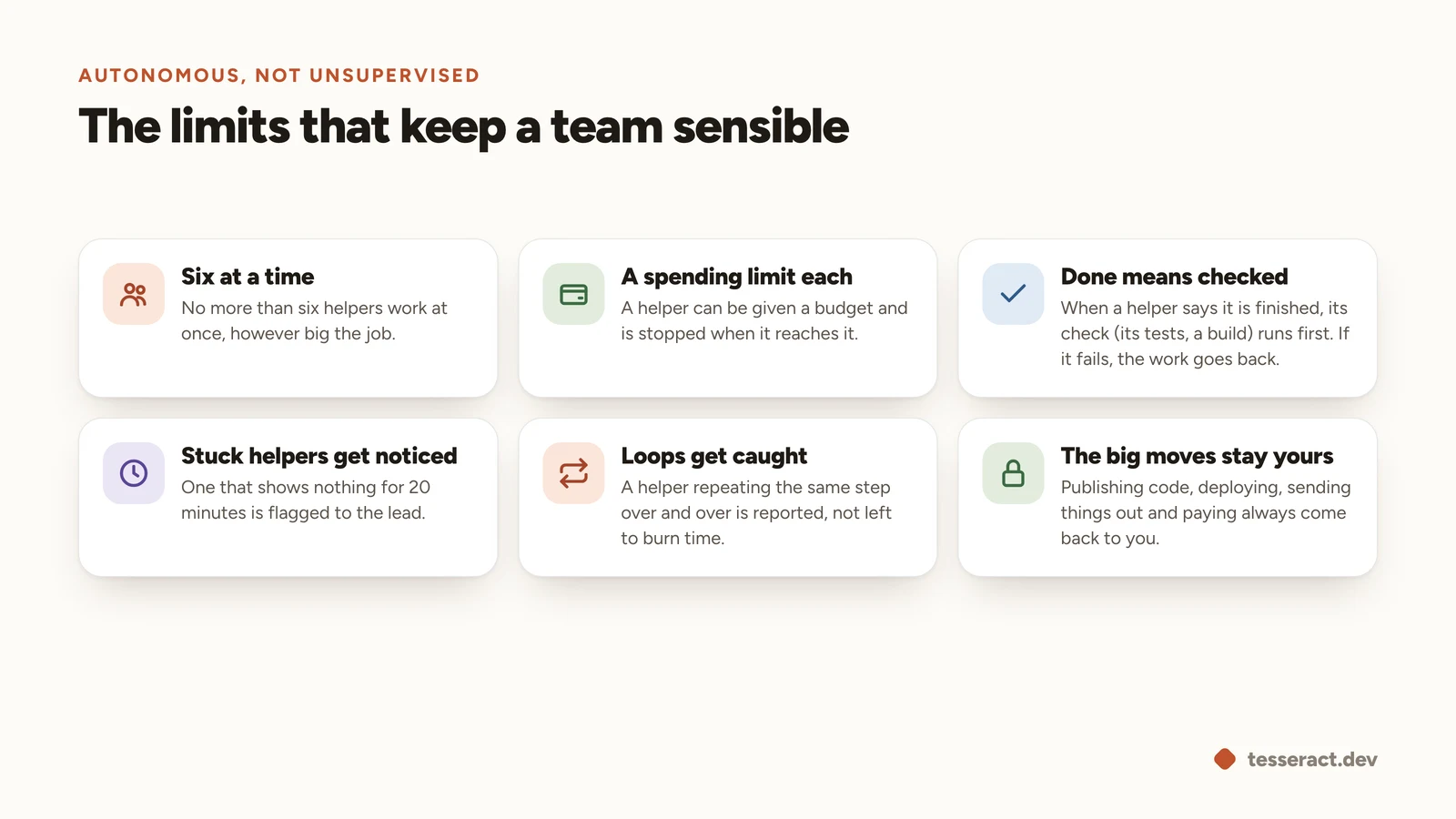
Running on its own doesn’t mean running wild. A few limits are built in:
- Six at a time. No more than six helpers work at once.
- A spending limit each. A helper can be given a budget and is stopped when it reaches it.
- Done means checked. When a helper says it’s finished, its check (its tests, a build) runs first. If that fails, the work goes back to it.
- Stuck helpers get noticed. One that shows nothing for 20 minutes is flagged to the lead.
- Loops get caught. A helper repeating the same step over and over is reported.
- The big moves stay yours. Publishing code, deploying, sending things out and paying always come back to you.
Helpers outside the app can join the same project as well. Codex, Gemini CLI, Cursor or your editor’s agent connect through Tesseract’s crew tool server, and Claude Code running in a terminal shows up without any setup. The details are in the release notes for 0.11.31 and 0.11.32.
Try it
Tesseract is free for Mac, Windows and Linux. Open a project, start a second conversation in it and watch Working here fill up. Or give one conversation a big job and see what team it builds. Download Tesseract, or read more about running several agents in one window.