 Tesseract
 Kimi Code GUI · free
A free desktop app for Kimi Code.
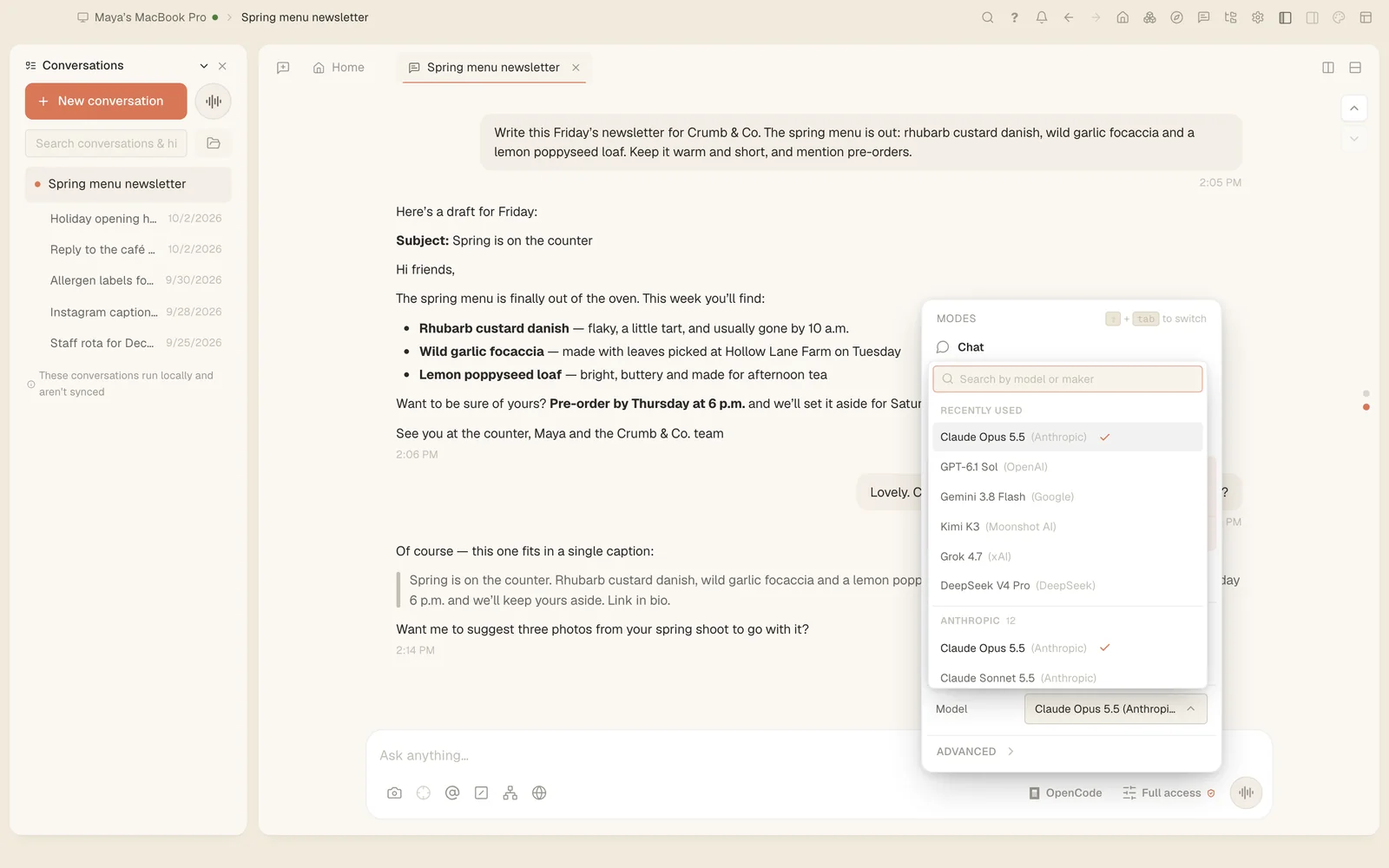
Moonshot AI’s coding agent, Kimi Code. Tesseract gives it a window on Mac, Windows and Linux — beside a code editor, a terminal and a live preview, with a plan you approve before it acts.
Updated · Made by Moonshot AI · Kimi Code’s own site
Set up
Kimi Code running in three steps.
- Download Tesseract. Free for Mac, Windows and Linux; it installs and updates itself.
- Pick Kimi Code. On the first-run screen or in Settings. Tesseract installs it for you, or uses the copy already on your computer.
- Sign in. Sign in with your Kimi account.
What works
Kimi Code in Tesseract, feature by feature.
Read from the app’s own framework catalog — what Tesseract does with Kimi Code today, not what any agent promises.
- Asks you before a risky tool call
- Pick the model for each message
- Choose how hard it thinks
- Send it images and files
- Drives a real browser
- Tesseract’s tools and your MCP servers
- Skills and extensions
- Subagents
- Pick up a past conversation
- Fork a conversation
- Restore files to an earlier message
- A reviewable diff of everything it changed
- Shows how full its context window is
- Compacts a long conversation to keep going
- Keeps working when you step away
- Scheduled, repeating jobs
- Checks its own work before it finishes
- Runs inside the operating system’s sandbox
- An integrated terminal
- Search everything it has said
Not with Kimi Code yet
- The cost of every conversation
Around it
Everything an agent needs, in the same window.
- A code workspaceThe Monaco editor with a file tree and tabs, an integrated terminal, and a live preview while it works.
- A plan firstChat, Plan or Full access for each conversation, and an editable plan you approve before it acts.
- A real browserA browser the agent can drive for forms and live pages, and your own signed-in browser through the extension.
- Your other computersRun Kimi Code on a server or another machine with
tesseract-agent, and follow it from here. - Tools and skillsAny MCP server over stdio, HTTP or SSE, skills from ClawHub, and extensions with their own tools.
- Free to useTesseract costs nothing. Your Moonshot AI account or key works as it does anywhere else.
Questions
About Kimi Code in Tesseract.
- Is there a Kimi Code GUI for Mac, Windows and Linux?
- Yes. Tesseract is a free desktop app for all three that runs Kimi Code in a window, with a code editor, a terminal, a live preview and a browser beside the conversation.
- Does it cost anything to use Kimi Code in Tesseract?
- Tesseract is free. Sign in with your Kimi account. Your plan or key with Moonshot AI works as it does anywhere else, with its own limits; Tesseract adds no charge on top.
- Can I use Kimi Code and other agents at the same time?
- Yes. Each conversation picks its own framework, so Kimi Code can work in one conversation while Claude Code, Codex or any of the 13 others work in another.
- Does Tesseract change how Kimi Code works?
- It runs Kimi Code itself, installed on your computer, and adds what is around it: the window, the editor and terminal, a plan you approve, permission prompts and a record of the conversation you can search and pick up later.
Same app
13 more agents, one click away.
- Claude CodeAnthropic
- OpenAI CodexOpenAI
- OpenCodethe OpenCode open-source project
- Gemini CLIGoogle
- Antigravity CLIGoogle
- Qwen CodeAlibaba’s Qwen team
- MiniMax CodeMiniMax
- CodeBuddyTencent
- Grok BuildxAI
- CursorAnysphere, the makers of Cursor
- Hermes AgentNous Research
- OpenClawthe OpenClaw open-source project
- NanoClawthe NanoClaw open-source project