 Tesseract
We make complex things simple. Here's what's underneath
Five things that take one sentence in Tesseract, and the engineering behind each: 14 agents in one chat, memory, computers by name, agent teams, decks.
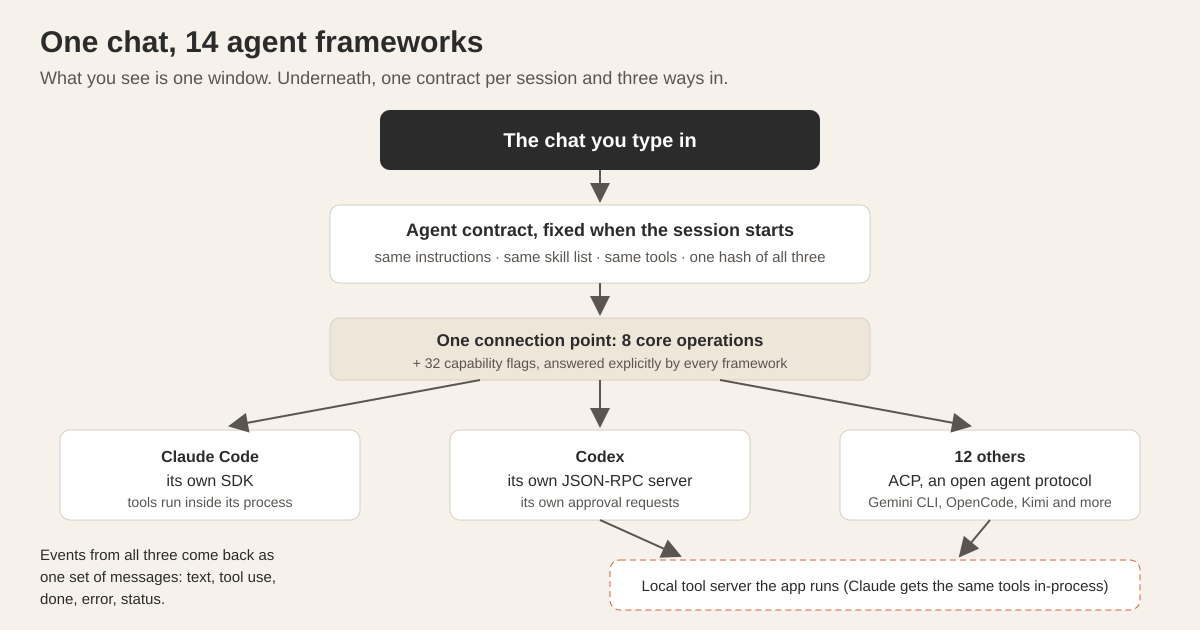
We make complex things simple. That sentence is easy to write on a homepage and hard to earn, so this post shows what it costs. Here are five things that take you one sentence in Tesseract, and for each, what you see, what actually happens underneath, the one trick that makes it work, and a number we measured.
The rule we hold ourselves to: the simple part is yours, the complex part is ours, and the complex part must never leak out as a setting you have to understand.
Why hide the complexity at all?
Because every piece of it is a decision you would otherwise make. Which protocol does this agent speak? Which past conversation matters right now? Which router setting lets my laptop reach my desktop? Those are good questions for us and bad ones for someone who wants a slide deck before a meeting.
Hiding complexity is not the same as removing it. Every section below shows the engineering that sits under the simple surface.
How does one chat run 14 different agents?
What you see. One chat window. Next to the message box you pick the agent that does the work: Claude Code, OpenAI Codex, Gemini CLI, Antigravity CLI, OpenCode, Kimi Code, Qwen Code, MiniMax Code, CodeBuddy, Grok Build, Cursor, Hermes Agent, OpenClaw or NanoClaw. Whichever you pick gets the same instructions, the same skills, the same Tesseract tools and the same approval cards. You can move a conversation to another agent halfway through, and it keeps its history and tool calls.
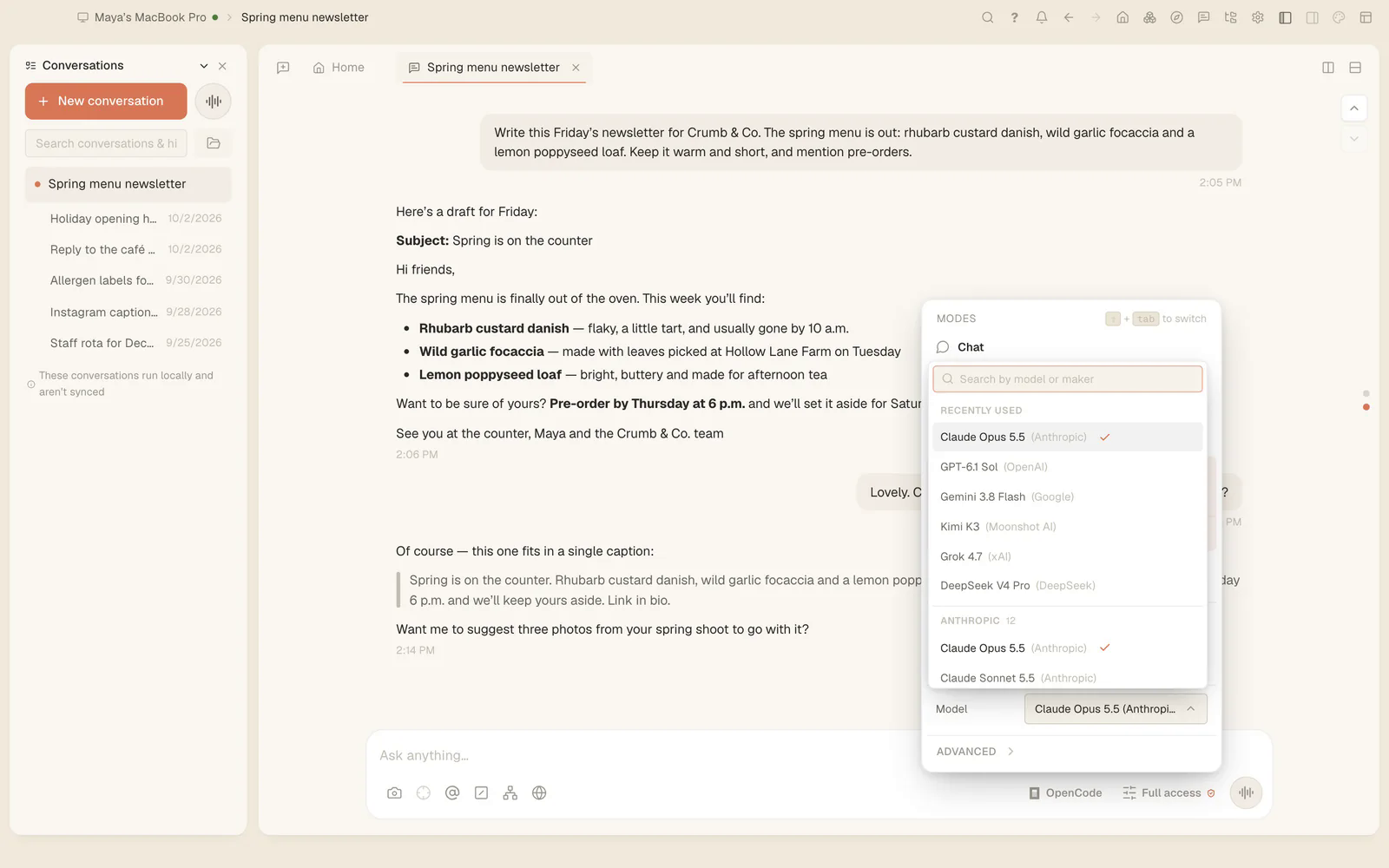
What happens underneath. These 14 tools do not speak one language. Claude Code runs through its own SDK. Codex runs its own JSON-RPC server, which describes itself with 83 client methods, 10 server requests and 65 notifications. The other twelve speak ACP, an open agent protocol, each with its own quirks.
All of them sit behind one connection point inside Tesseract. Every agent must support eight core operations: send a message, interrupt, list sessions, read messages and so on. Everything else is one of 32 capability flags, and every agent answers every flag explicitly. The flag type is strict, so adding a new capability breaks the build until all 14 agents have declared yes or no. A test checks both directions: declared means implemented, undeclared means absent.
When a session starts, Tesseract fixes an agent contract for it: the instructions, the skill list, the tool list, and a hash of all three. Every agent sees one tool server named tesseract, and the instructions use the exact tool names that particular agent will see. Events coming back, such as streamed text, tool use, completion, errors and status, are translated into one shared set of messages. Each agent receives exactly the messages its own features use.
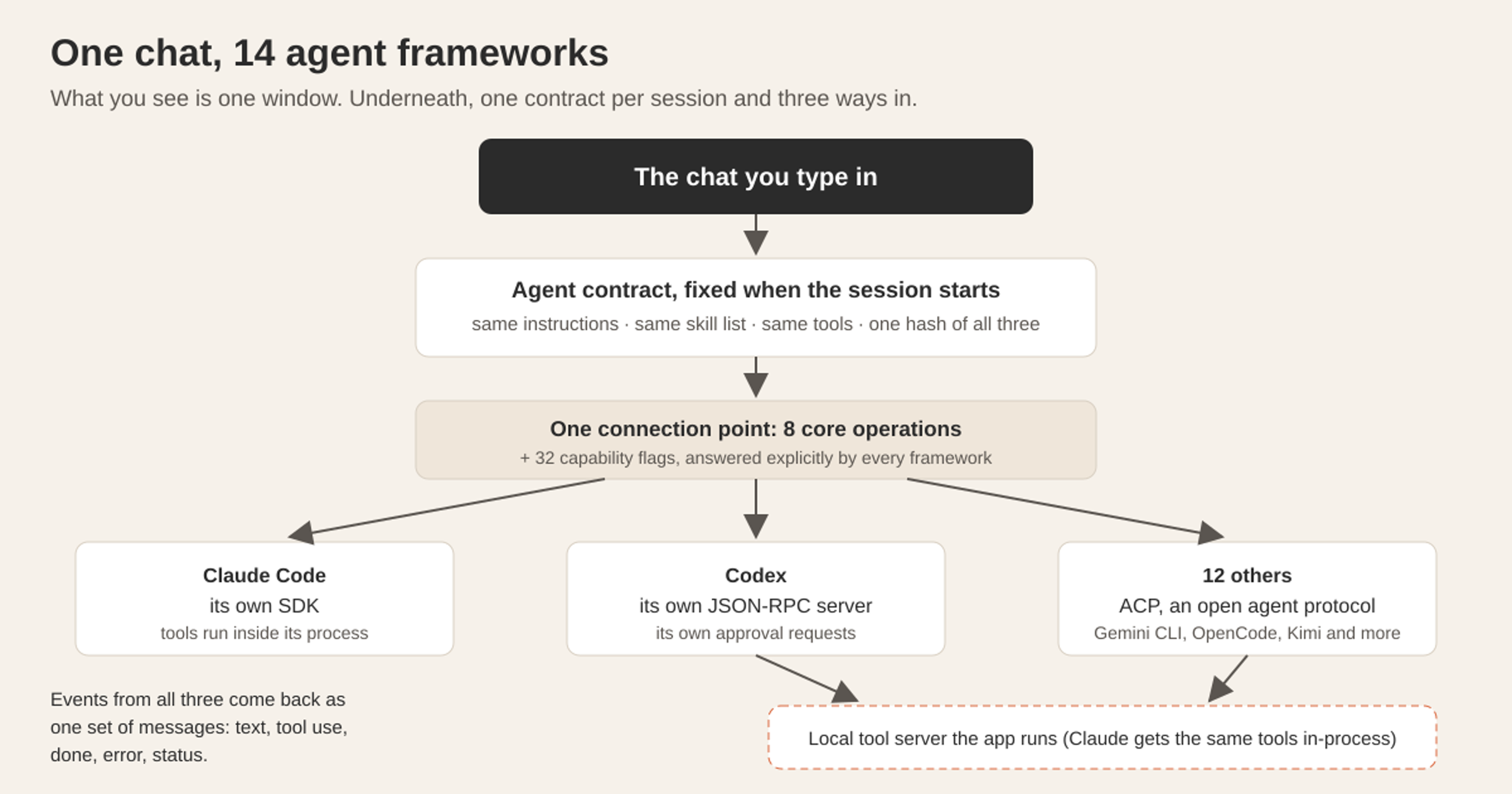
The trick: don’t flatten the agents to what they share. The tempting design is to push all 14 through one protocol. We didn’t, so Claude Code keeps every feature it has today. Instead, tools are served by the app, not carried by the protocol. Claude Code gets them inside its own process; every other agent connects to a local tool server the app runs. That is how features with no method in any protocol, such as subagents, background tasks, forms and scheduling, work on every agent anyway.
A smaller trick with a big effect: there are two tool dispatchers, one marked read-only. Agents run tool calls one at a time unless a tool is marked read-only. Three four-second tools took 12 seconds unmarked and 4 seconds marked. With two dispatchers, reads run side by side while tools that change things still ask for your approval.
The numbers. Before the contract, one OpenCode request carried 82 tools and about 43,600 tokens of setup. After it: 19 tools and about 8,600 tokens. Across 13 agents, the right skill was chosen 392 times out of 429 (91%). With a listed skill index instead of search alone, the right skill went from 47–63% to 97–100% across five agent and model pairs, with no wrong loads in 180 runs that should have loaded nothing. A feature counts as working only when a live model uses it, not when a field is accepted. More on running several side by side: the agent frameworks Tesseract runs.
How does it remember last week without filling the context?
What you see. Nothing, mostly. Memory is on by default in Settings → Privacy → Memory. Start a new conversation, ask about something you decided in a different project last week, and the agent knows. You never pasted it in.
What happens underneath. Every request in every conversation, from every framework, is appended whole to a log on your computer. When the machine is quiet, a fast model distils settled conversations into typed items: facts, decisions, procedures, pitfalls, preferences. Code, not the model, then drops anything inferred, contested or learned from a request that failed. At the start of each turn, 60 candidates are found by search, two small models judge whether each is actually needed, and a learned ranker decides.
The trick: a memory that usually says nothing. The agent gets at most three items of 420 characters each, and only when the ranker is at least 30% sure one is needed. Otherwise it gets nothing. Everything else it fetches with search tools when it wants to. We chose this because, in our own A/B test, memory improved plans in 65% of comparisons. Showing less, and only when it is needed, keeps each plan focused on the task.
The number. On 150 real requests, the note appeared on 55; 74 of the 77 items it showed were judged useful.
The full design, with the benchmarks, is in how AI agents remember across sessions.
How do your computers reach each other by name?
What you see. You switch on a private network in Tesseract or in the free Mesh app. Creating one needs your Tesseract account and nothing else: no name, no address range. The machines that join don’t need an account. Another machine joins by pasting a token. From then on, ssh studio-imac or http://office-pc:3000 works from anywhere: same Wi-Fi, behind two home routers, or on another continent. Nobody opens a router’s settings page.
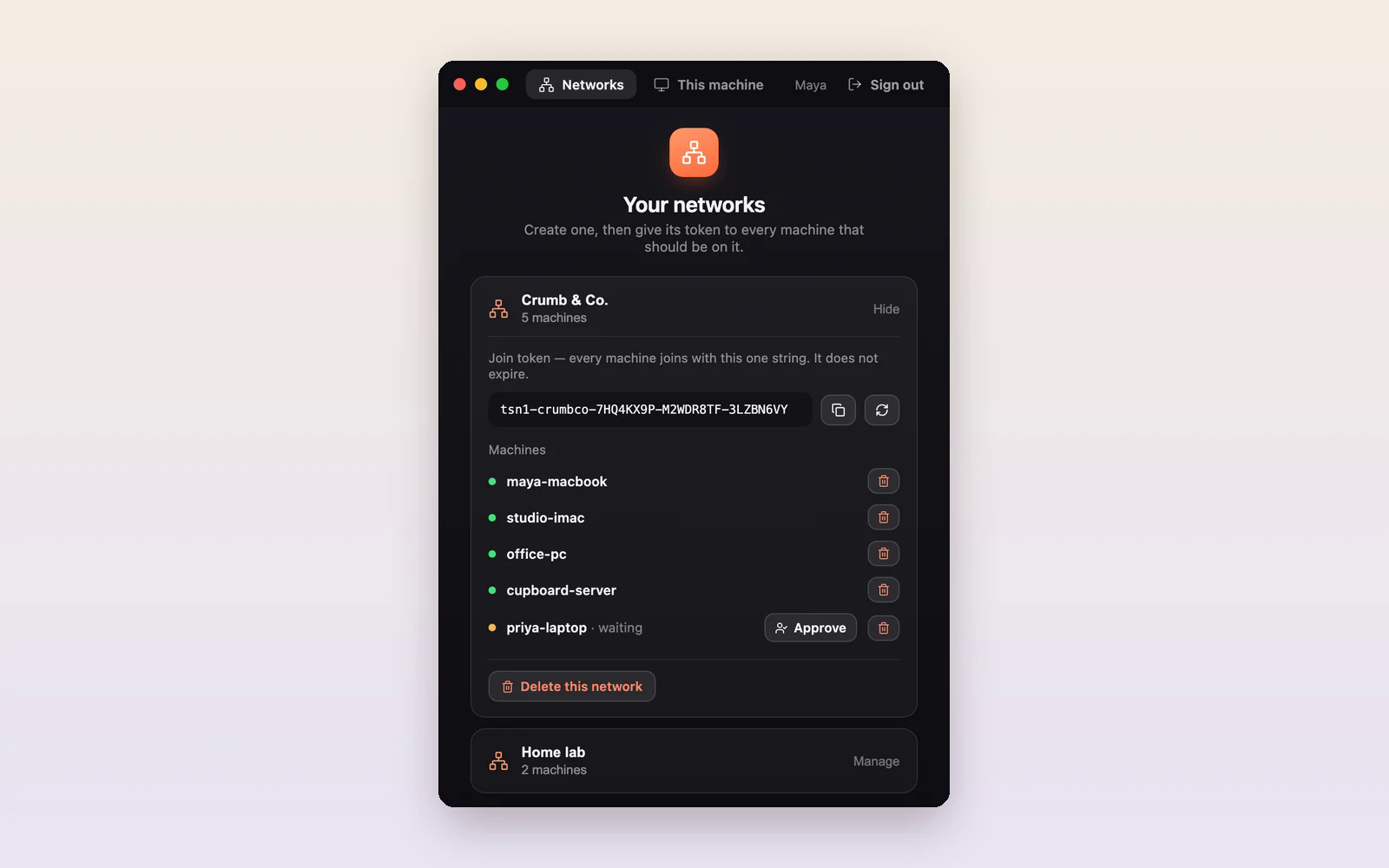
What happens underneath.
- The joining machine makes its own key. Only the public half leaves it. A certificate authority signs a certificate that gives the machine its network address and groups, and every signing writes an audit record.
- One signed policy file says who may talk to whom, and lists members and revoked machines. Machines pass it to each other inside their encrypted connections. A machine whose copy is more than 24 hours old stops passing traffic.
- The coordination service passes hints only: addresses, introductions, signed material it does not interpret. Packets are kept off it on purpose, and a test checks that.
- To find a path, a machine tries the same local network first, then direct IPv6, then its public address as seen from outside, then hole punching. It re-tests paths every 5 seconds, and a direct path always beats a relayed one.
- For the hardest networks, a relay carries only encrypted traffic between two machines that have already verified each other. One of your own always-on machines is preferred over our hosted relay.
- Names go into each member’s own hosts file. Only members have them; nothing is published.
The trick: authenticate every connection, then let anything carry it. Because each handshake carries the certificate and the receiving machine enforces the rules, nothing the server or a relay passes along grants anyone access. That lets the relay safely take the hard cases while the server stays out of the data path. The server cannot read your traffic. We looked hard at plain WireGuard first. It has no field for carrying a certificate, so checking permissions would have needed a second handshake and constant reconfiguration. We wrote our own handshake on an existing, well-reviewed crypto library instead.
The numbers. In a simulation that runs the real hole-punching code against modelled router types, 22 of 25 router pairings connect directly. When the network helper restarts, connections come back in 0.21 seconds at the median and 0.42 seconds at worst, measured over 12 restarts on Linux and Windows machines pinging every 200 ms. And for a phone-network connection whose carrier picks a random port every time, probing a band of nearby ports connects directly in about 15 seconds.
The step-by-step version is in reach your own computers by name, and the app has its own page: Tesseract Mesh.
How does one conversation run a whole team of agents?
What you see. In one conversation you say “split this up”. That conversation starts child conversations: real, saved ones, each shown as a thread under the parent, possibly on different agents, say Claude Code writing and Codex reviewing. It follows them, stops them and approves their file changes. A “Working here” list shows every session in the project and what each one is doing.
What happens underneath. Everything you can click in Tesseract is also a tool the AI can call, described in one registry. An action on a conversation runs the same code your click runs. Reading is always allowed; changes follow the conversation’s permission mode.
A child gets a written brief: the objective, what to hand back, its limits, and what counts as done. It never gets more access than its parent, and it gets its own block of 20 network ports so two test servers never collide. Sessions can claim files, and other sessions’ edits to a claimed file are refused. Each session can commit only its own changes and undo only its own work. Stop, pause and resume flow down the tree. A message from another session arrives as a new turn, labelled as coming from a session; it can never approve anything, and it is held for you if it goes from a session with less access to one with more. Pushes, deploys and anything outside the project always come to you.
The trick: watch the files, not the model’s account of them. Tesseract’s background service already sees every tool call from every agent, and it checks the project folder around each one. So it can say which session made each uncommitted change, deliver messages and enforce file claims the same way for 14 different agents, instead of trusting what each model says it did.
The numbers. On small tasks, one session was just as correct as a team, 2–4 times faster and 2–5 times cheaper, scored by hidden tests the agents never saw. Given the same budget, both scored 10 out of 10 and the team finished in 0.7 of the time. A team is for work too big for one session’s attention. A tree runs up to 6 sessions at once and 30 in total. The lead session leaves its children’s files to them and doesn’t poll them. More on this in several AI helpers, one project.
How does a request become a real PowerPoint?
What you see. You give a topic and answer four one-tap questions: who it’s for, whether you’ll present it or send it, how long, and which look. Notes with sources appear as it researches. You approve a storyboard in which every slide title states its point. Then you download the deck as a PowerPoint, a PDF or a web page. The PowerPoint has speaker notes on every slide, and the words on the slides are real text you can select and edit.
What happens underneath. The conversation’s own agent researches alone and saves notes, each with its source and a trust rating, inside the deck. The plan is one message: each title is the slide’s point, every fact is copied exactly from the notes, and the time per slide matches the length of the talk. Each slide is then written from only its own evidence, starting with what the presenter will say. Every answer must match a strict format, and anything the slide kit cannot draw is dropped, so no slide is ever an empty frame. A read-through of the whole deck sends back up to about a third of the slides for another pass.
The trick: real text over a faithful picture. Words on our slides are always real text: never rotated, never hidden from screen readers. That is why they survive the export. Each PowerPoint slide is a picture of the live slide, taken once it stops changing, with the slide’s actual text laid over it and the talk track as notes. In export mode, counters show their final value and nothing loops, so the picture is of the finished slide.
The numbers. A 12-slide deck became a 4.7 MB PowerPoint in about 20 seconds, with 12 notes pages and no text leaking from a neighbouring slide. A researched deck takes 4 to 8 minutes, almost all of it research, over three real runs.
What do the five have in common?
| You do | What happens underneath | The trick | A number |
|---|---|---|---|
| Pick an agent | One contract, 3 routes, 32 declared capabilities | Tools served by the app, not the protocol | 82 → 19 tools per request |
| Ask about last week | Log, distil, rank, show ≤ 3 items | A memory that usually says nothing | 74 of 77 shown items useful |
| Type a machine’s name | Certificates, signed policy, path finding | Authenticate first, then any path is safe | 22 of 25 pairings direct (simulated) |
| Say “split this up” | Briefs, file claims, tree of sessions | Watch the files, not the model | one session 2–4× faster on small tasks |
| Ask for a deck | Research, plan, per-slide evidence, review | Real text over a faithful picture | 12 slides to PowerPoint in ~20 s |
Three patterns repeat. We measure before we believe: a feature works when a live model uses it, not when an API accepts a field. We prefer the design that can say no: a memory note that can be empty, one session when the work is small, a relay that takes the hardest networks. And what you click is what the agent calls: one registry describes both.
Questions
How much of this do I set up? None of it. Memory is on by default, the agent picker is one menu, Mesh is a switch and a token, a team is a sentence, and a deck is four taps. The settings exist for when you want to change a default.
Does each agent keep what makes it good? Yes. Each agent keeps its own shell and file tools, because each harness is trained together with its model. Tesseract adds its tools and its approval cards around them; it does not replace what makes each agent good.
Is the traffic between my computers private? Yes. Connections are encrypted end to end between your machines and authenticated by certificates. When a relay is needed, it carries encrypted traffic it cannot read.
What can I edit in the PowerPoint? The text on every slide and the speaker notes, as real PowerPoint text.
Where can I read more about one of these? The memory design has its own deep-dive, linked above, and so do Mesh and agent teams.
Try it
Pick the thing above you would actually use this week, and try it in Tesseract. It runs on Mac, Windows and Linux, free with the Claude or ChatGPT subscription you already have.