 Tesseract
Do you need an AI subscription to use Tesseract?
No. Use the Claude or ChatGPT plan you already pay for, unmetered, or start on the free allowance and top up only when you want more. How to set up each.
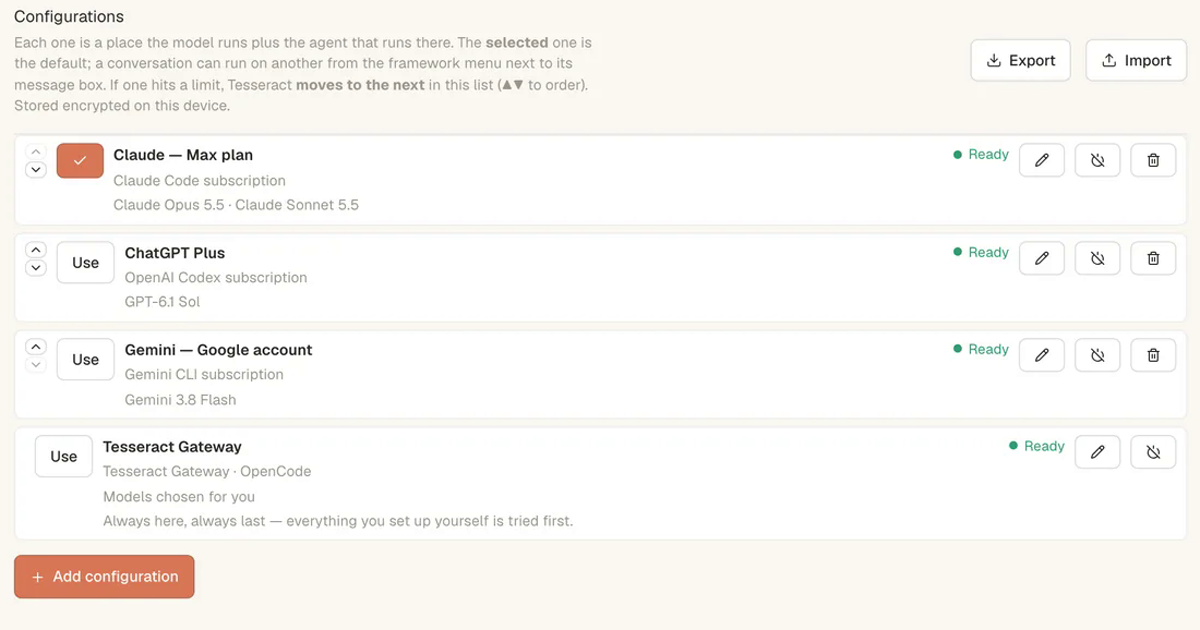
No. If you already pay for Claude or ChatGPT, sign in with that subscription and Tesseract runs on it for $0, without ever metering your use. A Gemini API key works too. If you have none of those, start on Tesseract’s free allowance, which refills on its own, and top up only when you want more. Tesseract has no subscription of its own.
Here is how each option works, and how to set up the one that fits you.
The three ways to pay for the AI
| What it costs | Best for | |
|---|---|---|
| Bring your own AI | $0, forever | You already pay for Claude or ChatGPT |
| Free allowance | $0, refills on its own | You have no AI subscription and want to start |
| Top up | From $10, pay as you go | You want more than the allowance, or the most capable models |
Pictures, video and Tesseract’s voice work with nothing to connect, whichever you choose.
Option 1: use the subscription you already have
With Bring your own AI, Tesseract signs in to the plan you already pay for and uses it as it is. It never meters your use, and you get everything it makes and every tool. You can pick a different AI for each conversation.
- Open Settings → Models & accounts.
- Choose Add configuration and add your Claude or ChatGPT subscription, or a Gemini API key.
- Choose Use on the one you want as the default.
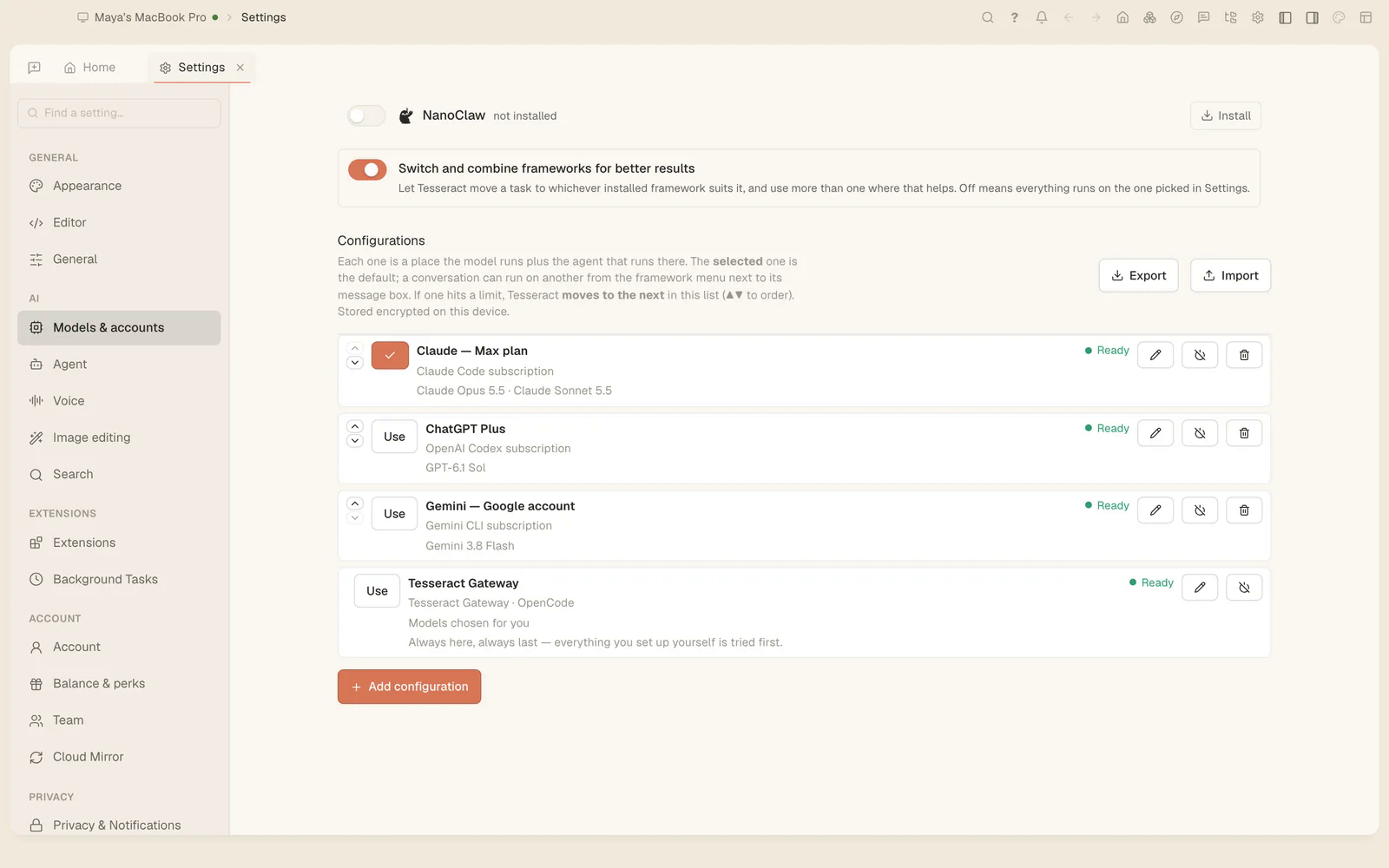
Each configuration is a place the model runs plus the agent that runs there, stored encrypted on your device. Add more than one and order them with the arrows: if one hits its limit, Tesseract moves to the next in the list. Different conversations can also run on different ones, as in Claude Code, Codex and OpenCode side by side.
Option 2: start on the free allowance
No subscription? Start here. AI is included, through the Tesseract Gateway, and the allowance refills on its own. Signing in gives you a bigger allowance, and if you are building something big you can ask for more.
The Tesseract Gateway sits at the bottom of Models & accounts: always there, always last, so anything you set up yourself is tried first.
Option 3: top up when you want more
Topping up is pay as you go, only when you want more, starting at $10.
- It unlocks the most capable models.
- Your first top-up comes with a bonus.
- Auto top-up refills your balance when it runs low.
- Vouchers and promo codes work too.
If you leave an assistant running unattended, set a hard spending limit as well; leave an assistant working overnight shows how.
Which one should you pick?
- You already pay for Claude or ChatGPT: bring your own. It costs nothing extra, and adding a second account means a limit on one does not stop your work. On a server, the same accounts rotate the same way, as in run AI agents on your own server.
- You have no AI subscription: start on the free allowance and see how far it goes before paying anything.
- You need the strongest models without a subscription: top up the smallest amount, and turn on auto top-up only if you want it never to run dry.
Try it
Download Tesseract, open Settings → Models & accounts, and add the account you already have.