 Tesseract
Run AI agents on your own server, with no ports to open
Install tesseract-agent on a Linux server, a Mac or a Windows PC, then run Claude Code, Codex or another framework on it from your laptop, phone or the web.
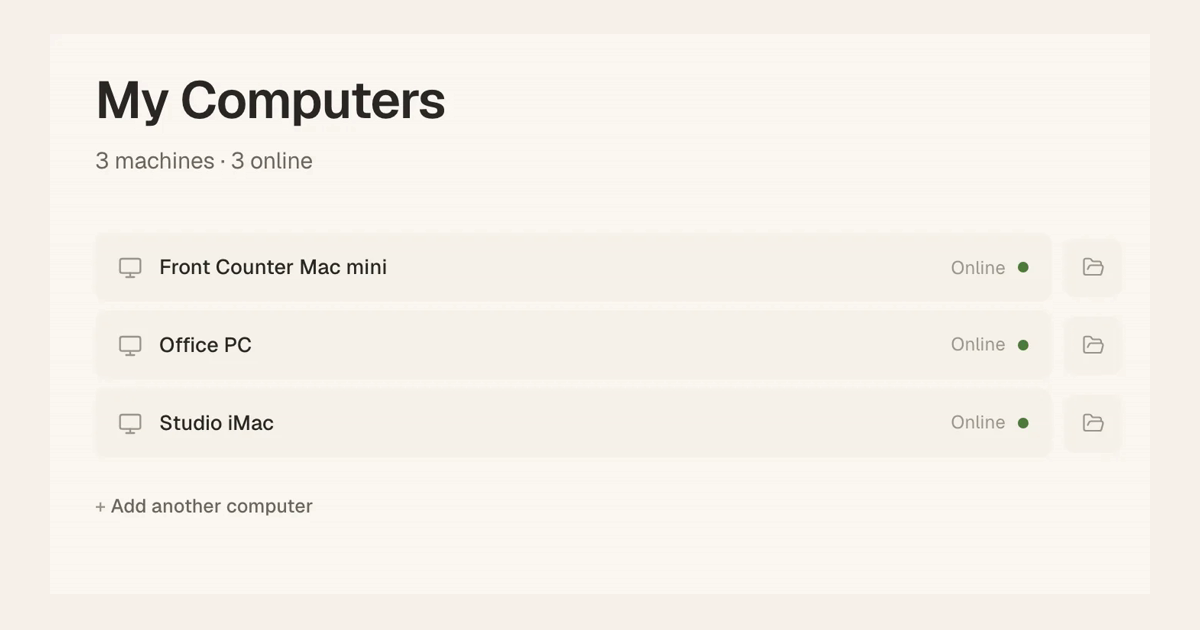
You can run Tesseract’s agents on a machine with no screen at all: a Linux server in a cupboard, an old Mac mini, a Windows PC in the office. Install the command-line agent, tesseract-agent, sign it in to your account and install it as a background service. The machine then shows up in My Computers, and you start conversations on it from your laptop, your phone or the web app, even when nothing else is open on it.
The machine dials out, so there are no ports to open on your router, and the work carries on after you close the window you started it from.
What you need
- A Mac, Linux or Windows machine with Node 20 or newer.
- Your Tesseract account. Hosting is part of the paid plans.
- The framework you want to run, such as Claude Code or Codex, signed in on that machine. Step 3 shows how to install it.
1. Get a code from My Computers
On the computer you already use, open My Computers and choose Add a computer. You get a one-time code as a QR code, a link and ready-to-paste commands for a server. The code works once, for 15 minutes.
2. Install the agent and sign in
On the server, as your normal user, not with sudo:
npm i -g tesseract-agent "--allow-scripts=tesseract-agent,ffmpeg-static,node-datachannel,@homebridge/node-pty-prebuilt-multiarch"
tesseract-agent login
The --allow-scripts part names the packages whose install steps the agent needs. The installers do it for you instead: curl -fsSL https://tesseract.dev/cli.sh | sh on Mac and Linux, irm https://tesseract.dev/cli.ps1 | iex on Windows.
login prints a link and a QR code. Sign in there, then paste the one-time code back into the terminal.
Then make it a service that starts with the machine and restarts itself if it ever stops:
tesseract-agent install
tesseract-agent status
That is a launchd agent on macOS, a systemd user unit on Linux (set to survive logout) and a Task Scheduler task at logon on Windows. Run it as your own user because the service finds your sign-ins, and your frameworks’ sign-ins, in your home folder. tesseract-agent logs shows what it is doing.
3. Choose the framework and the account it runs on
Claude Code is the default. run --engine picks another, such as openai-codex, opencode, gemini-cli or qwen-code. To install a framework’s CLI on the machine, or add an account:
tesseract-agent assist install <framework>
tesseract-agent runner login claude      # add a Claude subscription
tesseract-agent runner list
You can also pair a framework with a model provider and its key, such as OpenRouter, a local Ollama or any OpenAI-compatible endpoint. A key given as $VAR is read from the environment when the agent runs and is never written to disk.
Add more than one of these and the agent rotates between them when one hits a rate limit, a quota or a sign-in error, so a long job keeps going.
4. Run more than one, or run it in Docker
One machine can run several separate agents under the same user, each with its own state and service:
tesseract-agent login   --instance work2
tesseract-agent install --instance work2
A container has no launchd or systemd, so there you skip install and run tesseract-agent run as the entrypoint, signed in with a device token: tesseract-agent login --token "$TESSERACT_TOKEN".
Things to know
- No ports, no inbound connections. The machine dials out to your account. To reach the server’s own services by name from your other computers, put it on your private network too.
- It runs while the machine runs. A server that stays on is what lets an assistant work overnight while your laptop sleeps.
- Crash reports are on by default. They carry the error, its stack trace, the version and the OS, never file contents.
tesseract-agent crash-reports offturns them off. - Signing out cleans up.
tesseract-agent logoutrevokes the machine and wipes its local state.
The professionals page lists everything a machine in My Computers can do, from its files to Remote Desktop.
Try it
Download Tesseract on the computer you use every day, choose Add a computer in My Computers, and paste the commands it gives you into your server.