 Tesseract
How to make a 3D model from a photo or words with AI
Turn a photo or a few words into a 3D model in Tesseract: Best or Cheaper at a price shown first, then a free looping studio clip and a 3D page anyone can turn.
To make a 3D model in Tesseract, open Make a 3D model on Home, attach a photo of one object or describe it in a few words, and pick Best — about $0.53 or Cheaper — $0.10. You get a GLB model, a looping clip of it turning on a lit studio stage, and one page where anyone can turn and zoom it. The clip and the page cost nothing.
Tesseract is free to start, and the app needs no API key of your own: the model is charged to your Tesseract allowance at the price on the button you pressed, and everything after the model is made on your own computer. The 3D model maker is in Tesseract since version 0.12.4.
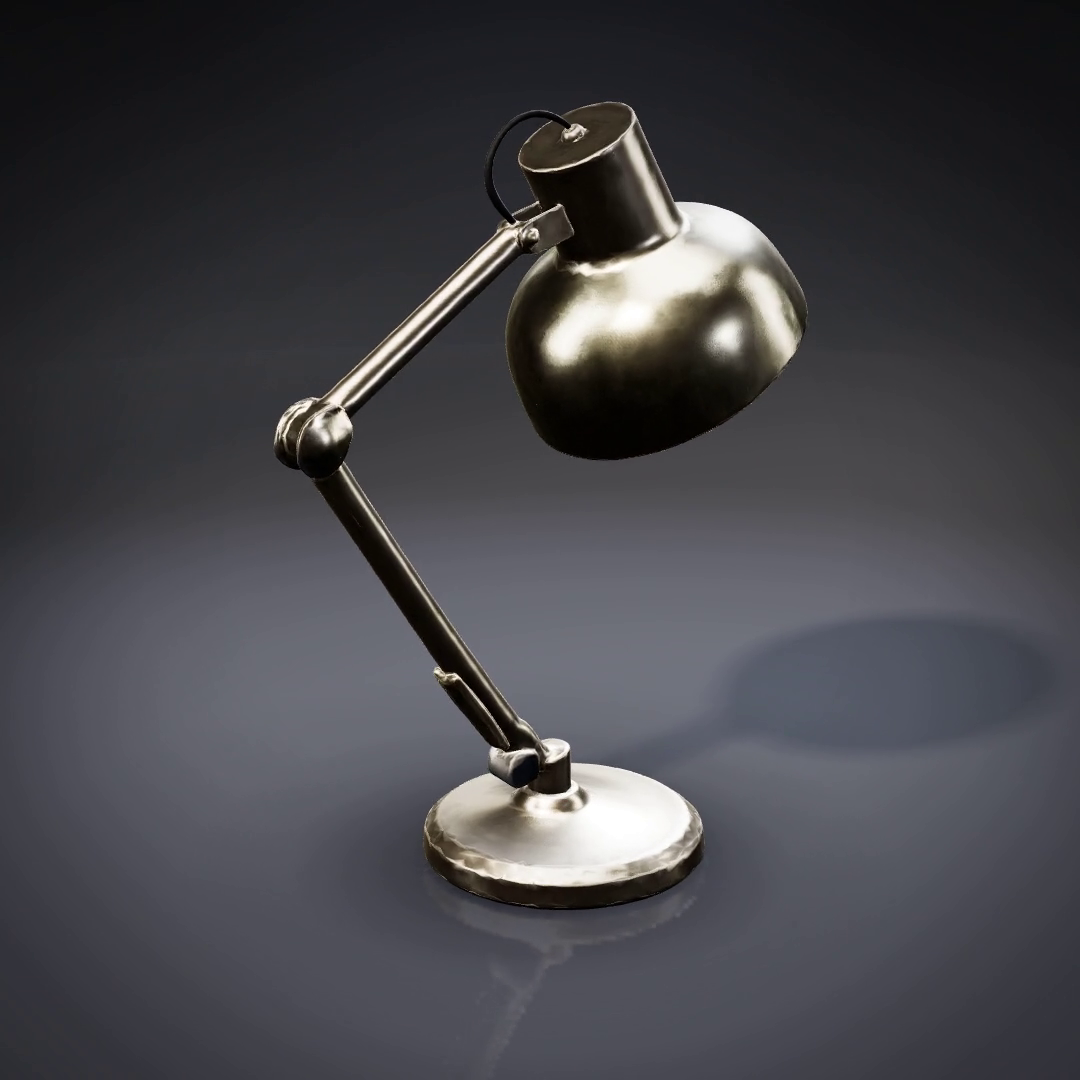
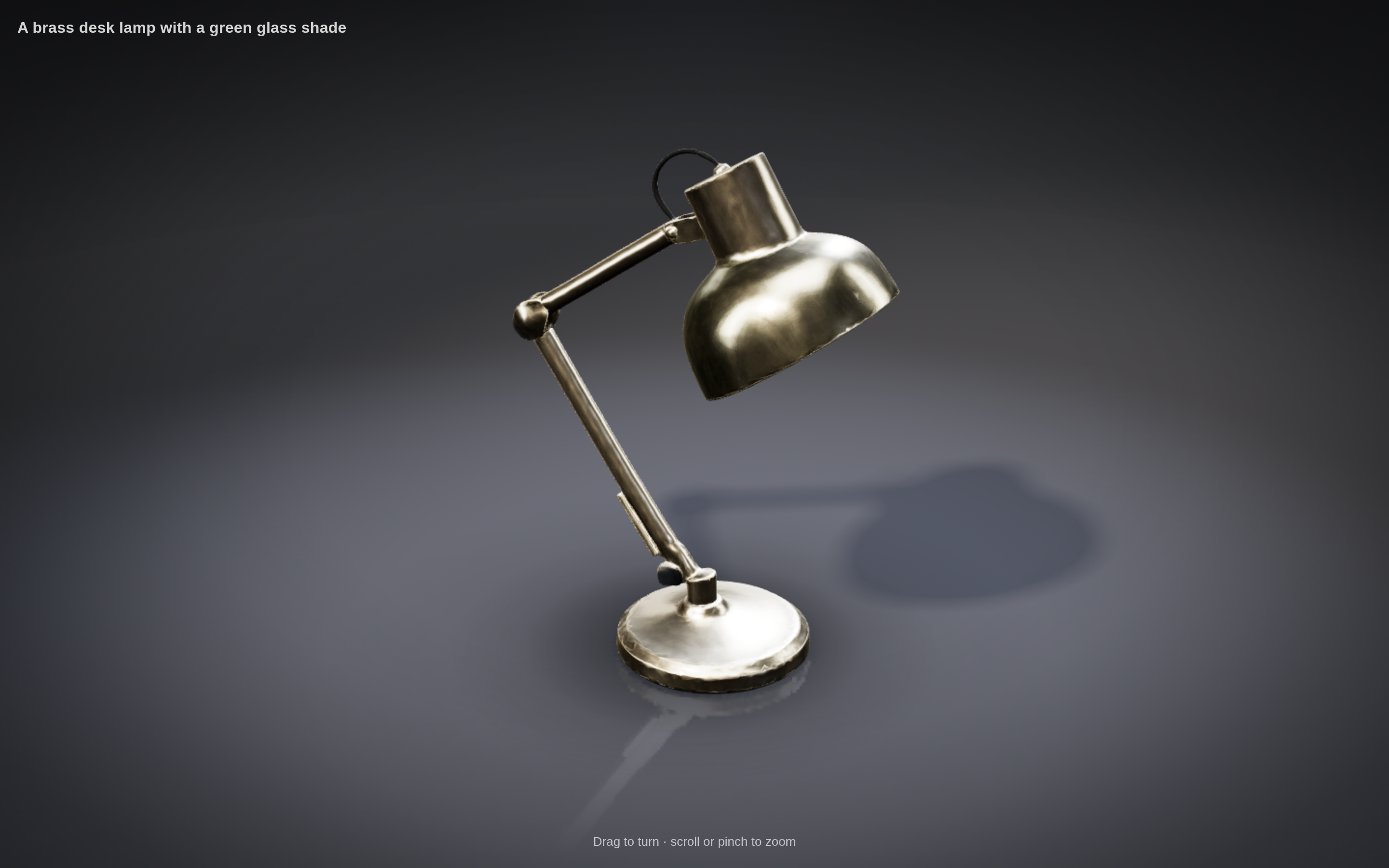
The frame above is from the clip the app made for this post. We typed the card’s own suggestion, “A brass desk lamp with a green glass shade”, pressed Cheaper — $0.10, and that was the whole spend: ten cents, for a lamp with brushed metal, a soft shadow and a reflection under its base, turning once every six seconds in a loop with no visible seam.
This post walks through what you see and do, step by step, and then what happens underneath: why there are two models and what each one makes, how the clip is filmed frame by frame so it loops exactly, and how a 58 MB model becomes a 24 MB page that opens in any browser with no internet connection.
How do you make a 3D model in Tesseract, step by step?
There are six steps, and you type one thing and press one button. Each step below uses the words the app shows.
1. Open “Make a 3D model” on Home
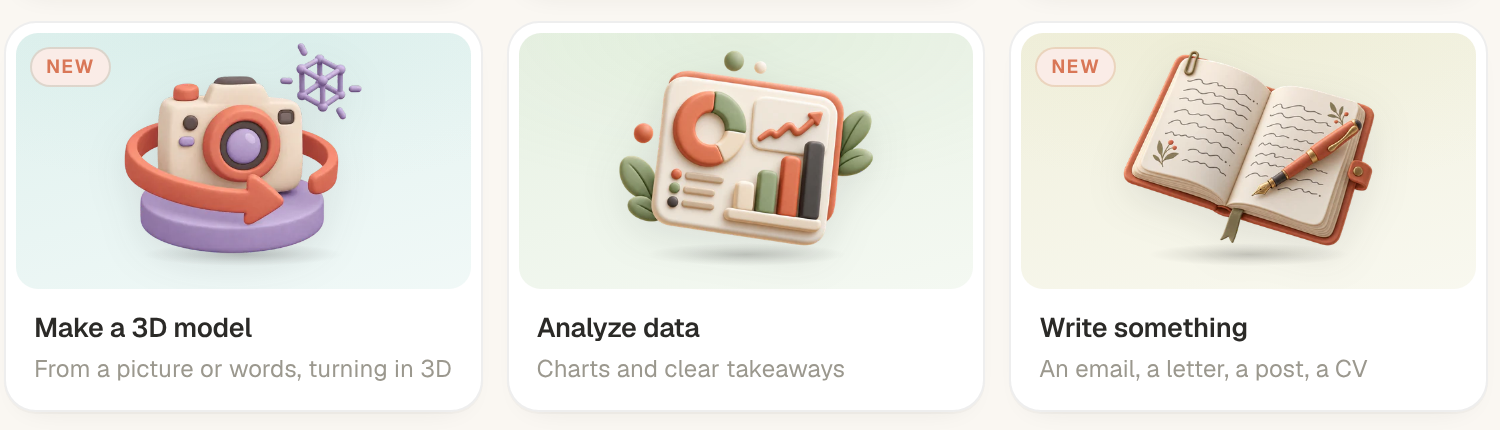
The card reads Make a 3D model — From a picture or words, turning in 3D. It is the fourth starter card on Home for every kind of person Home is set up for (kid, everyday, developer), so it is on screen before More ideas even when the window is narrow enough for two columns. Its picture is a clay-style cream camera on a lavender turntable inside a coral turning arrow.
You can also start it from the command list, or just ask the assistant in any conversation to make a 3D model; the assistant can open any of Tesseract’s makers for you. The 3D model maker is one of 33 guided makers in the app. The others, from images to games, are in every card on Home opens a guided maker.
2. Attach a picture, or describe the object
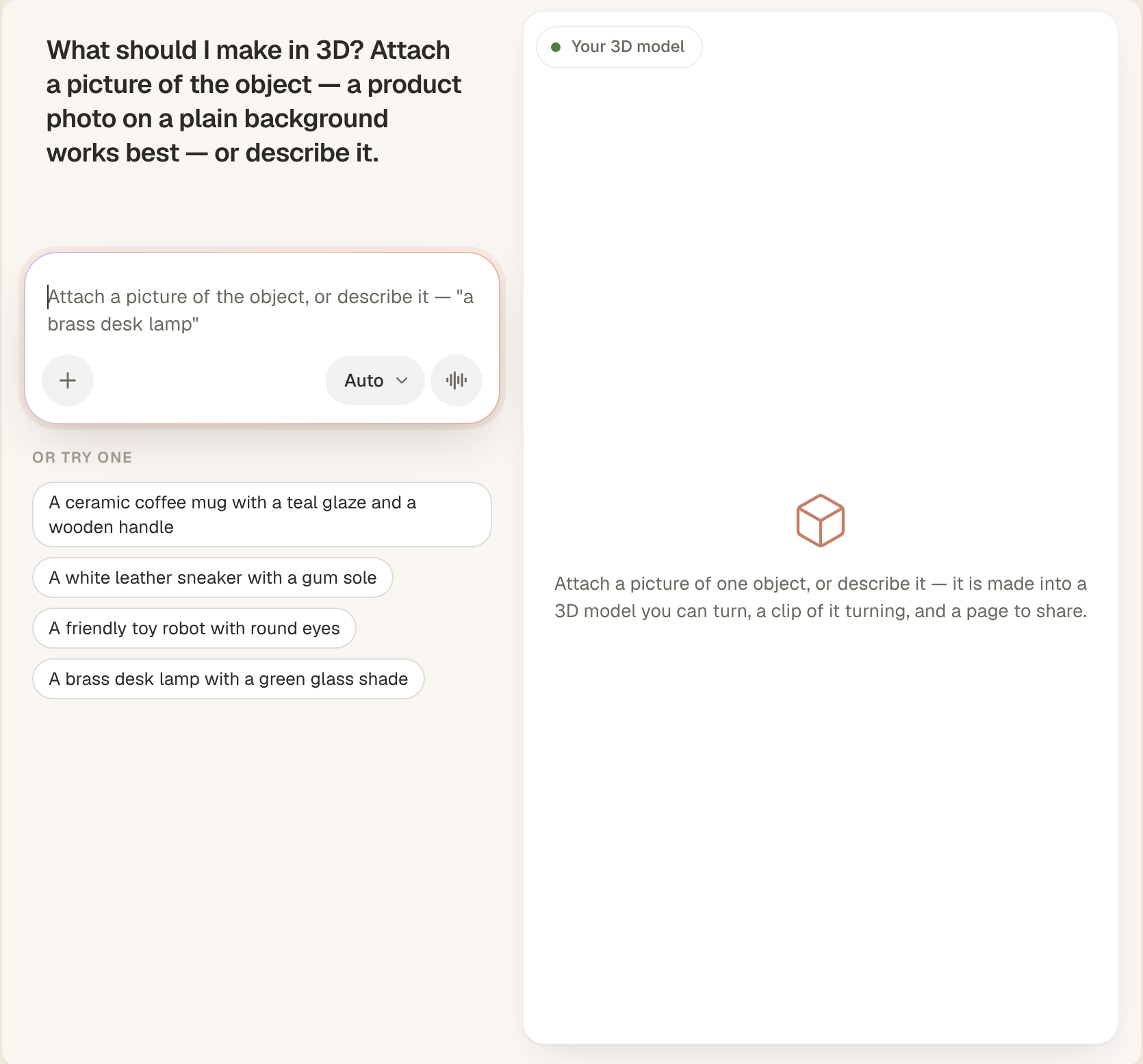
A conversation opens with a card beside it. Tesseract asks: “What should I make in 3D? Attach a picture of the object — a product photo on a plain background works best — or describe it.” The box hints the same: Attach a picture of the object, or describe it — “a brass desk lamp”.
A picture can be a PNG, JPEG or WebP, and it is kept in ~/Documents/Tesseract/3D Models. Under the box, Or try one offers four ready ideas: a ceramic coffee mug with a teal glaze and a wooden handle, a white leather sneaker with a gum sole, a friendly toy robot with round eyes, and a brass desk lamp with a green glass shade. One click on an idea sends it.
3. Choose Best or Cheaper, with the price on the button
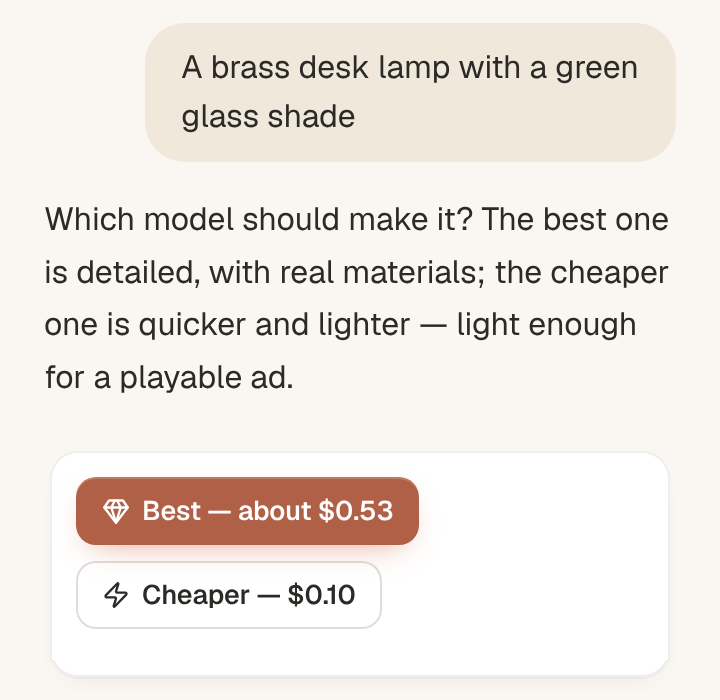
Tesseract asks which model should make it, and puts the price on each button: Best — about $0.53 or Cheaper — $0.10. Its explanation is one line: “The best one is detailed, with real materials; the cheaper one is quicker and lighter — light enough for a playable ad.” Under the buttons, the card says that the turning clip and the 3D page are made on this computer, free.
That is the only decision with a price on it. You see the price before anything runs.
4. Tesseract makes it
Tesseract says it is making it now: first the model, then its turning clip, then its 3D page. The card shows Being made, with a Stop button. Behind that message, the conversation’s assistant runs three steps in order: make the model, film it turning, build the page.
5. Watch it turn, then turn it yourself
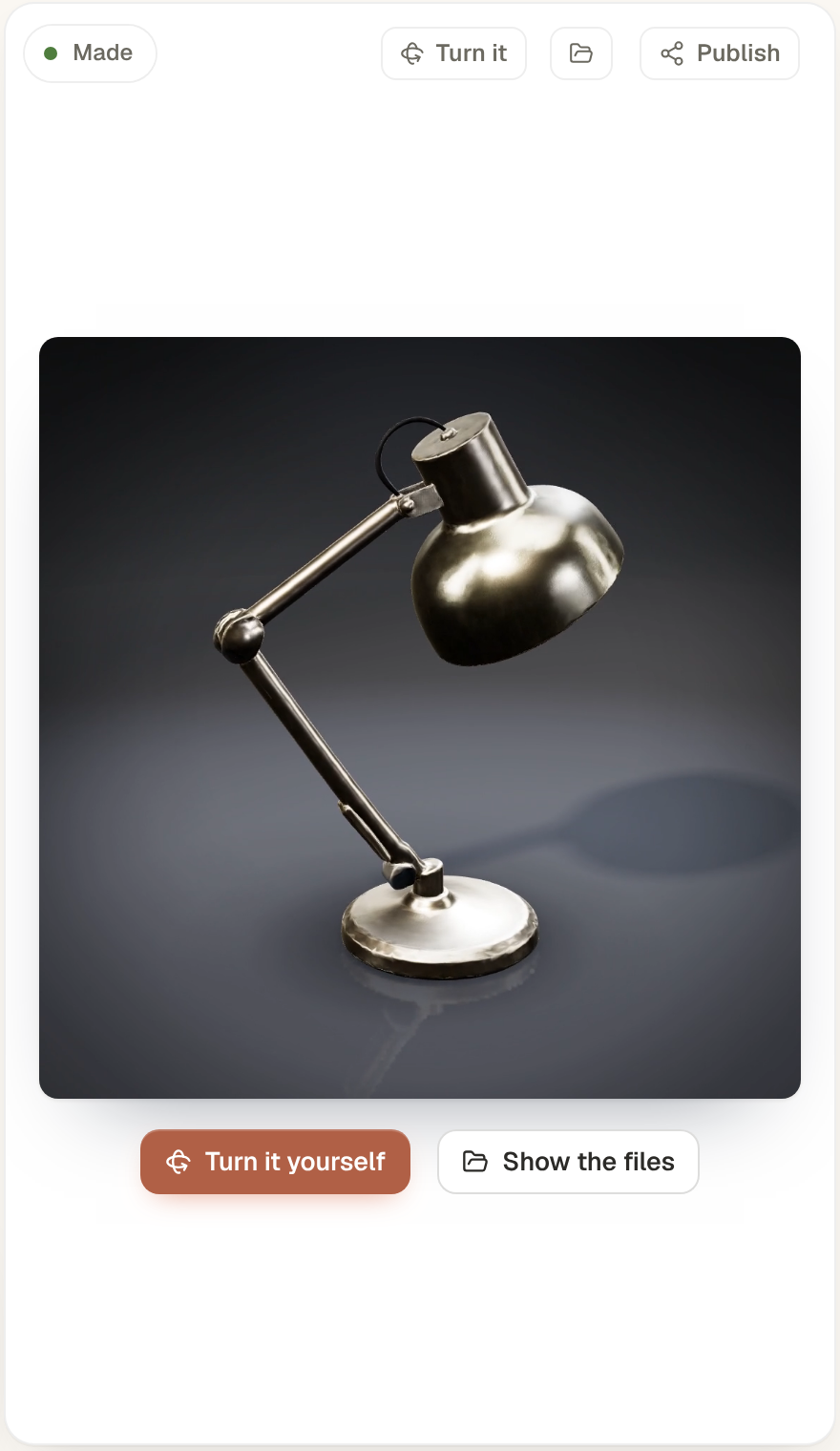
When it is done, Tesseract says: “Here it is, turning on the right. Open the 3D page to turn it yourself.” The card plays the model turning, on a loop, with two buttons:
- Turn it yourself opens the 3D page in your browser, where you drag to turn and scroll or pinch to zoom.
- Show the files opens the folder with the model, the clip and the page.
6. Ask for more
The box under the card now hints: Ask for more — “a 9:16 clip for Reels”, “a dark backdrop”, “a page with a Shop now button”. Another clip or another page from the same model is free. A different model is made again at its price, and the suggestion says so before you press it: “Make it with the cheaper model — $0.10”.
What do you get for each price?
The two buttons map to two different 3D models. Both take words or pictures, both texture the result with physically based (PBR) materials, and both hand back the same three files. They differ in detail, weight and price.
| Best (the default) | Cheaper | |
|---|---|---|
| Price | $0.525 (shown as “about $0.53”); $0.675 with pictures of more sides than the front | $0.10 a model |
| What it makes | A detailed textured mesh, 500,000 faces by default and up to 1.5 million | A lighter mesh |
| Materials | Real materials, always on: metal, roughness and normals | PBR materials |
| Pictures in | One front picture, plus up to seven named sides: back, left, right, left-front, right-front, top, bottom | Up to five pictures, with words to guide them |
| Words in | Up to 1,024 characters | Up to 1,024 characters |
| Best for | A product you want to look right up close | A quick model, a light page, a playable ad |
Real materials are always on for Best, so the model looks right under the studio light in the clip and on the page.
The two were chosen from a public catalogue of 3D models after weighing several others on detail, speed, inputs and price. Best is the one for detail up close; Cheaper, in the app’s own words, is “light enough for a playable ad”.
What happens underneath?
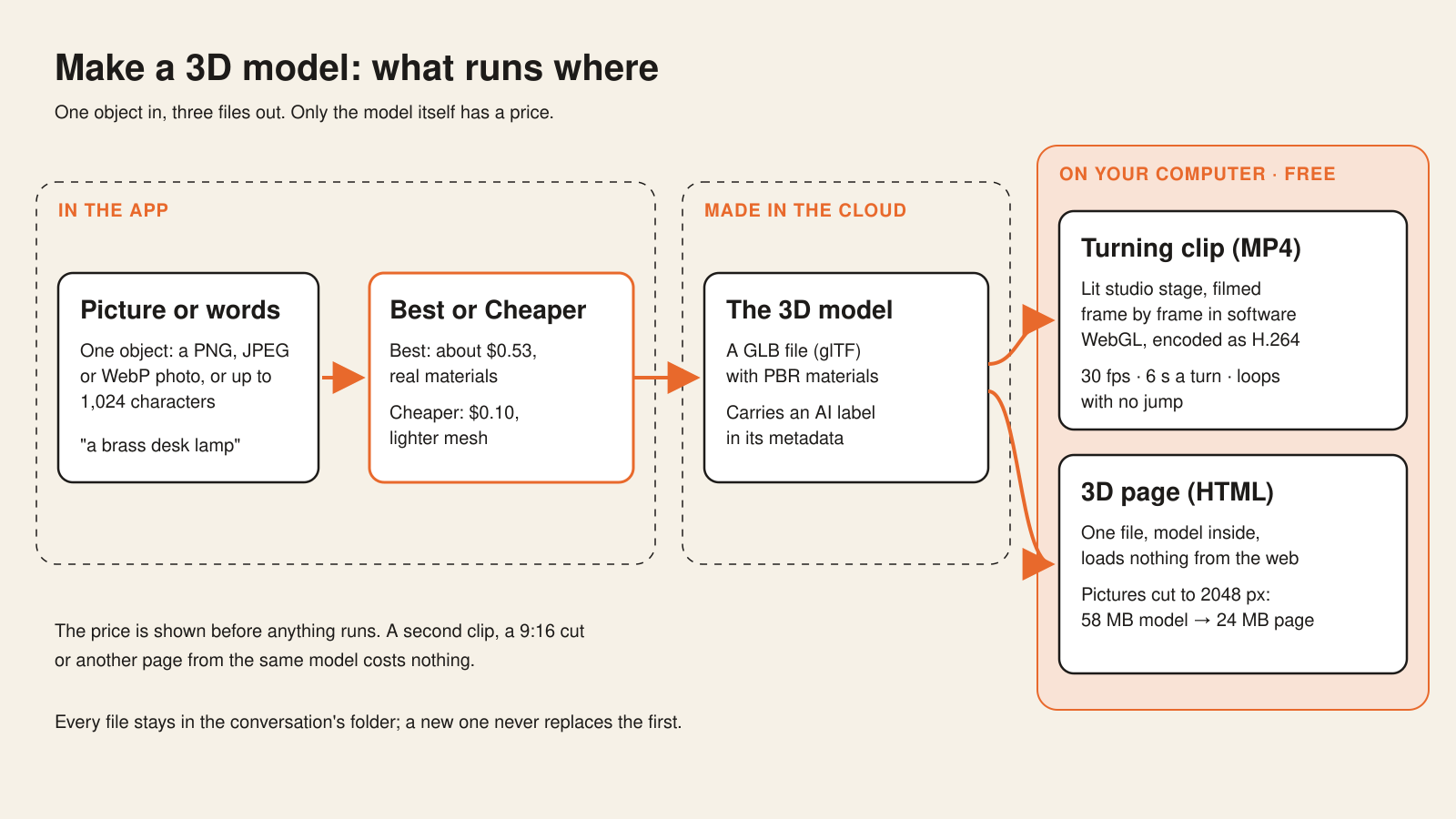
One object goes in, three files come out, and only the first of the three steps leaves your computer. The picture or the words go to the 3D model service, which makes the model. The turning clip and the 3D page are made on your machine, which is why they cost nothing and why you can make as many of them as you like from one model.
The sections below take each part in turn.
How is the price you see the price you pay?
There are two ways to pay, and both put the price in front of you first.
- On your Tesseract allowance, the default, the model is charged at the price on the button. No key, no account with anyone else.
- On your own key for the 3D service, Tesseract states the price and asks you to confirm it before anything runs.
We checked this on real runs: a picture of a camera made on Best, and a mug described in words on Cheaper. Each was charged exactly the price on its button, to the cent. Since then, any 3D charge that ever comes out above its stated price is flagged automatically.
Two smaller rules keep the price honest. Only the settings the price covers are sent with a request, so no option quietly makes a model more expensive. And no setting that would turn down the service’s safety filter is ever sent.
How is the turning clip made, and why is it free?
The clip is filmed on your computer. Tesseract builds the same 3D page you get at the end, opens it in a headless browser of its own, and films it frame by frame using software WebGL, which draws every frame on the processor instead of the graphics card. That choice is deliberate: software rendering gives the same frames on any machine, with or without a graphics card. The frames are then joined into an H.264 MP4.
Nothing is uploaded and nothing is charged. The browser used for filming may load only its own page; it cannot reach anything else.
What does the studio look like?
The default stage is a lit photo studio, the kind product photographers use:
- a seamless sweep floor that curves up into the wall;
- a spotlight pooling light under the model and falling off into the dark;
- a warm key light with a soft shadow, a cool fill, and a rim light that draws the edges out;
- reflections from a studio of softboxes, so glossy materials actually shine;
- a faint floor reflection and a contact shadow where the object meets the floor.
There are three stages: studio (the default, graphite), dark (near black) and light (a white sweep).
Which shapes and lengths can it make?
| Shape | Size | Made for |
|---|---|---|
| 1:1 (default) | 1080 × 1080 | Posts, product pages, the card in the app |
| 9:16 | 1080 × 1920 | Reels and TikTok |
| 16:9 | 1920 × 1080 | Video, slides, a site’s hero |
One turn takes six seconds by default, and anything from 2 to 20 seconds when you ask; the clip turns once or twice, at 30 frames a second. The clip for this post is the default: six seconds, 1080 × 1080, 30 fps.
How does the clip loop without a jump?
A clip on repeat shows its seam once per loop: if the end and the start do not meet exactly, the object stutters or jumps every few seconds, and in a feed that is the moment people notice.
Tesseract’s clip is built so that the frame after the last one is exactly the first. Playing the file on repeat gives one smooth, endless turn. This was checked byte for byte in a real browser: the frame that would follow the last is identical to the first.
The lights are also at full strength from the very first frame. A clip whose lights fade in starts dark, and the first frame is the one used as the poster before the video plays, so a fade-in would make every clip look dim in a feed. Starting at full light makes the poster frame bright.
Why does the clip open at a three-quarter view?
Product photos are rarely taken straight on. A three-quarter view shows two sides and the top, and it is the view a photographer would pick first. So the clip opens there.
To know where “three-quarters” is, Tesseract first has to know where the front is, and a model made from words has no labelled front. It works the front out from the model’s own shape: the front is the face across from the model’s narrowest side. A box or a phone opens at three-quarters. A mug opens with its handle out to one side, the way you would photograph it.
How does one HTML file hold a whole 3D model?
The 3D page is a single, self-contained HTML file with the model inside it. Anyone can turn it with a finger or a mouse and zoom in; it turns by itself until someone touches it; and it opens in any browser, offline, loading nothing from the web. You can send it as a file, put it on a site, or keep it next to the model.
The size trick is in the pictures. A detailed model carries large texture images, and a page that embeds them unchanged is heavy. Tesseract makes the model’s pictures lighter for the page, at most 2048 pixels across, while the GLB you keep stays untouched.
| Model | Model file | Page |
|---|---|---|
| A Best model | 58 MB | 24 MB |
| A Cheaper model | 2 MB | |
| The lamp in this post (Cheaper) | 1.3 MB | 2.5 MB |
The title and the hint on the page (“Drag to turn · scroll or pinch to zoom” on the lamp’s page) are written in the language of the people who will open it.
Can the page be a playable ad?
Yes. Ask for a page with a button, such as Shop now, and Tesseract builds it as a playable ad, with the button using the ad network’s own call. It also tells you whether the page is light enough for the ad networks: 2 MB fits every network, and some networks accept up to 5 MB. That is where Cheaper earns its place; a Cheaper model’s page came out at 2 MB.
Which files do you get, and where are they?
| File | What it is | Made where | Price |
|---|---|---|---|
| Model (GLB) | The standard glTF 3D file, binary form, with its materials | The 3D model service | $0.10, about $0.53, or $0.675 |
| Preview picture | A still the service returns with the model | The 3D model service | Included |
| Turning clip (MP4) | H.264, 1:1, 9:16 or 16:9, a seamless loop | Your computer | Free |
| 3D page (HTML) | One file, the model inside, works offline | Your computer | Free |
All of them are saved in the conversation’s own folder, and Show the files opens it. A second model, clip or page never replaces the first, so you can try a dark backdrop or a 9:16 cut and keep the original next to it.
How is the model labelled as AI-made?
The GLB carries an AI label the way glTF carries metadata: as XMP, through the KHR_xmp_json_ld extension. The label records the IPTC digital source type, the models used, the tool and the date. Writing it touches only the metadata: the meshes and pictures stay byte for byte as they were. The clip carries the model’s AI label too.
Can the assistant make 3D models outside the maker?
Yes. The same three steps (make the model, film it turning, build the page) are part of the assistant’s video-editing tools, so you can ask for a 3D model in any conversation, on every assistant engine Tesseract runs, as well as through Tesseract’s MCP server and its command-line agent.
The turning clip can also be one scene in a longer edit, cut in like any other clip.
What did it take to make it look this good?
Most of the work went into the parts you never think about when they are right:
- Real materials, always on. Best always adds metal, roughness and normal maps, because the studio light is unforgiving to a model without them.
- A studio, not a void. A model floating on a flat colour reads as a render; a sweep floor, a contact shadow and a rim light make it read as a photo.
- The seam. Making the frame after the last equal the first exactly, and proving it byte for byte, is what lets the clip sit on a loop in a feed.
- The poster frame. Full light from frame one, so the frame a feed shows before playing is bright.
- The opening angle. Finding the front from the shape, so a mug shows its handle and a box shows two faces.
- The page weight. Pictures cut to 2048 pixels for the page, which took a 58 MB model to a 24 MB page and a Cheaper one to 2 MB.
- The same frames everywhere. Software WebGL, so the clip made on a laptop without a graphics card matches the one made on a workstation.
What does it make, exactly?
The maker makes one object per model: a lamp, a mug, a sneaker, a toy, a product. It is built for the things people photograph and sell, and its first question says so: a product photo on a plain background works best.
What comes back is a GLB model with real materials, an MP4 of it turning, and a single HTML page. The 3D model maker runs in the Tesseract desktop app, where the clip and the page are made on your own computer.
What does this make possible?
- A product shot that moves. A photo of something you sell becomes a looping studio clip for a post, a Reel in 9:16, or a hero in 16:9.
- A page instead of a gallery. Send one file and the other person turns the object themselves, in any browser, with nothing to install and no internet connection.
- A playable ad from a photo. A Cheaper model, a Shop now button, and a check that it fits the ad networks’ size.
- 3D in the middle of other work. Ask for a model in the conversation where you are already editing a video, and drop its clip into the cut.
If you are new to how Tesseract’s allowance works, do you need an AI subscription to use Tesseract? explains it.
Questions
Is making a 3D model free? The model has a price: $0.10 on Cheaper, about $0.53 on Best ($0.675 with pictures of more sides than the front), shown on the button before anything runs. The turning clip and the 3D page are free, and so is every extra clip or page from the same model.
Do I need an API key? No. By default the model is charged to your Tesseract allowance. If you have your own key for the 3D service, Tesseract can use it, and it states the price and asks you to confirm first.
Can I make a model from a photo? Yes. Attach a PNG, JPEG or WebP; a product photo on a plain background works best. Best also takes pictures of up to seven more sides, and Cheaper takes up to five pictures with words to guide them.
What file format is the model? GLB, the binary form of glTF, with its materials inside. You also get an MP4 of it turning and a single HTML page.
Can I put the 3D page on my website? Yes. It is one self-contained HTML file that loads nothing from the web, so it works wherever you can host a file, and offline too.
Make your first 3D model
Download Tesseract, open Make a 3D model on Home, and try the brass desk lamp on Cheaper — $0.10.