 Tesseract
What is the best AI video generator for TikTok in 2026?
Our 2026 pick for TikTok and why: 9:16 video, captions, music, effects and presenter Shorts compared in Tesseract, CapCut, Runway and Higgsfield.
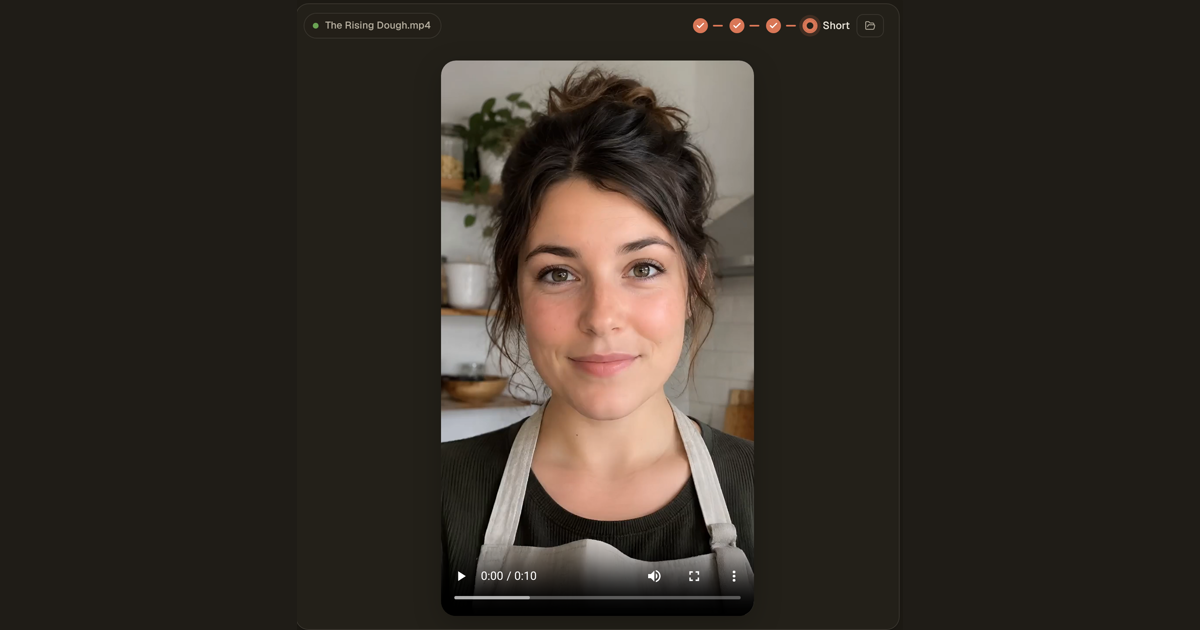
Checked on November 19, 2026.
The best AI video generator for TikTok in 2026 is Tesseract, in our view. One request gives you a finished 9:16 video with captions, music and hook-first pacing, or a presenter Short; 392 one-tap effects and a real timeline editor are in the same app, and every price is shown before anything is made.
Tesseract is a free app for Mac, Windows and Linux, with a browser version too. CapCut, Runway and Higgsfield are the other tools people reach for, and each is good at something; the table shows what each one’s own pages say. Sora is not in it: OpenAI no longer offers Sora (the web and app closed on April 26, 2026, and the API on September 24, 2026).
How do the AI video tools for TikTok compare?
| Tesseract | CapCut | Runway | Higgsfield | |
|---|---|---|---|---|
| Free to start | The app is free; a new account makes its first few pictures and a short clip free; a free allowance refills on its own; top-ups from $10 | Free plan; Pro from USD 14 a month; a 7-day free trial of the AI video generator | Free plan with 125 one-time credits; Standard from $12 a month billed yearly | — |
| Where it runs | Mac, Windows, Linux, and in the browser | Desktop, web, mobile and tablet | Web, iPhone and Android | Web and mobile |
| Vertical 9:16 | TikTok videos come out at 9:16, 1080 × 1920; one-click reframe to 9:16 in the editor | You set the aspect ratio before generating | — | Makes new short-form videos, or recreates trending ones with your character, voice and style |
| Captions | Big words, three at a time, timed to each spoken line; burned in (animated or clean) or saved as SRT or VTT | Auto captions you can translate and style | — | — |
| Music | Music under the whole video; a song maker; your clips cut to your song’s beat | A background track from CapCut’s library | — | — |
| Effects | 392 one-tap video effects; 46 kinds of AI transition | Effects, templates and synced beats in the editor | — | Motion-transfer presets and cinematic camera control |
| Presenter videos | Short with a presenter: talking to camera, with cutaways, captions and music | Digital avatars with a matching voice | — | — |
| Video models | Gemini Omni 1.2 Flash by default; Kling 4.0, Wan 3.0, Grok Imagine Video 1.5, Luma Ray 3.2, Wan 2.2 | Seedance 2.5 | Gen-4.5, Aleph 2.0, Kling 4.0, Seedance 2.0 Pro and more | 35+ models |
| Best at | A finished, captioned TikTok from one request, then real editing | Quick template edits and auto captions on any device | Generating clips with its own models | Many models and camera control in one place |
Each cell comes from the product’s own pages, read on November 19, 2026 (sources at the end). A ”—” means the pages we read do not mention it. For a wider side-by-side of AI video editors and generators, see our comparison table.
Why Tesseract for TikTok?
TikTok rewards a video that makes its point in the first two seconds, keeps cutting, and still works with the sound off. Tesseract’s video maker is built around that. For vertical video it writes the hook into the first two seconds, keeps one idea per shot, and puts the script on screen as big captions, three words at a time, timed to each spoken line. The captions are the script’s own words, so a name is never misheard.
Music plays under the whole video and fades out at the end, mixed lower under a voice. The finished file is 9:16 at 1080 × 1920, at 24 frames a second and a steady loudness.
Then the video is yours to work on. It opens on a real timeline with multicam, colour grading, a transcript you cut by, and an AI transition of 46 kinds at any cut. Each AI edit on a clip, such as a restyle or a relight, shows its price first.
How do I make a TikTok video in Tesseract?
- Get Tesseract from tesseract.dev for Mac, Windows or Linux, or open it in your browser. A new account makes its first few pictures and a short clip free.
- On Home, choose Make a video. Describe the TikTok in one sentence, for example “a 15-second TikTok on why sourdough rises”, and attach photos if you have them.
- Answer the maker’s questions, or press You choose and it fills in the rest and says what it picked.
- Read the script. Changing it costs nothing, and Read it to me plays it aloud.
- Approve the shots and the price. Each shot gets a storyboard picture, and the price is shown before any clip is made. Nothing is paid for before you say yes.
- Get the cut. The clips are made at the same time, while the voice, music and captions are put together on your computer.
- Change what you want by asking, for example a punchier hook or shorter lines. Or open it in the video editor to trim, add a transition or a title.
- Post it. In the editor’s Export tab, the share button opens TikTok’s upload page and shows you the file to drop in.
Prefer your own photos? Use my photos builds the video from your pictures, and Your own voice lets you record each line yourself.
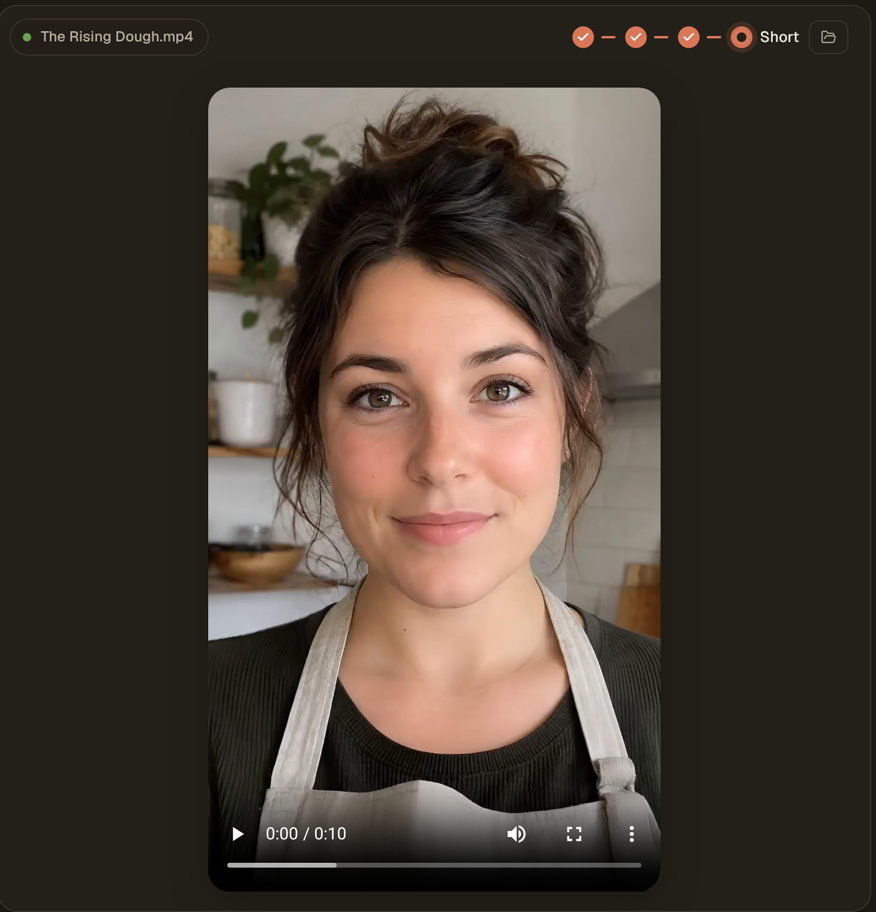
A presenter Short in one request
For a talking-to-camera TikTok, choose Short with a presenter on Home. One request gives you a vertical video with an invented presenter, cutaways, captions and music. The script and one price come first, and you say OK or ask for a change before anything is made.
One photo, one tap, a clip
Have a photo and want something eye-catching? Open it, pick one of the 392 one-tap video effects, see the price, and you get a short clip back. See the effects in action.
Already have footage?
Drop it into the video editor. The Adjust tab reframes a landscape clip to 9:16 in one click. Transcribe + diarize writes a transcript split by speaker, and captions are built from it and burned in, animated or clean. Since version 0.12.5, your dance or singing clips can also be cut to your song’s beat with the lyrics on screen, and Star in a video puts you (or a consenting adult) into a video from a few photos, always marked as AI-made.
What is each tool best at?
- Tesseract: going from one sentence to a finished, captioned 9:16 TikTok with music, then editing it on a real timeline, with every price shown first. Presenter Shorts, effects, beat-cut music videos and the editor all sit in one app.
- CapCut: fast template-based edits and auto captions, on phone, tablet, desktop or the web. Its AI video generator writes from a topic or script with Seedance 2.5 and offers digital avatars.
- Runway: generating clips with its own Gen-4.5 model and others, on the web and in its phone apps, with a free plan to try it.
- Higgsfield: a broad list of 35+ models, cinematic camera control, and short-form videos that recreate trending formats with your own character. How it compares with Tesseract feature by feature is in Tesseract vs Higgsfield (2026).
What happened to Sora?
OpenAI no longer offers Sora. Its web and app versions closed on April 26, 2026, and its API on September 24, 2026, according to OpenAI’s help article. If you made TikToks with it, any of the tools above can take its place.
Questions
Is there a free AI video generator for TikTok?
Yes. Tesseract is free to download, and a new account makes its first few pictures and a short clip free. After that, work runs on the free allowance, which refills on its own, or a top-up from $10, and every price is shown before it runs. CapCut and Runway also have free plans.
What size does Tesseract make TikTok videos?
9:16 at 1080 × 1920, the same vertical shape used for Reels and Shorts. A landscape clip can be reframed to 9:16 in the video editor in one click.
Can AI add captions to my TikTok?
Yes. Tesseract’s video maker adds big captions, three words at a time, timed to each line. For your own footage, the video editor transcribes it and burns captions in, animated or clean, or saves them as SRT or VTT.
Can I make a TikTok with an AI presenter?
Yes. Short with a presenter on Tesseract’s Home screen makes a vertical talking-to-camera video with cutaways, captions and music from one request.
Does Tesseract post to TikTok for me?
The video editor’s Export tab has a share button that opens TikTok’s upload page and shows you the finished file, so posting takes a drag and a caption.
Which AI video models does Tesseract use?
Gemini Omni 1.2 Flash by default, plus Kling 4.0, Wan 3.0, Grok Imagine Video 1.5, Luma Ray 3.2 and the open Wan 2.2.
Sources
- Tesseract 0.12.5 release notes: https://github.com/opentech-dev/tesseract-release/releases/tag/v0.12.5 (read November 19, 2026)
- Tesseract 0.12.4 release notes: https://github.com/opentech-dev/tesseract-release/releases/tag/v0.12.4 (read November 19, 2026)
- Tesseract tools: https://tesseract.dev/tools/ (read November 19, 2026)
- Tesseract home page: https://tesseract.dev/ (read November 19, 2026)
- How the AI video maker works: https://tesseract.dev/blog/ai-video-maker/ (read November 19, 2026)
- The video editor in Tesseract: https://tesseract.dev/blog/video-editor-in-tesseract/ (read November 19, 2026)
- CapCut AI video generator: https://www.capcut.com/tools/ai-video-generator (read November 19, 2026)
- CapCut pricing: https://www.capcut.com/pricing (read November 19, 2026)
- CapCut home page: https://www.capcut.com/ (read November 19, 2026)
- Runway pricing: https://runway.com/pricing (read November 19, 2026)
- Runway home page: https://runway.com/ (read November 19, 2026)
- Higgsfield home page: https://higgsfield.ai/ (read November 19, 2026)
- OpenAI, what to know about the Sora discontinuation: https://help.openai.com/en/articles/20001152-what-to-know-about-the-sora-discontinuation (checked November 10, 2026)
Make your first TikTok from one sentence: download Tesseract free for Mac, Windows or Linux.