 Tesseract
Can you use AI coding agents for free, with no API key?
Yes. Which AI coding agents work free without an API key in 2026, what each free tier gives you, and how to start in Tesseract in a few minutes.
Checked on 5 November 2026.
Yes. OpenCode is free and open source and comes with free models you can use without an account, and Tesseract gives you free AI coding agents in one desktop app: a free allowance that needs no API key and refills on its own, with OpenCode set up on first run. Claude Code and Codex are not free on their own; they need a paid Claude or ChatGPT plan, or an API key.
If you already pay for Claude or ChatGPT, Tesseract also runs Claude Code and Codex on that plan without metering you, so the agents cost nothing extra.
Which AI coding agents can you use for free?
Here is what each product’s own pages say today. “Free” means you can start without paying; the limits differ a lot.
| Product | Free to start? | Free limits, in their words | API key needed to start free? | You sign in with | Where it runs |
|---|---|---|---|---|---|
| Tesseract | Yes, $0 | A free allowance that “refills on its own”; a bigger one when you sign in | No | Nothing to start; a free Tesseract account for more | Desktop app for Mac, Windows and Linux; web; command line |
| OpenCode | Yes, “100% free to use”, open source | ”A set of free models that you can use without creating an account” | No | No account for the free models | Terminal, desktop app, IDE extension |
| GitHub Copilot Free | Yes, $0 (Pro is $10 a month) | “2,000 completions per month”, “limited chat and agent usage” | No | A GitHub account | Many IDEs, the terminal, desktop, web |
| Cursor | Yes, $0 (Plus is $8 a month) | “Limited agent requests”, “limited Chat requests” | Not stated | Not stated on the pricing page | Its own editor |
| Gemini CLI | Its README says “No free tier or Google AI plans” for individuals now | — | Optional (a Gemini API key is one way in) | A Google account, or an API key | Terminal |
| Claude Code | No | Needs a Pro, Max, Ultra, Team or Enterprise plan, or API billing | Yes, unless you have a paid Claude plan | A claude.ai account or the Claude Console | Terminal, IDE, desktop app, browser |
| OpenAI Codex CLI | Not stated for free ChatGPT plans | Recommended with Plus, Pro, Business, Edu or Enterprise | Yes, unless you sign in with ChatGPT | A ChatGPT account, or an API key | Terminal (macOS, Linux, Windows) |
Each cell comes from the product’s own pricing page, docs or README, read on 5 November 2026; the links are under Sources. Prices and limits change often, so check the page before you choose.
What each is best at, in a line:
- Tesseract: one app that runs 14 agent frameworks, Claude Code, Codex and OpenCode among them, and also makes decks, sites, videos and documents.
- OpenCode: an open-source agent in your terminal, IDE or desktop, with free models built in.
- GitHub Copilot: completions and chat inside the editor you already use.
- Cursor: an AI-first code editor.
- Gemini CLI: Gemini in your terminal, open source.
- Claude Code and Codex: the agents Anthropic and OpenAI build for their own models, strongest when you already pay for those plans.
How to use free AI coding agents in Tesseract
- Download Tesseract for Mac, Windows or Linux from tesseract.dev. It installs and updates itself.
- Open it. The first run sets you up on OpenCode with no API key of your own, as our first ten minutes walkthrough shows.
- Ask for something real, in plain words: “Find why the login test fails and fix it.” The agent reads the project, runs commands and shows each step. The free allowance pays for it.
- Sign in with a free Tesseract account when you want more: the allowance is bigger when you sign in.
- Already pay for Claude or ChatGPT? Open Settings → Models & accounts and add it. Tesseract runs on that plan without metering you, and anything you set up yourself is tried before the free allowance.
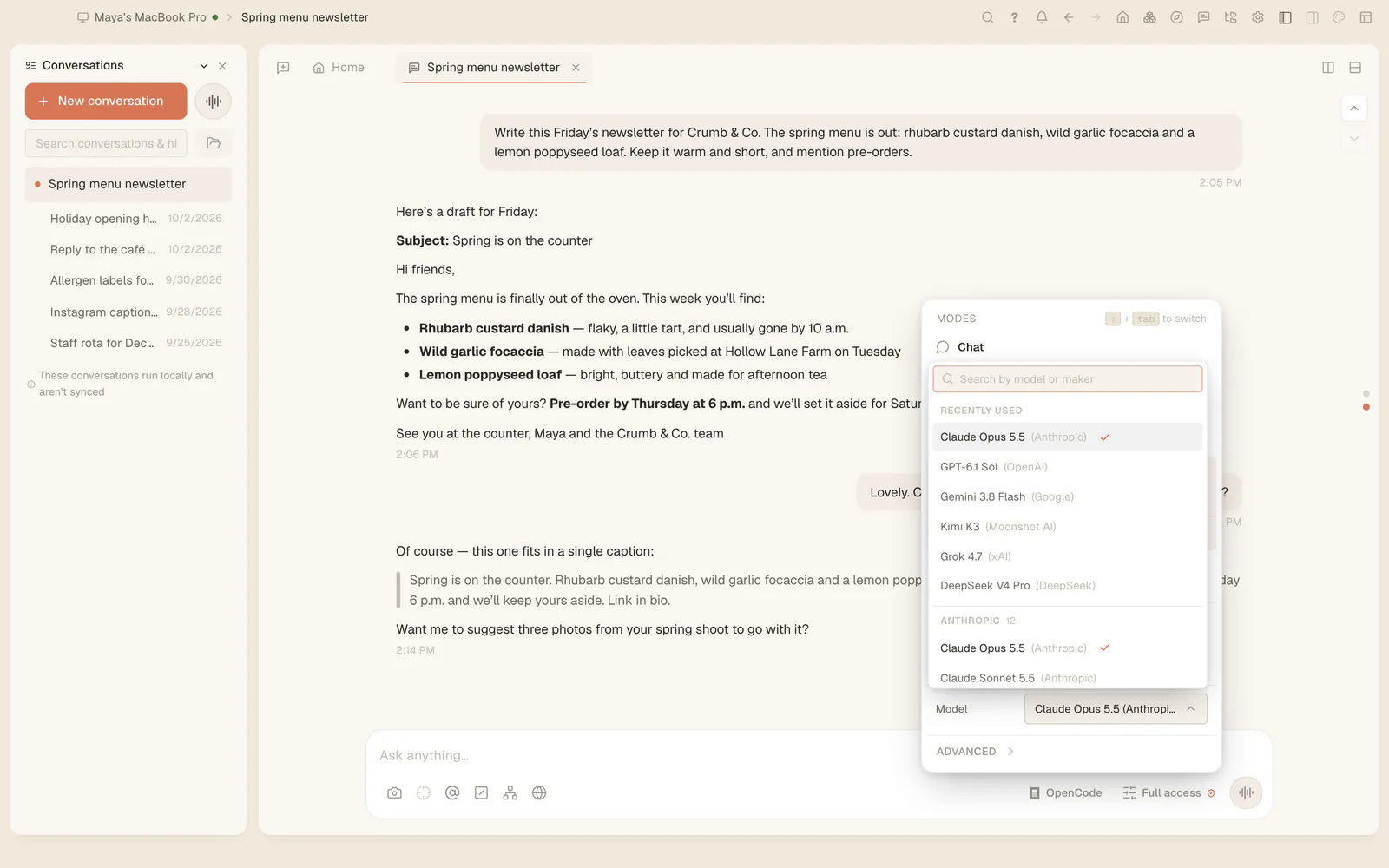
- Switch agents per conversation from the framework menu next to the message box: Claude Code, Codex, OpenCode and 11 more. How that works is in one chat, 14 agent frameworks.
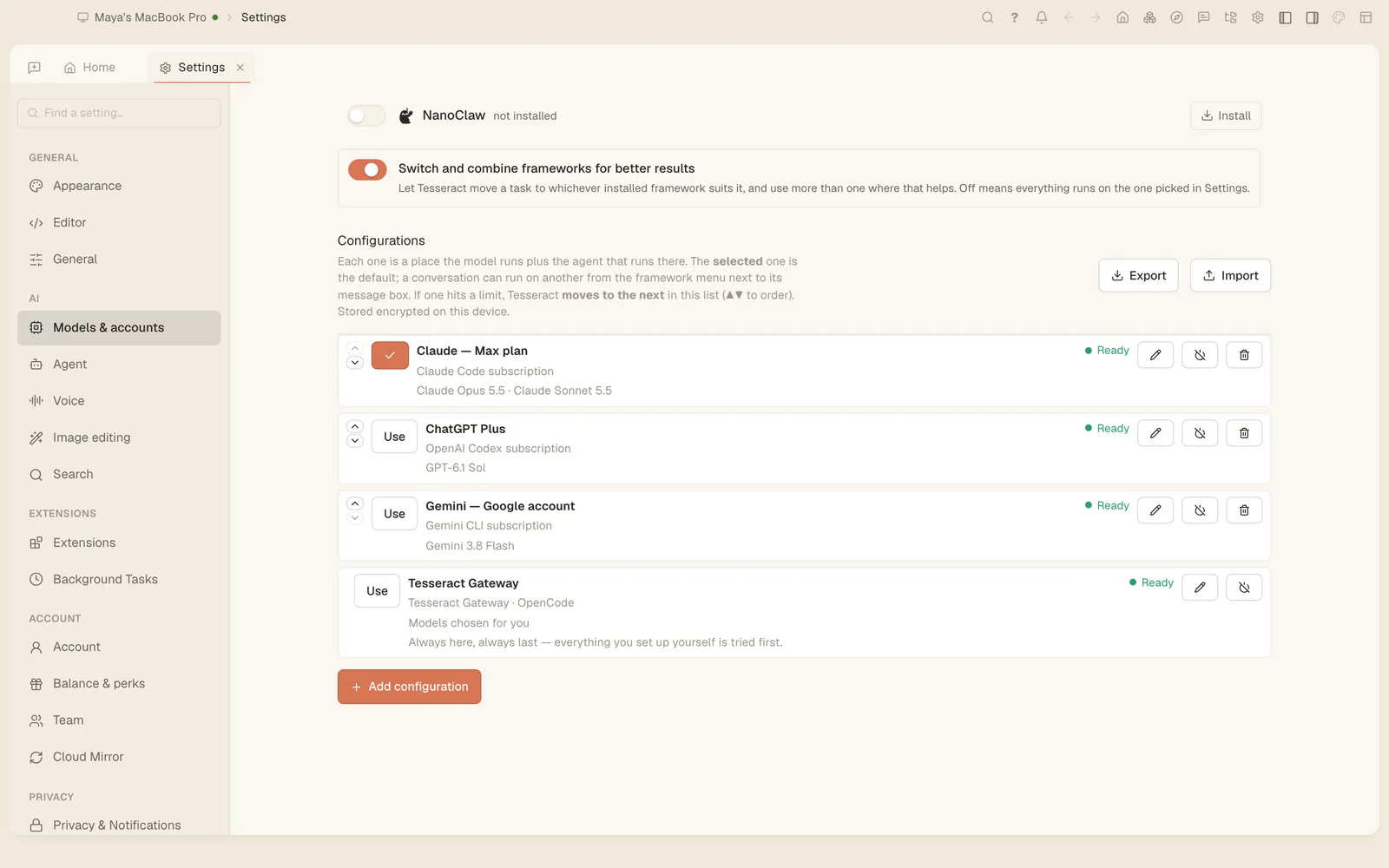
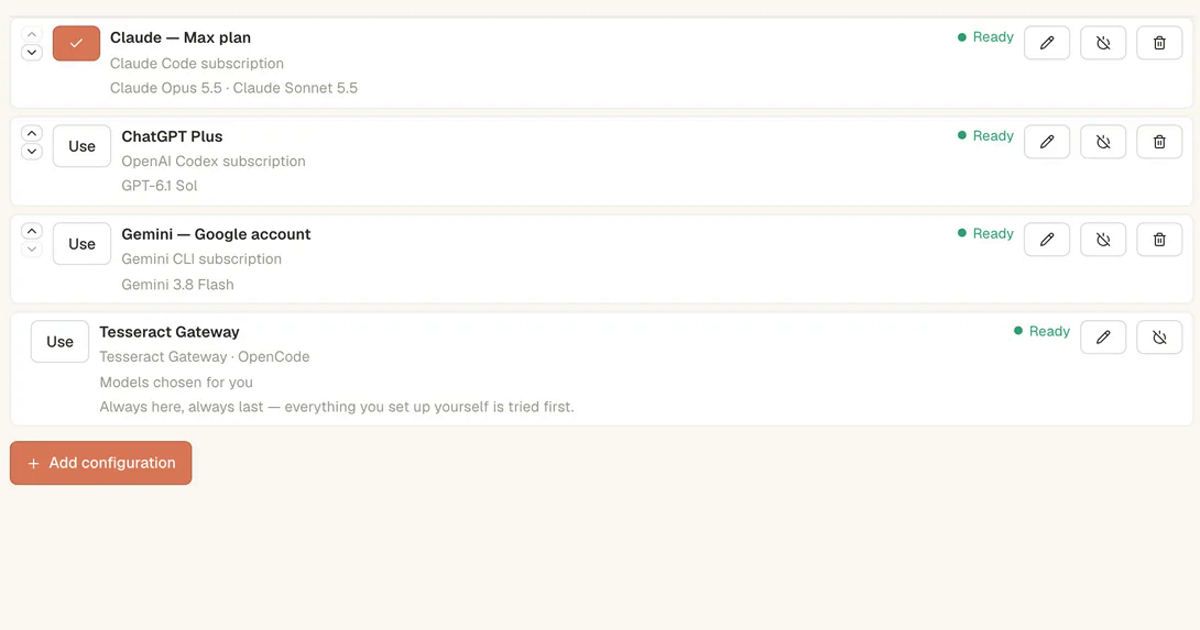
The free path is the last row: when nothing else is set up, the agents run on the Tesseract Gateway with models chosen for you. Add a subscription and it moves above.
What does the free allowance include?
It is AI included through Tesseract, at $0. It covers everything the app does, beyond code: the same allowance makes decks, websites and documents.
- It refills on its own. Want more at once? Sign in for a bigger allowance, top up, or add your own subscription.
- Top-ups add the most capable models. Pay-as-you-go top-ups start at $10, with no subscription to commit to.
- The models are chosen for you on the free path, so there is nothing to set up. Pick your own by adding an account.
Is “free” the same as “no API key”?
Not always. Copilot Free and Cursor’s free plan need an account but no key. Gemini CLI’s README says it has no free tier for individuals any more. Claude Code and Codex need either a paid plan you sign in with or an API key with billing. OpenCode’s free models and Tesseract’s free allowance need neither a key nor a card.
Can I use Claude Code or Codex for free?
Not on their own: both need a paid plan or API billing, according to their own docs. If you already pay for Claude or ChatGPT, Tesseract runs Claude Code and Codex on that plan at no extra cost and without metering. Our post on whether you need an AI subscription shows each setup.
FAQ
Is there a completely free AI coding agent? Yes. OpenCode is free and open source with free models, and Tesseract’s free allowance runs OpenCode with no API key.
Do I need a credit card to start? Not for OpenCode’s free models or Tesseract’s free allowance. You add one only to top up.
Which free AI coding agent works on Windows? Tesseract has a desktop app for Windows that runs on the free allowance. Copilot Free also works in Windows editors such as Visual Studio and Visual Studio Code.
Can I use my ChatGPT Plus plan with an AI agent outside the terminal? Yes. Add it in Tesseract under Settings → Models & accounts, and Codex runs on it in the app’s chat.
How do I get more than the free allowance? It refills on its own; you can also sign in for a bigger one, top up from $10, or add a Claude or ChatGPT plan.
Sources
All read on 5 November 2026.
- Tesseract pricing and FAQ: tesseract.dev (Free allowance, Top up, “Do I need an AI subscription?”)
- OpenCode: opencode.ai (FAQ: “100% free to use”, free models without an account) and OpenCode Console docs
- GitHub Copilot plans: github.com/features/copilot/plans
- Cursor pricing: cursor.com/pricing
- Gemini CLI: README on GitHub
- Claude Code: authentication and setup
- OpenAI Codex CLI: README on GitHub
Try it: download Tesseract and ask your first question on the free allowance.