 Tesseract
Can ChatGPT Plus run a coding agent outside the terminal?
Yes. Where your ChatGPT plan runs Codex without a terminal in 2026: the ChatGPT apps, the Codex IDE extension, and Tesseract, with what each gives you.
Checked on November 9, 2026.
Yes. Your ChatGPT plan includes Codex, OpenAI’s coding agent, and you sign in to it with your ChatGPT account, no API key. Outside the terminal you can use it in the ChatGPT desktop app, on the web, in the Codex IDE extension for VS Code, or in Tesseract, a free desktop app for Windows, Mac and Linux that runs Codex on your ChatGPT plan next to Claude Code and 12 other agents.
OpenAI’s pricing page lists Codex in ChatGPT Free, Go, Plus, Pro, Business, Edu and Enterprise, with usage limits that depend on the plan. Plus shows its limits per five hours, and weekly limits may also apply.
Where can ChatGPT Plus run Codex?
| Where it runs | Sign in with ChatGPT | Other agents too? | Good for | |
|---|---|---|---|---|
| ChatGPT desktop app | OpenAI’s app | Yes | No | Codex with the full ChatGPT app around it |
| ChatGPT on the web, Codex Cloud | Browser, OpenAI’s cloud | Yes | No | Tasks that run in the cloud, GitHub review |
| Codex IDE extension | Your code editor | Yes | No | Working inside your editor |
| Codex CLI | Any terminal | Yes | No | The terminal, scripts |
| Tesseract | Desktop app, Windows, Mac and Linux | Yes | Yes: Claude Code, Gemini CLI, OpenCode and 10 more | Switching agents per task, decks, sites and research in the same app |
Best for every Codex feature, including cloud tasks and GitHub review: OpenAI’s own apps. Best if you also use Claude or want free agents next to Codex: Tesseract.
How do I use my ChatGPT plan in Tesseract?
- Download Tesseract from tesseract.dev and open it. It is free, with no card.
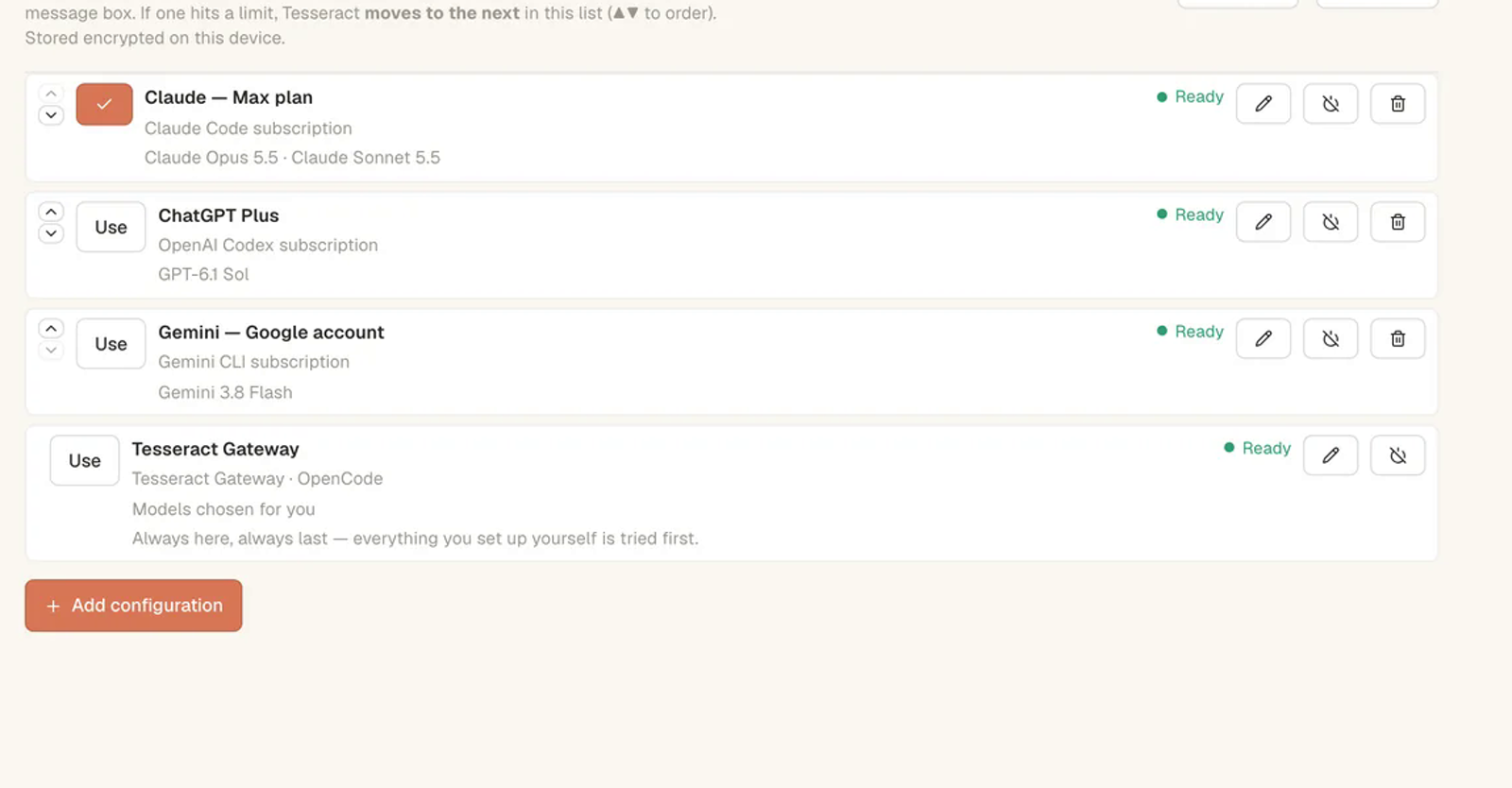
- Open Settings → Models & accounts and add your ChatGPT account. Your plan is used as it is: Tesseract adds no charge on top, and your plan’s own limits still apply.
- Start a conversation and choose Codex in the menu next to the message box. Tesseract installs and updates Codex for you.
- Ask for the task in words. When your plan hits its limit, Tesseract can move to the next account you have set up.
- No plan yet? Leave the agent on OpenCode. The free allowance runs it with no API key.
Do I need an API key?
No, not with a ChatGPT plan: you sign in with ChatGPT. An API key is the other option OpenAI offers for the CLI, SDK and IDE, billed at API rates, and it lacks cloud features such as GitHub review. Tesseract accepts either. More in Do you need an AI subscription to use Tesseract?
Questions
Does using Codex in Tesseract use up my ChatGPT limits? Yes. It runs on your plan, so it counts toward the same limits as Codex anywhere else.
Can I use Codex and Claude Code together? In Tesseract, yes: each conversation picks its agent, and a conversation can move from one to the other with its history. How one chat drives 14 agents explains how.
Is Codex on the free ChatGPT plan? OpenAI’s pricing page lists it for Free and Go too; how much you can use depends on the plan.
Is Tesseract open source? No. The app is free to download and use; it is not open source.
Sources
- Codex docs, where it is available, OpenAI: https://learn.chatgpt.com/docs (read November 9, 2026)
- Codex pricing, plans, sign-in and API key, OpenAI: https://learn.chatgpt.com/docs/pricing (read November 9, 2026)
- Tesseract: tesseract.dev and our post Do you need an AI subscription to use Tesseract?