 Tesseract
 video effects: one photo, one tap, a clip
Tesseract turns one photo into a short clip with more than 150 one-tap video effects, plus camera moves, AI transitions and videos up to 30 minutes.
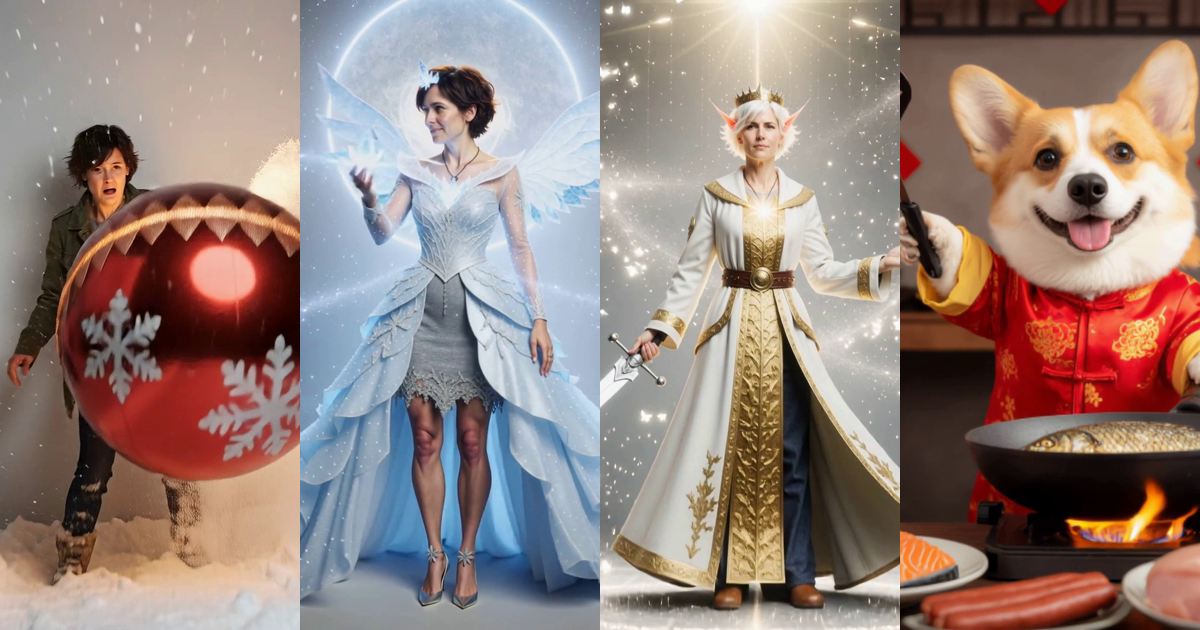
Tesseract gives you free AI agents in one app, with no API key needed, and they now make video too. Pick a photo, tap one of more than 150 video effects, and get a short clip back: a person crowned in ice, a pet cooking dinner, a Christmas bauble crashing into the room. Want to make a TikTok video without the pain? This is the short way, on Windows, Mac and Linux.
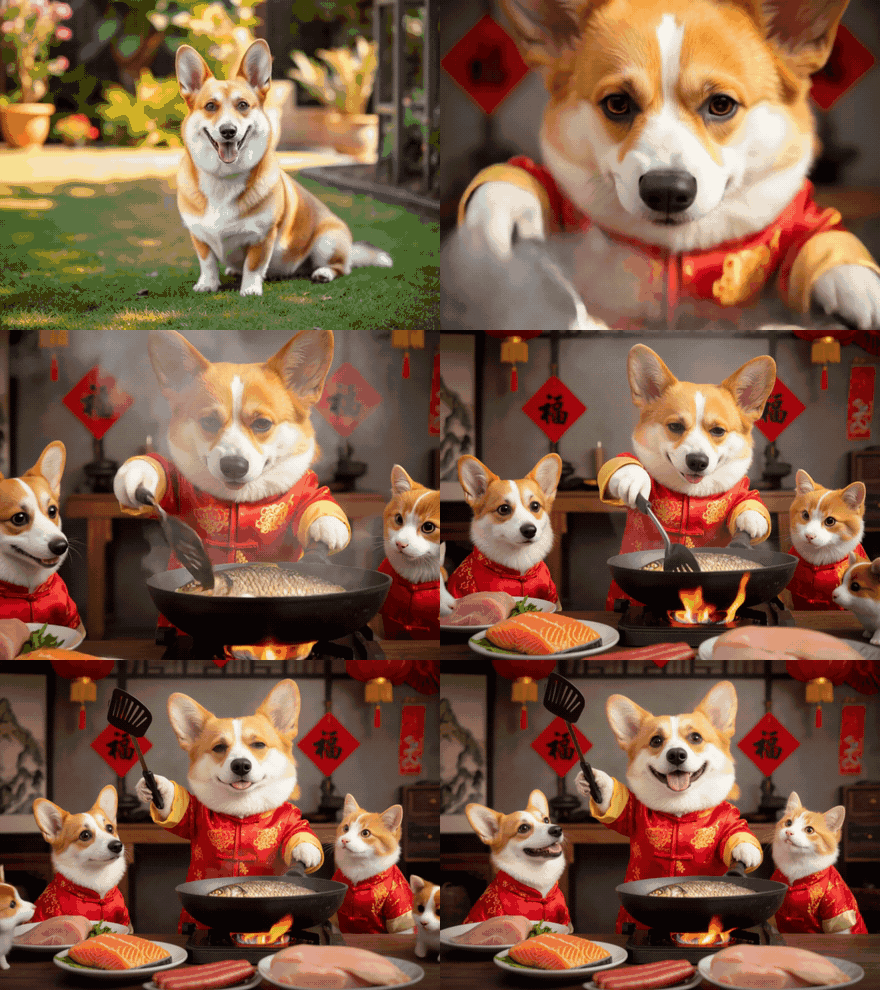
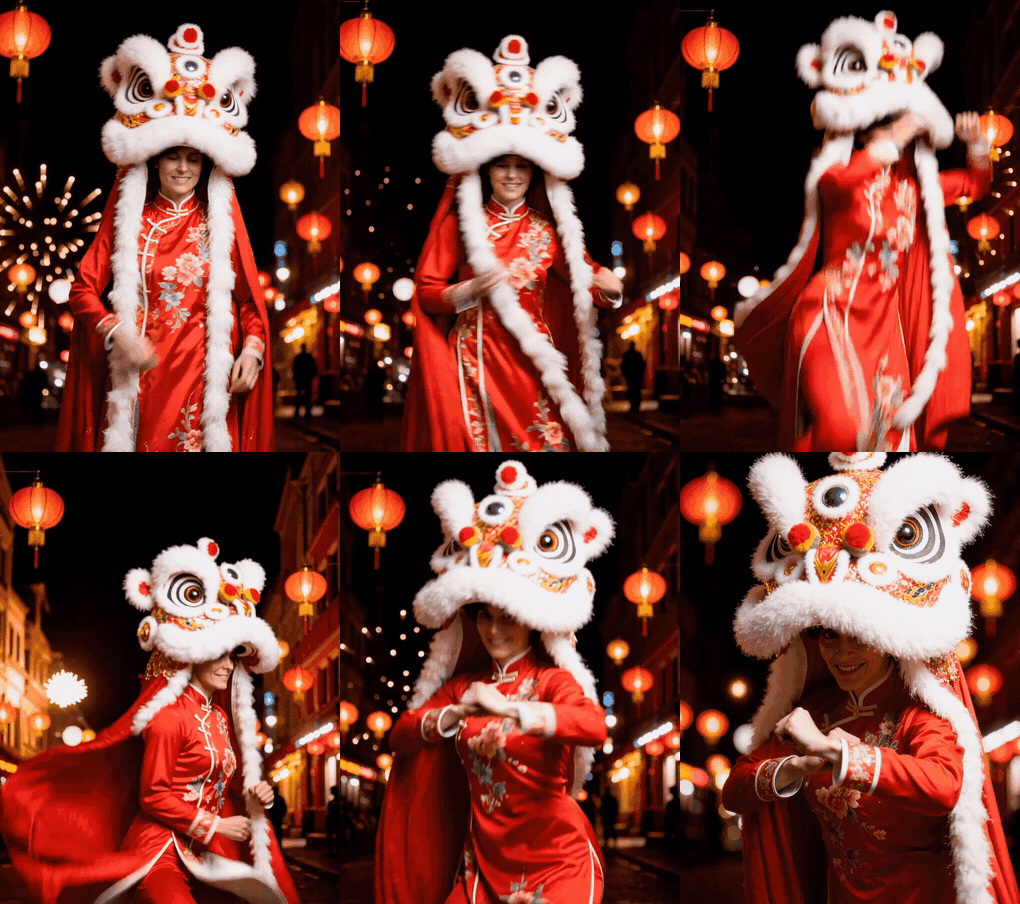
Every clip below started as one still photo of a made-up person, or one photo of a dog. Nothing else went in.
What can one photo turn into?
Bauble Crash. Christmas baubles come crashing into the scene around the subject.
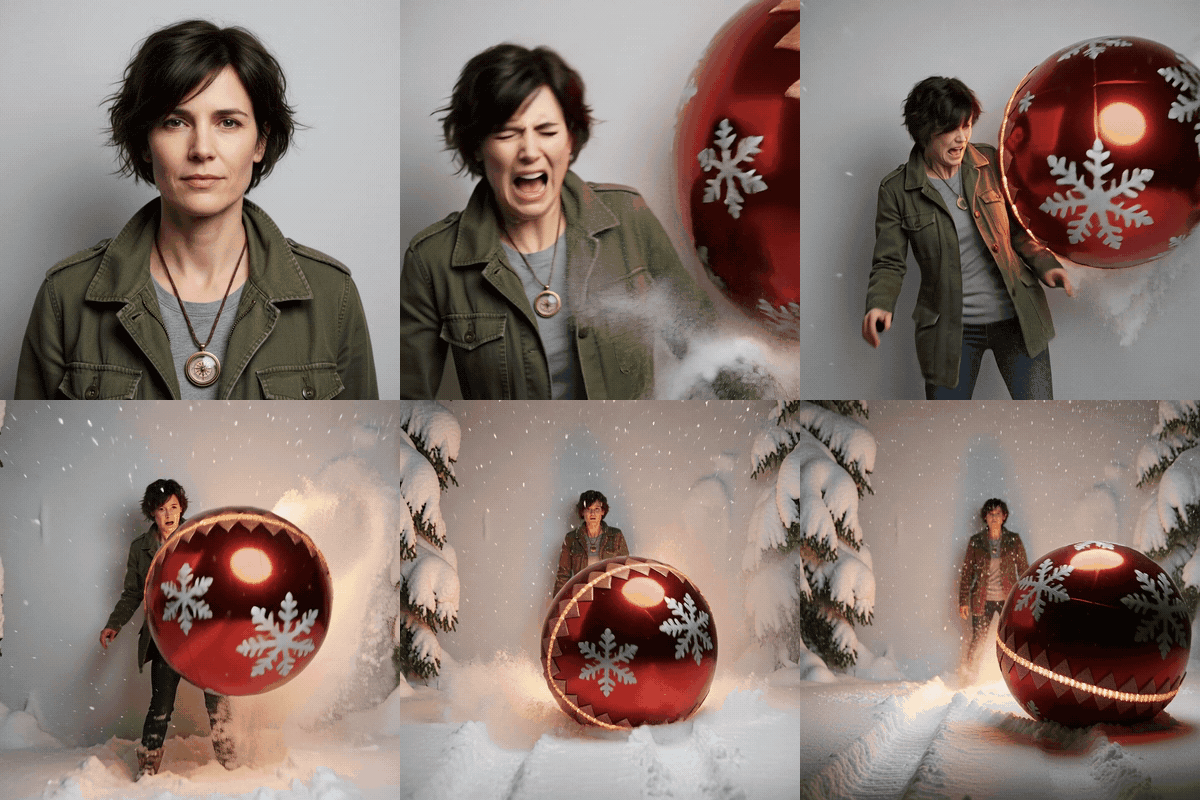
Frost Crown. Frost spreads over the scene and the person is crowned in ice.
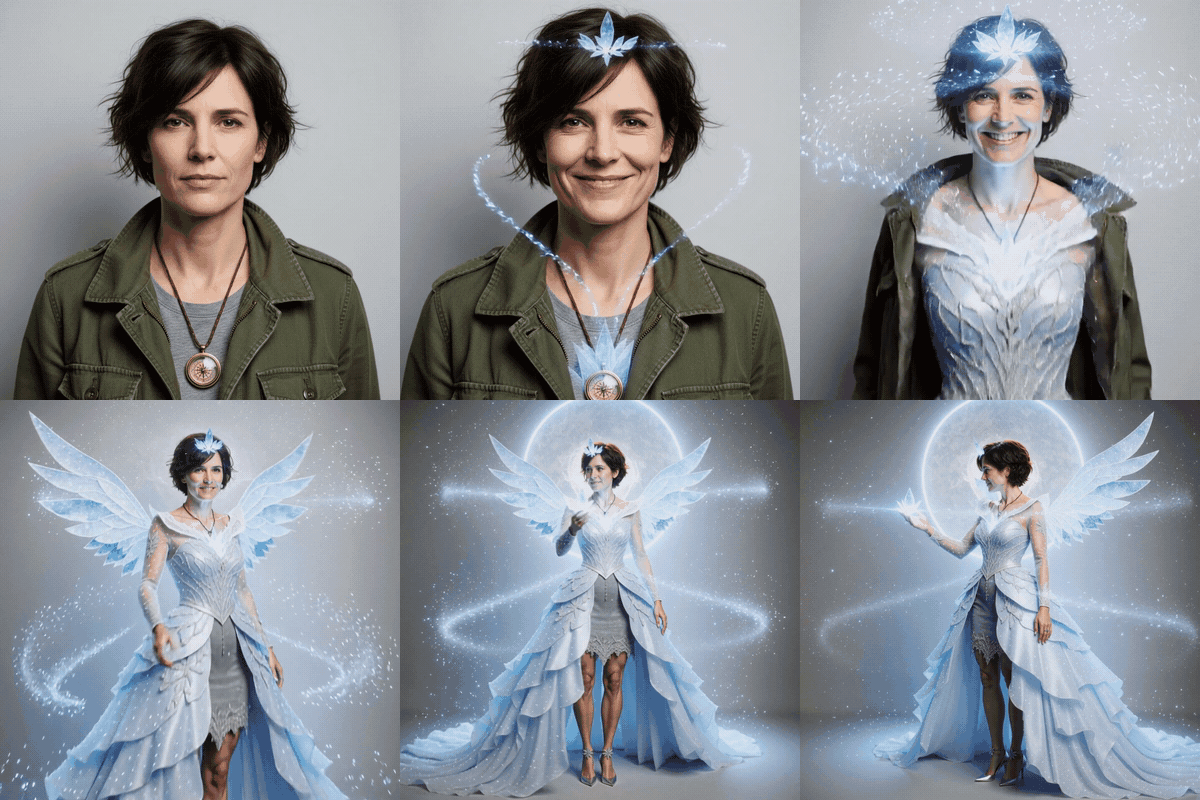
Glowing Elf. The person turns into a softly glowing fairy-tale elf.
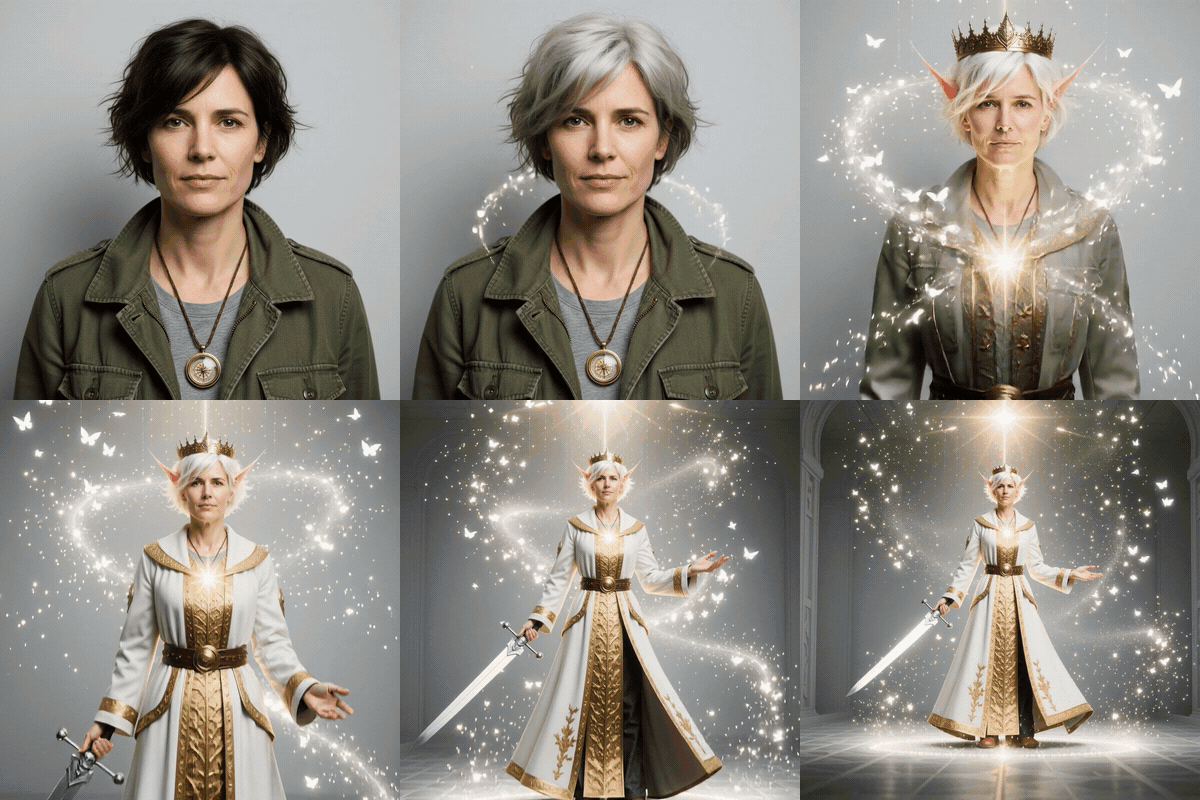
Pet Fish Chef. Your pet gets a job in the kitchen, preparing fish like a little chef.
Lunar Lion Dance. A festive lion dance for the Lunar New Year.
How do the video effects work?
Open a photo and ask, or pick an effect card. Each card says in plain words what its clip makes, so you know what you will get before you tap. Every effect in the catalogue is offered.
The catalogue has more than 150 effects, in sets you can browse:
- Seasonal: Christmas, winter, New Year and Lunar New Year looks, like Santa Swap, where a sweep of red cloth turns you into Santa.
- Transformations: Undead Change, Voodoo Doll, Quit in Style and more.
- Big moments with animals: a friendly tiger comes up and hugs you in Tiger Hug, and in Lion Cuddle a big lion walks up and cuddles your pet.
- Pets: jobs, costumes and dances, from Pet Fish Chef to Pet Lion Dance.
- Hair and outfits: in Monkey Haircut, cheeky monkeys pull the hair off.
- Styles, two-person moments, product and food ads, and scene transitions made from two pictures and one word, such as smoke, splash, whip pan or portal.
Effects can be chained, one after the other, in a single request. The price shows before anything runs. For what else the effects and video tools do on your own clips, see Tesseract 0.12.2: make a song, direct your video.
How do you direct a clip like a film crew?
When you make a clip from words or a picture, you choose the shot the way a crew would:
| Control | What you set |
|---|---|
| Camera moves | 98 named moves, found by their film-crew names too, with up to three stacked (a dolly-in with slow motion, say) |
| Light | 22 named setups |
| Emotion | 18 |
| Camera style | 12 |
| Lens | a focal length from 8 to 400 mm and an aperture from f/0.95 to f/22 |
| Reference pictures | up to 50, so a character, product or place looks right |
Can Tesseract make a long video?
Yes. Ask for a video from 30 seconds up to 30 minutes and the assistant plans it scene by scene. Reflections keep it consistent: save a person, a product, a place or a style once, then type @name in any scene, picture, ad or comic and it looks the same every time. You find them all under Home → Tools → Reflections.
In the timeline editor you can put an AI transition at any cut: 46 kinds, 2 to 8 seconds long, with the price on the button before it runs. And you can extend any clip forwards into one longer shot, your own footage included.
What is new for pictures?
The photo editor’s AI menu has Turn the view, which shows the scene from another angle, and Split into layers, which cuts a picture into 1 to 10 layers you can move and edit on their own. A good still makes a good clip, so this is often where a video starts.
Where do you start when you have no idea yet?
- The Ideas gallery (Home → Tools → Ideas) holds ready-made ideas for ads and short videos. Pick one, answer two or three questions, and it gets made, with the price shown first.
- The media board lays out pictures, clips and steps as boxes joined by lines. Change one box and run it again, and everything after it follows. You and the assistant work on the same board.
- Ads: give the ad maker a link to your own site and it builds a brand kit for free. One ad becomes many variants in 9:16, 1:1 and 4:5, each priced before anything is made.
- Community: the gallery plays videos in place. Remix one you like, or enter a contest by publishing your own; likes are the votes.
More on the board and the gallery in Tesseract 0.12.3: open your files here, plus a media board.
Questions
Do I need an API key to make these clips? No. Tesseract’s free allowance needs no API key. Effects, transitions and extended clips use your allowance or balance, and each one shows its price before it runs.
Does it work on my pet’s photo? Yes. The pet effects, such as Pet Fish Chef, Pet Lion Dance and Lion Cuddle, are made for a photo of your dog or cat.
How long can a video be? Up to 30 minutes, planned scene by scene, with the same faces kept through Reflections.
Which systems does it run on? Windows, Mac and Linux.
Download Tesseract free at tesseract.dev, pick a photo and tap an effect. No API key needed.